
AI Agents

Is Your AI SDR Actually Working, or Just Busy? A Chat-First Way to Check

Your AI sales agent looks busy on paper. Here is a chat-first way to check its numbers against real data before your next pipeline review, in one message.

Vibe Prospecting team8 min readSeptember 24, 2026
Is Your AI SDR Actually Working, or Just Busy? A Chat-First Way to Check

TL;DR

  • Busy is not the same as working. Messages sent, leads worked, and CRM fields updated are numbers your agent can generate on its own, with nothing outside it confirming any of them are real.
  • Ask a different question in chat: not "how much did it do" but "can this be checked against a source it does not control." That single test separates a real result from a self-reported one.
  • Four numbers are worth trusting: contacts confirmed current, meetings booked against a matched real company, pipeline that survives a data check, and whether that pipeline still holds up at close.
  • Vibe Prospecting checks a full week of an agent's claimed contacts against 150M+ company profiles and 800M+ people profiles in the same chat, at 97.8%+ company match accuracy, so the check runs on the whole batch instead of a handful of spot-checks.
  • It scales past a sample: up to 1,000 records checked per call, so a busy week of 900 worked leads gets reconciled in full, not eyeballed.
  • Start free at app.vibeprospecting.ai or from the Claude/ChatGPT connectors, name the one outcome your agent owns, and run your first check this week.

Is your AI sales agent actually working, or just busy? Open the agent's weekly summary and you will usually find the same three numbers: messages sent, leads worked, records updated. All three can go up every single week without a single new person ever getting a real reply. That is the gap founders and sales leaders keep tripping over: a dashboard full of motion, and no way to tell from the dashboard alone whether any of it produced something real.

This matters more once the agent is not just drafting copy for a human to send. Today's AI SDR agents send, log, and move on to the next lead on their own, so a bad week can look exactly like a good one unless something outside the agent checks its work. Before you can measure that, it helps to know what enrichment data actually is, since "validated" only means something once you know what is being checked. This guide walks through the one-line test for telling busy from working, the four numbers worth tracking instead, and a 30-day plan to start checking your agent's claims from chat.

The Busy Agent Trap: Why a Full Activity Log Does Not Prove Anything

An activity log only tells you the agent was active, not that anything it touched was real. A contact can be added, messaged, and marked "worked" without anyone ever confirming that contact still exists at that company, under that title, today.

Why a Full Week on the Dashboard Can Still Be an Empty One

  • Every send, touch, and field update logs itself automatically, so volume climbs whether or not any of it landed.
  • A stale or duplicate record counts the same as a fresh, correct one on an activity chart.
  • The agent's own dashboard has no reason to flag its own miss, since nothing outside it is checking.
"An AI agent sends 4,000 messages. Works 900 leads. Researches 300 accounts. Updates 700 CRM records. Success? Maybe." -- Rania Kuraa, LinkedIn

The One-Line Test: Busy or Working?

  • Ask: could this number go up if the agent just did more, with nothing outside it confirming any of it? If yes, it is an activity number.
  • Ask: does confirming this number require checking a source the agent does not control? If yes, it is a working number.
  • A number that fails both is worth dropping from the scorecard entirely.
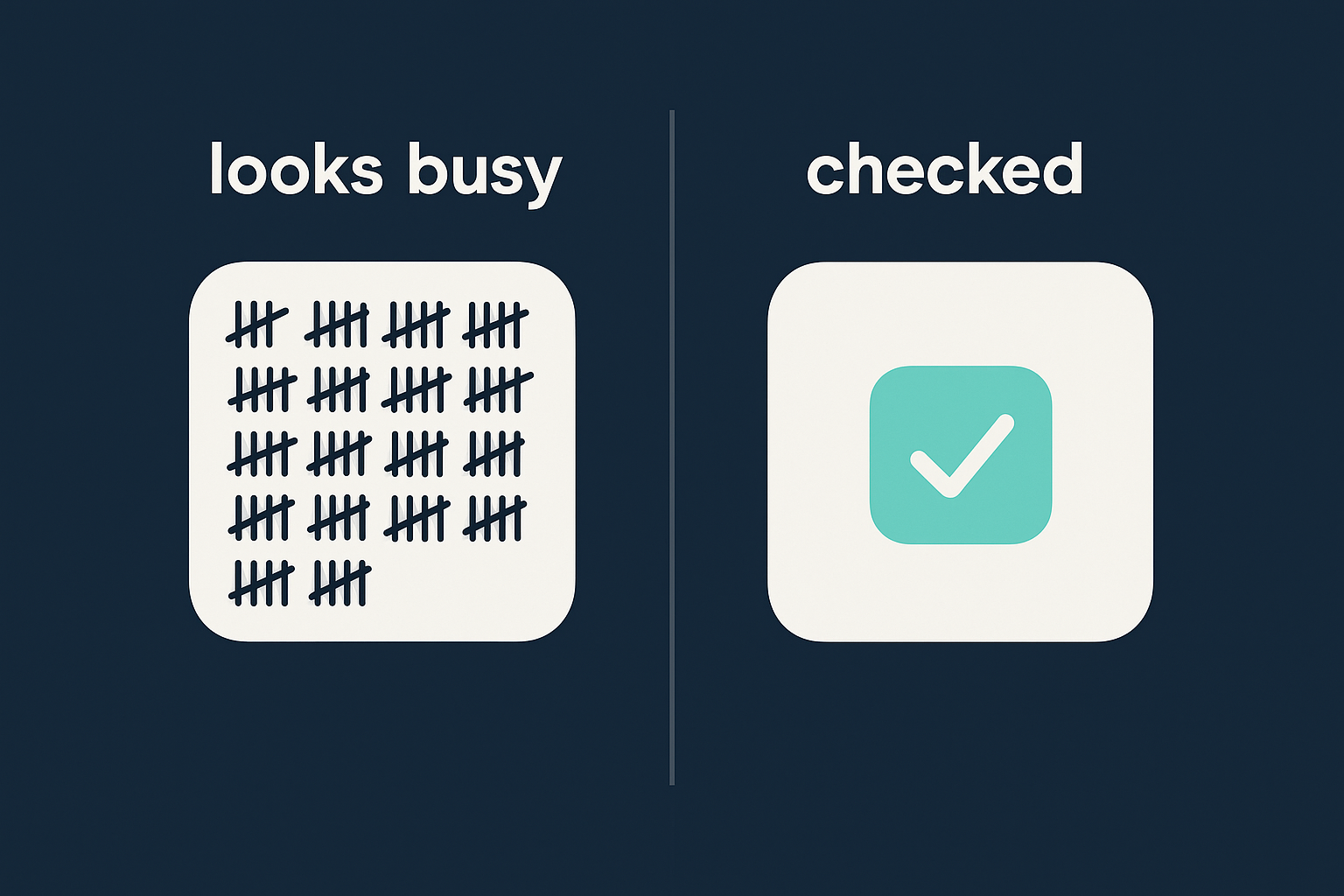
A cluttered pile of tally marks representing raw agent activity next to a single clean checkmark representing a checked, verified outcome

Activity Numbers vs. Checked Outcomes: What Actually Belongs on a Scorecard

An activity number comes straight from the agent's own log. A checked outcome only counts once something outside that log confirms it. The difference decides whether your scorecard is measuring effort or measuring results.

What the Agent ReportsWhat You Should Actually Trust
Accounts researchedMeetings booked with a matched, current company
Sequences launchedPipeline that survives a data check
CRM records updatedContacts confirmed current, not just added
Leads workedPipeline that still holds up at close

Reading This Table: The One Pattern to Flag First

  • The left side is easy to inflate. It rewards doing more, not doing it right.
  • The right side only moves once an independent source agrees.
  • A left column climbing while the right column stays flat is the first thing to raise in a pipeline review, not the last.

Why a Generic QA Score Does Not Settle the Question

Most teams grade an AI agent with either a human-SDR coaching rubric or the vendor's own internal quality score, and neither one checks against a source outside the agent's control. That leaves the agent grading its own homework.

The Borrowed-Standard Problem

  • A QA rubric built for coaching a human SDR was never designed to catch a stale record an agent worked anyway.
  • A vendor's opaque internal score has no incentive to surface a miss that makes the agent look bad.
  • Neither standard tells you whether the company or the title behind a "qualified" contact is still accurate today.
"Most quality programs run on borrowed standards, a generic QA scorecard, or an AI vendor's own opaque score." -- Jon Odalen, LinkedIn

What "Independent" Actually Means Here

  • The check has to come from a data source the agent itself cannot edit or influence.
  • It has to run at the same volume the agent worked, not a hand-picked sample of ten records.
  • It has to answer a yes-or-no question: is this contact, at this company, still real right now.

A Real Qualified Meeting vs. a Meeting That Just Got Booked

A real qualified meeting has three things confirmed before it ever hits the calendar: the right company, the right current title, and a clear next step. A meeting that is just booked is missing at least one. Volume on the calendar cannot tell the two apart by itself.

The Three-Part Check Before a Meeting Counts

  • Company confirmed against a real, matched profile, not just an email domain that happens to look right.
  • Title confirmed current. A stale title is the single most common reason a "qualified" meeting turns into a wasted 30 minutes.
  • A specific next step logged, not a vague "exploring options" note.

What Skipping This Check Actually Costs

  • Meeting-booked counts keep climbing while close rates stay flat.
  • Sales reps stop trusting agent-sourced meetings and start manually re-qualifying everything, which erases the time the agent was supposed to save.
  • Leadership sees a full calendar and a flat forecast, and the agent takes the blame for a measurement gap it did not create.

Give the Agent One Job Before You Try to Grade It

Name a single outcome the agent owns, in one segment, before you write a single success metric. Not every go-to-market motion is the same, and grading a bundle of tasks as if they were one job is how measurement turns into a vague monthly report nobody trusts.

"Not all go-to-markets are the same... it's treated as if every GTM action is identical." -- nerddiva, Agent Insight, LinkedIn

Writing the Agent's One-Page Job Description

  • Pick one outcome: for example, booked and verified first meetings in one segment, not "outbound in general."
  • Name the source that will confirm that outcome before the agent starts running, not after a leader asks why numbers look off.
  • Set a ceiling on volume the agent cannot exceed without a matching rise in the checked-outcome number.
  • Cross-check the job against a simple broken-process-vs-broken-agent checklist, since a vague job often hides a process gap that no metric will fix.

Turn the Job Description Into a Config, Not a Slide Deck

Write the job as a small config object that lives next to the agent's other settings. Tying a volume ceiling to a verified-outcome floor means a spike in raw activity with no matching rise in checked outcomes shows up immediately, instead of surfacing three weeks later in a pipeline review.
Claude Code
{
  "agent_job": {
    "owns": "booked_verified_meetings",
    "segment": "mid_market_saas",
    "checked_against": "vibe_prospecting_chat",
    "volume_ceiling": 250,
    "verified_outcome_floor": 15
  }
}

How to Ask the Question in Chat Instead of Trusting the Dashboard

Vibe Prospecting checks an agent's claimed contacts and companies against premium, independently sourced business data, in the same chat conversation you are already using to run the agent, at a scale that covers a full week's work instead of a sample. You do not need a separate audit tool or a data team to run this check.

What One Chat Connection Covers

  • Company details across 150M+ profiles and contact details across 800M+ people profiles, checked in the same conversation that ran the outreach.
  • Company size, funding stage, hiring activity, and recent company activity in the same request, so you are not stitching together three separate lookups for one contact.
  • 97.8%+ company match accuracy, which is what turns "validated contact" from a phrase in a report into something you can actually check.

Built to Check a Full Week, Not a Handful of Records

  • Up to 1,000 records checked per call, so a week where the agent worked 900 leads gets reconciled against the whole batch, not a spot check of twenty.
  • Most chat-based enrichment tools load every record straight into the model's context window, which caps a realistic check at somewhere between 20 and 100 records.
  • A free account and one shared credit pool, instead of a separate charge per data type, cut the cost of running this check every single week by roughly 30-60% versus paying per endpoint.
Claude Code
{
  "mcpServers": {
    "vibe-prospecting": {
      "command": "npx",
      "args": ["-y", "@explorium-ai/vibeprospecting-mcp"],
      "env": { "EXPLORIUM_API_KEY": "your_api_key_here" }
    }
  }
}
"If your prompt isn't surgically specific, the output can include some gunk. You really have to box the AI in with negative constraints." -- Verified Reviewer, via G2

A Simple Weekly Check-In, Not a New Dashboard Project

You do not need a new BI dashboard to start doing this. You need four columns: the number, who checks it, how often, and who owns the outcome. A scorecard missing the "who checks it" column is just a nicer-looking version of the same activity log.

The Four Columns That Make a Scorecard Trustworthy

OwnerNumberChecked AgainstHow Often
RevOps leadPipeline still holding up at closePipeline-to-close reconciliationMonthly
RevOps leadPipeline that survives a data checkAccount re-check at closeEvery two weeks
Sales managerMeetings with a matched, current companyCompany match checkWeekly
RevOps analystContacts confirmed currentEnrichment check in chatWeekly

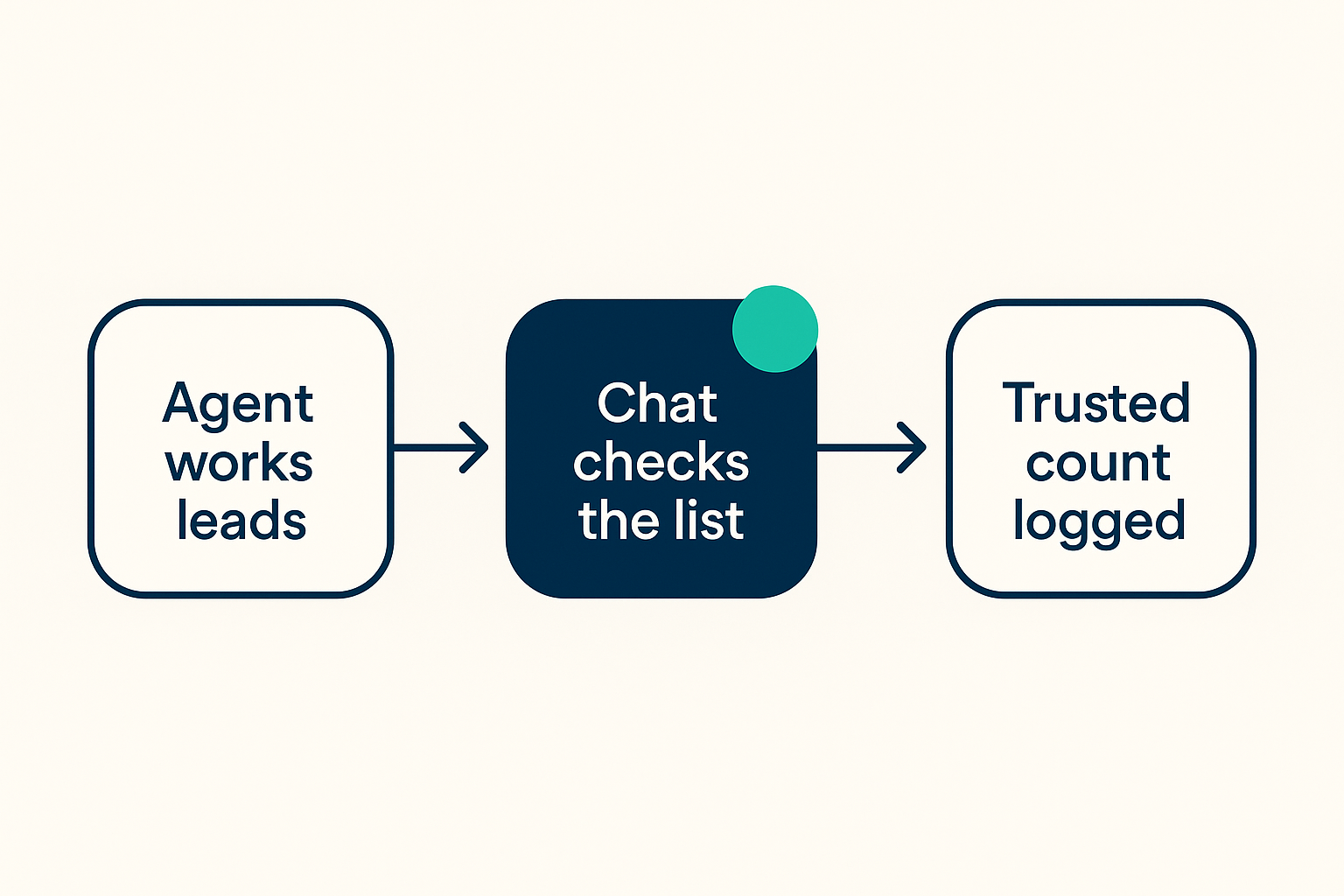
The Weekly Loop, in Three Steps

  • Pull the agent's raw activity list and the chat-checked result side by side.
  • Flag anywhere the two disagree, and route that specific record to whoever owns the segment.
  • Track the disagreement rate over time. A rate that keeps falling is the real evidence of improvement, not a rising activity count.
Simple three-step flow: the agent works leads, a chat check reviews the list, and mismatches get flagged before a trusted count is logged

Why So Many AI Agent Pilots Never Show Real ROI, According to the Research

Most enterprise generative AI pilots stall on workflow integration and measurement, not on the underlying model quality. MIT's Project NANDA found that 95% of enterprise generative AI pilots produced no measurable profit impact, and Gartner projects that more than 40% of agentic AI projects will be canceled by the end of 2027 over unclear ROI. Both point to the same root cause this guide has been walking through: teams keep grading agents on activity because nobody built the checked-outcome half of the scorecard.

Your First 30 Days: A Founder-Friendly Rollout

Connect a chat-based check, name the agent's one job, and run your first reconciliation within 30 days. None of this requires a new tool stack or a data engineer.

Week by Week

  1. Week 1: Open a free account and add Vibe Prospecting from the Claude or ChatGPT connectors directory, or at app.vibeprospecting.ai.
  2. Week 2: Write the agent's one-page job description: the single outcome it owns, and the source that will check it.
  3. Week 3: Ask the chat to check last week's worked leads in one message, and write down the disagreement rate you get back.
  4. Week 4: Move to a full weekly batch check and add the four-column scorecard to your standing pipeline review. Before you let the agent touch your CRM unattended, run it against a simple governance checklist for agents that write back to your CRM.

The Decision That Actually Matters

Every claim your AI sales agent makes about its own success should trace back to something it does not control. Vibe Prospecting, powered by Explorium Enterprise Business Data, fits into that check from inside the same chat you already run the agent from: one connection, a full week's worth of records, and a free account that keeps checking affordable enough to do every week instead of once a quarter. The agent will always look busy. Whether it is working is the only question worth answering.

FAQs

Frequently Asked Questions

Get Started Banner

Get Started for free

Sign Up
Is Your AI SDR Actually Working, or Just Busy?