The Field-by-Field Trust Test for AI Agents Auto-Updating Your CRM
A plain-English guide to AI agents auto-writing to your CRM in 2026: which fields are safe to automate now, which need a human, and how to check the data first.
Vibe Prospecting team9 min readSeptember 23, 2026
TL;DR
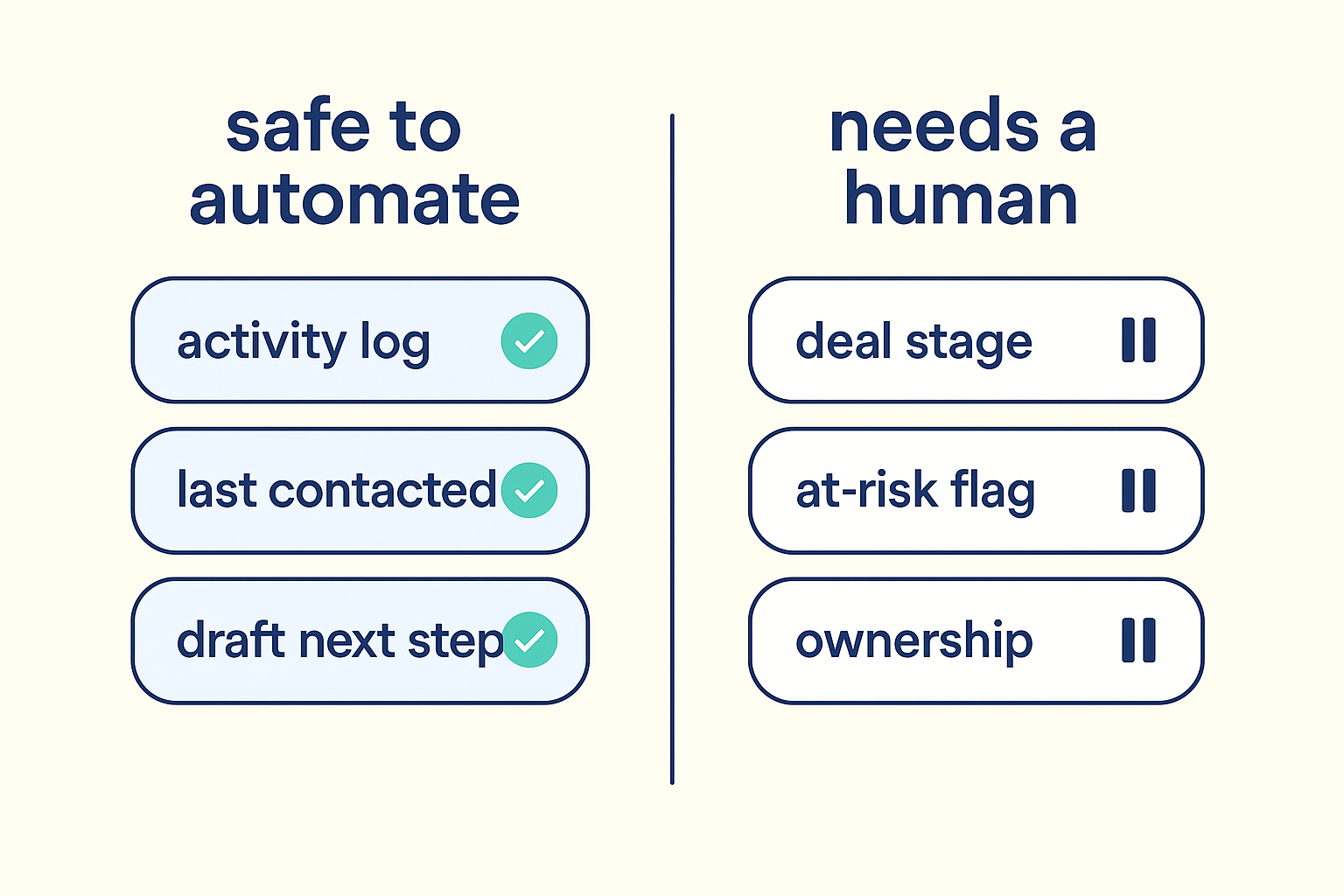
Not every field deserves the same trust level: let an agent write activity logs and last-contacted dates on its own, but hold deal stage, ownership, and at-risk flags behind a confidence check or a human.
92% of VPs and SVPs and 78% of the C-suite say they've already acted on an AI recommendation they later suspected was built on shaky data, per Validity's 2026 State of CRM Data Management report.
HubSpot's Smart CRM and Salesforce's Agentforce both write to records without a re-entry step now, so the safety net has to sit upstream of the write, not in a review inbox nobody opens.
Set a different confidence bar per field, not one bar for the whole agent, and pull that score from the data source, not the agent's own self-reported certainty.
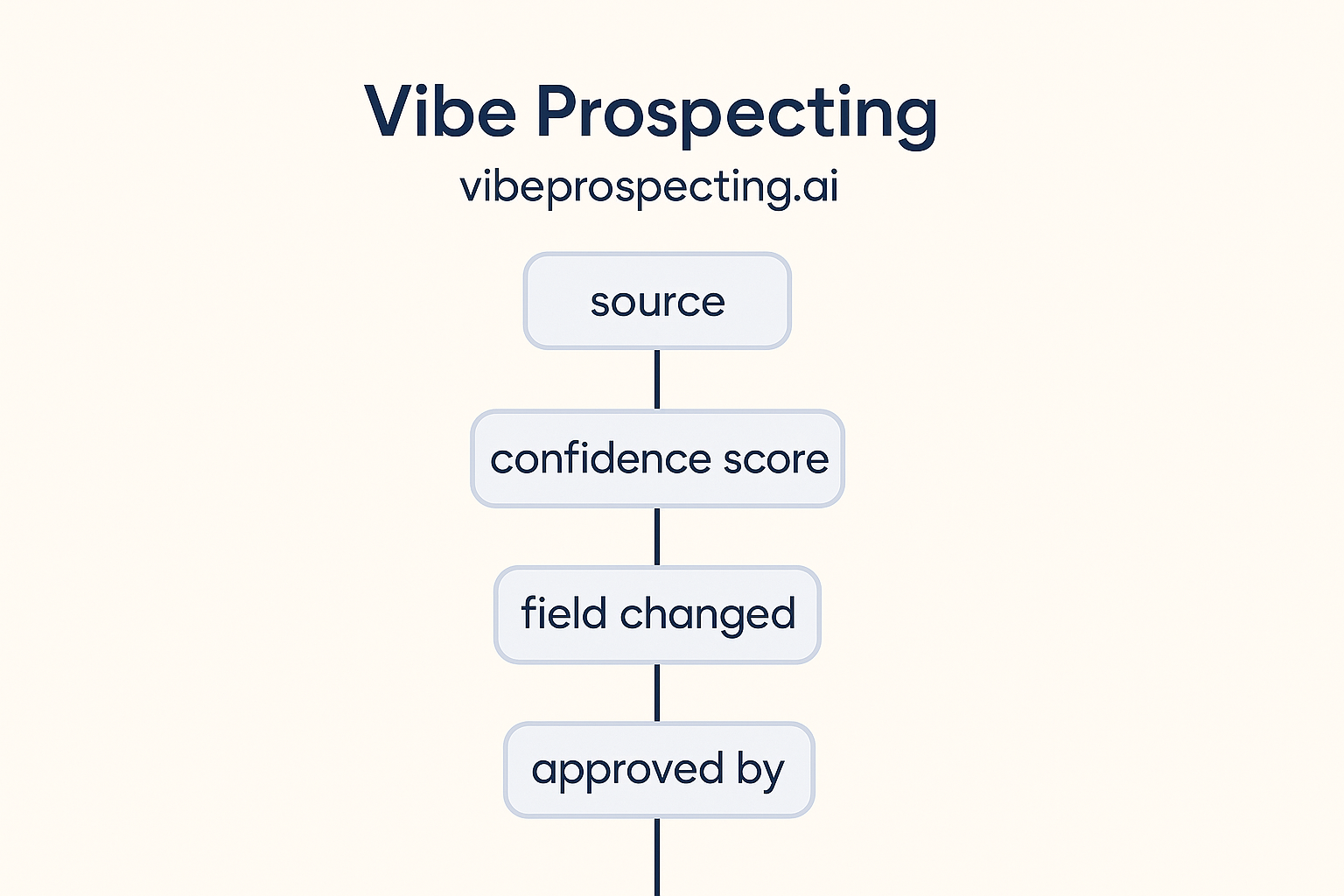
An audit trail only helps if it logs the source input and confidence score alongside the field change, not just what the agent did.
Ask your agent to show its sources and confidence before it writes, using a plain chat prompt, and get a second check on the underlying company or contact data before you trust a write it makes on its own.
Ask an AI agent to auto-update your CRM straight from your calls and emails, and it will do it all day, for every field, whether it's actually sure or not. That's the part the product demos skip. Here's the plain-English, field-by-field trust test: what's safe to let an agent auto-update on its own in 2026, and what still needs a person or a confidence check standing between the agent and the record.
Start with the number that should worry you more than any feature announcement: 92% of VPs and SVPs and 78% of the C-suite say they've already acted on an AI recommendation they later suspected was built on bad underlying data, according to Validity's 2026 State of CRM Data Management report. HubSpot's Smart CRM and Salesforce's Agentforce both now write straight into records with no human re-entry step, so whatever catches a bad write has to sit before the write happens, not in a review queue nobody checks on a Friday afternoon.
This guide covers which fields to hand over now, which ones to gate, how to size a confidence bar per field, and a chat prompt you can hand your own agent to make it show its work before it commits anything.
The Gut Check Before You Turn On Auto-Write
Turn on auto-write for fields where a wrong guess costs you a two-second correction, and keep a human or a confidence gate in front of anything that changes what a rep does next. The failure mode most CRM launch coverage skips over is a false 'deal at risk' flag pulled from a half-heard comment on a call, and nobody in the vendor announcements says who's supposed to catch that.
Why 'suggest, then type it yourself' stopped working
Manual re-entry was the review step, and reps skipped it the moment quota pressure hit, so the CRM went stale anyway.
A suggestion feed is just a second inbox nobody triages.
Neither model checked the source data behind a suggested change or a live write.
Estimates for 2026 put losses from ungoverned AI in B2B sales and marketing above $10B, most of it traced back to data nobody validated first.
What a governed write model looks like instead
Call summaries and activity notes land in seconds instead of at the end of the week.
Reps can see why a field changed, not just that it changed.
Anything that changes a rep's next move still routes through a threshold or a person.
The agent grounds its writes in checked facts instead of one shaky transcript.
What 'Auto-Updating Your CRM' Actually Means in 2026
CRM auto-update means the agent reads unstructured context, a call, an email thread, a meeting note, and writes structured field changes directly, instead of only surfacing something for a rep to retype. HubSpot describes its Smart CRM as able to capture and sync information from calls, emails, and meetings automatically rather than depending on a rep to update the record by hand, logging an audit card that explains why a property changed.
How the big two frame the write path
Salesforce's Agentforce Operations, shipped April 2026, records every agent action against the relevant workflow blueprint for a lasting audit trail.
Salesforce agents act inside the same permission set as the user they're working for.
HubSpot's Growth Context pulls company, employee, and customer data together across more than a single transcript before it writes.
The gap neither vendor closes
Both platforms log what changed and why. Neither one checks whether the underlying fact was true. That check has to live in the data layer feeding the agent, not in the CRM's own audit log.
The Fields Safe to Hand an Agent Today
Start with fields that describe what happened rather than what it means, so a wrong guess costs a quick fix instead of a lost deal. Activity notes, last-contacted timestamps, and draft next-step suggestions all belong here.
What's safe to automate today versus what still needs a checkpoint
Field type
Turn on now
Gate with a confidence score
Never without a person
Activity note / call summary
Yes
Last-contacted timestamp
Yes
Draft next-step suggestion
Yes
Contact title / company size
Yes
Lead score adjustment
Yes
Deal stage
Yes
At-risk flag
Yes
Ownership / territory
Yes
Why these earn trust first
They describe an event, not a judgment call, so a wrong entry doesn't shift a rep's priorities.
They're a two-second fix if the agent gets a detail wrong.
They leave a trail a reviewer can spot-check later without blocking the rep in the moment.
Deal stage, at-risk flags, ownership, and forecast category should never move on an agent's word alone. A wrong deal stage fires the wrong playbook. A wrong ownership change breaks a rep's relationship history on an account they've worked for months.
The hold-for-review list
Deal stage: triggers automated sequences and forecast math across the whole org, not just one record.
At-risk flag: a false positive kicks off an unnecessary escalation; a false negative buries a real problem.
Ownership or territory: a misrouted account can cost a rep months of relationship-building in one bad write.
Forecast category: feeds straight into the revenue number leadership reports upward.
The exception worth knowing
An agent can still write one of these fields when the evidence is unambiguous and comes from an independent source, a signed contract date, say, not a hunch about someone's tone on a call. The rule is about how sure you can be, not about the field's name.
Where Agents Get It Wrong (And Why Nobody's Talking About It)
The most common failure is an agent turning a half-formed impression into a confirmed fact, most often on the at-risk flag and the contact's title. A prospect mentions budget is tight in passing, and it becomes a hard 'at risk' flag with no asterisk.
Three patterns worth watching for
Overconfident inference: a tentative signal in a transcript gets treated as settled fact.
Stale source data: the agent pulls from an old snapshot of a company instead of its current state.
Silent overwrite: a solid, previously checked field gets replaced by a lower-confidence guess with no flag raised.
"A founder we talked to switched after watching an agent flag a healthy account as at-risk off one offhand comment, then quietly overwrite the note a rep had entered a week earlier." - RevOps Lead, Series B SaaS, via G2
What it costs to act on bad data
78% of C-suite and 92% of SVP/VP respondents acted on an AI recommendation they later suspected was wrong because the underlying data was off (Validity, 2026).
Only 26% believe more than three-quarters of their CRM data is accurate and complete.
These mistakes compound faster once an agent, not a rep, is the one writing the field.
Setting a Confidence Bar for Each Field, Not the Whole Agent
A confidence threshold is just a cutoff score, drop below it and the agent drafts the change for review instead of writing it live. Set the bar low for activity notes and as high as the data allows for deal stage.
A starting point for field-level thresholds
Field
Minimum confidence
Fallback
Activity note
0.50
Write immediately
Contact title
0.85
Route to review
Deal stage
0.97
Require sign-off
Ownership
0.99
Require sign-off
Pull the score from the data, not the agent
Use the match or match-quality score the data source reports, not the agent's own self-rated certainty.
A stable accuracy baseline, checked business data running at 97.8%+ match accuracy for example, gives you something real to threshold against.
Log every below-threshold write to a review queue instead of quietly dropping it.
A held-for-review write looks like a draft, not a commit:
A useful audit record needs the source input, the confidence score at write time, the field, the previous value, and a timestamp, queryable on its own, not buried inside the CRM's native change log. Salesforce's Audit Trail tracks agent actions for security and compliance review; HubSpot's audit card logs why a property changed.
The minimum worth logging
Source input (which email, call, or note triggered the write).
Confidence score at the moment of the write.
Field name, previous value, new value.
Whether the change was automatic or a person approved it.
Timestamp and agent version.
The regulatory backdrop
The EU AI Act's human-oversight rules, in force since August 2026, apply to AI decisions that affect people.
Singapore's IMDA Model AI Governance Framework for Agentic AI, from January 2026, expects agent actions to be traceable.
Build the log now, and you skip the scramble when a regulator or a customer's security team asks to see one.
Ask Your Agent to Show Its Work First
Before you trust any agent to write to a live record, it's worth asking it to show its sources in plain chat, whether that's ChatGPT, Claude, or a workflow you've wired up yourself. The prompt below works whether you're checking one contact or spot-checking a batch of records an agent already touched this week.
Text
Before you trust this record, show me:
1. Every field you changed on this contact or company in the last 7 days
2. The source you pulled each change from (which call, email, or note)
3. Your confidence score for each change
4. Which changes you would have held for review if a threshold were set at 0.85

Then check the company and contact facts against a premium business
data source and flag anything that doesn't match what you have on file.
Vibe Prospecting works the same way in chat: ask it to pull up a company or a contact from premium business data, and it will show you the match, the source, and how confident it is before you decide whether to trust what an agent already wrote. That's a second opinion, not a CRM connection: you decide what goes back into the record. Powered by Explorium Enterprise Business Data.
Your 30-Day Rollout Plan for CRM Auto-Write
Don't flip auto-write on for every field at once. Roll it out over four weeks so you can watch what breaks before it costs you a deal.
Week 1: Sort every writable field into automate-now, gate-with-threshold, or never-without-review, using the tables above as a starting point for your own CRM.
Week 2: Turn on auto-write only for the automate-now fields. Watch the correction rate.
Week 3: Set per-field thresholds for the gated fields, sourced from your data provider's own match score, and route anything under the bar to a review queue.
Week 4: Build the audit record before the first live write on a gated field, then review the held-for-review queue weekly and retune the thresholds from there.
When a Second Opinion on the Data Pays Off
Three things decide whether you're ready to trust an agent with more fields: how much of what it writes is checked rather than guessed, how well the process holds up at volume, and how much a verification step adds to your workload. A single business data source that covers 150M+ companies and 800M+ people removes the guesswork of stitching together several smaller lists. A prospecting layer built to handle volume without hitting a rate limit keeps a weekly spot-check practical instead of a chore someone quietly stops doing. And a free account with no sales call means checking the data doesn't double the cost of the automation it's supposed to be watching.
Vibe Prospecting sits underneath whatever agent is already touching your CRM, whether that's HubSpot's Smart CRM, Salesforce's Agentforce, or something your own team built, and gives you a place to double-check a company or a contact before you decide to trust the write. Try it free in chat, no subscription required to get started.