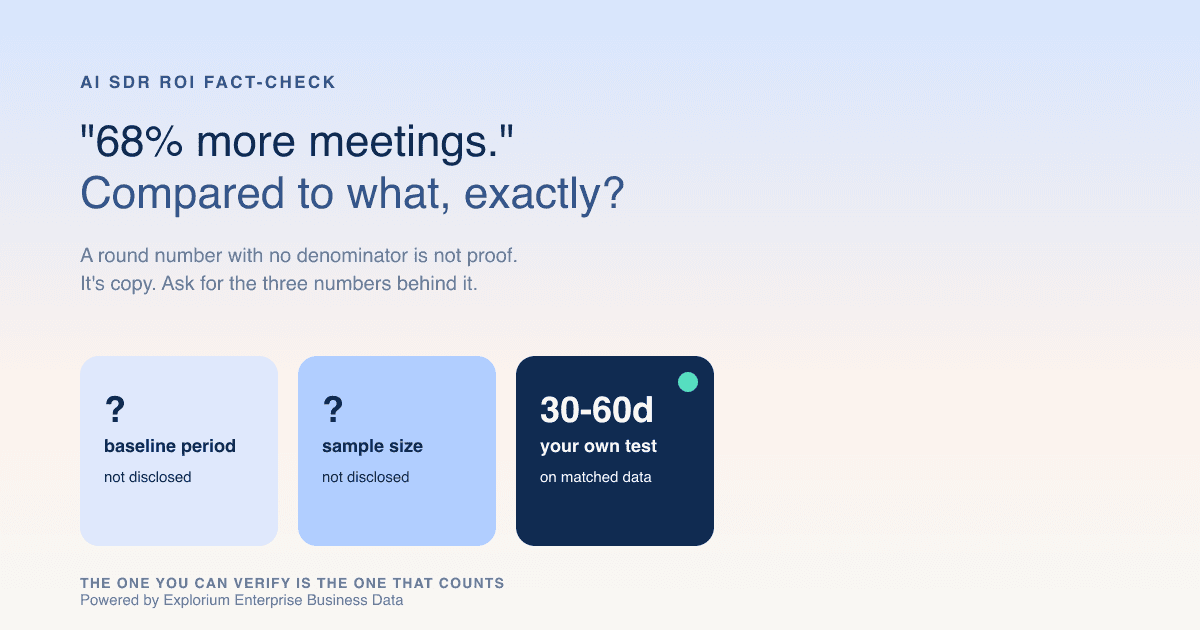
A vendor demo ends with a slide: "68% more meetings, 20% more pipeline." You're a 12-person team with no data science bench, so how do you fact-check an AI SDR's ROI claims before signing a 12-month contract on the strength of one slide? Most buyers can't, and most vendors know it.
The Meetings Number That Should Make You More Suspicious, Not Less
A round, punchy percentage with no denominator is not proof, it's copy. The bigger and cleaner the number, the more it deserves a follow-up question rather than a nod. During the same week this fall, three different accounts on LinkedIn posted the identical "more meetings" figure, word for word, with no baseline period, no sample size, and no comparison group attached to any of them.
What a headline stat is hiding
- A "more meetings" claim with no start date could be measured against zero prior outbound, not a competing tool.
- Nobody tells you if the number came from 4 accounts or 400, and both round to the same headline.
- The same figure reposted by several accounts in one week reads like a coordinated launch, not independent wins.
- Without a stated time window, you can't tell a one-good-month spike from a result that held for a quarter.
Three Questions to Ask Before Any ROI Stat Goes on Your Scorecard
Ask for the comparison period, the prior state, and whether headcount or territory stayed constant, in writing, before a vendor's number goes anywhere near your board deck. A vendor that answers all three in one email is showing you a real result. A vendor that dodges is showing you a marketing asset.
The three-question checklist
| Ask this | Why it changes the answer |
|---|---|
| Was the sales team or territory the same size the whole time? | New reps or a bigger territory can produce a lift on their own. |
| What was the prior setup: nothing, a manual process, or a competing tool? | Decides what "more meetings" is actually being measured against. |
| Is this an average across accounts, or one best-case story? | A single flattering logo is not a representative result. |
| What was the exact start and end date of the comparison? | A single strong month is not a trend you can plan around. |
For a second opinion on how vendor data claims hold up once checked, see this rundown of B2B data providers, since an AI SDR's real output is limited by the accuracy of what it enriches from underneath.
Booked a Meeting Isn't the Same as Booked Revenue
Meetings booked counts activity. Qualified pipeline counts whether that activity turned into something worth closing, and an AI SDR can juice the first number without moving the second at all. Measuring adoption by logins or send volume instead of revenue impact is exactly the trap that gets teams a flashy quarterly review and a flat pipeline.
How a meeting count gets inflated
- Lowering the qualification bar books more calls and more no-shows, wasting AE hours instead of saving them.
- "Engagement" numbers sometimes blend sends and tasks with actual booked meetings, so ask which one you're seeing.
- A rising meetings count next to a flat close rate is volume without quality, not growth.
The follow-up questions that matter more
- Ask for the close rate on AI-sourced meetings side by side with rep-sourced meetings, not just a count of bookings.
- Ask for average deal size on the AI-sourced pipeline, since an inflated meeting count often skews toward smaller, easier-to-book accounts.
- Get it in writing whether the reported figure is meetings booked, meetings actually held, or qualified pipeline created.
The Bot Isn't the Bottleneck. The Data Feeding It Is.
An AI SDR can only book a real meeting if it's reaching the right person at the right company, so its ceiling is set by the accuracy of the data behind it, not by how clever its scripts are. A well-written agent working off a stale contact list still produces bounced emails and calls to a number nobody answers anymore.
Why most ROI reviews skip this layer
- Most reviews treat the AI SDR as a sealed box and never look underneath it at where the data came from.
- A vendor reporting a meetings lift while sourcing contacts from a shaky data source is measuring noise, not skill.
- Bounced emails and dead numbers quietly cap the agent's real conversion rate below its reported one.
What good data transparency looks like
- Vibe Prospecting publishes a 97.8%+ company match rate, the kind of methodology-backed number this checklist asks you to demand from an AI SDR vendor too.
- Company details on 150M+ companies and contact details on 800M+ people, pulled through one connection, cut the odds a "miss" is a coverage gap rather than an agent failure.
- Pulling from 50+ premium sources instead of one means a single stale feed can't quietly tank the result.
The Data Numbers Worth Demanding, In Plain English
Ask for a published match-rate percentage, how many records it was tested against, and whether company matches and contact matches are reported separately. A vendor that has never measured this for its own data almost certainly never measured it for the ROI claim either.
The accuracy checklist
| Ask for | Why it matters |
|---|---|
| How often records get rechecked | Stale contact data quietly caps conversion below the reported rate. |
| A sample you can spot-check before buying | Lets you verify accuracy against your own target list first, not theirs. |
| Contact-level match rate, shown on its own | Getting the company right and getting the person right are two different problems. |
| Company match accuracy, with the sample size behind it | An accuracy number with no denominator can't be checked. |
Vibe Prospecting shows 5 sample records and a cost estimate before a credit gets spent, so you see the actual data before paying for it. Ask the AI SDR vendor for the same courtesy: a small sample of their claimed result, with the method behind it, before you sign.
How to Tell a Real Case Study From a Copy-Paste Marketing Push
A real case study names a specific method and time window. A coordinated push reposts the same number across accounts with nothing new added. That's what happened this fall, when the identical meetings figure showed up on three separate LinkedIn posts within days of each other.
The tells
- The exact same number repeated word for word by different accounts in a short window.
- No named method, baseline, or comparison group attached anywhere near the stat.
- A flattering mention with no link to an independent write-up or an offer to talk to that account directly.
What real proof looks like instead
- A reference call directly with the account being cited, not a vendor-supplied quote about them.
- A written case study with real dates, a sample size, and a named comparison group.
- Independent evidence, like reviews from real buyers, backing the claim outside the vendor's own marketing.
Set Up a Fair Side-by-Side Test First
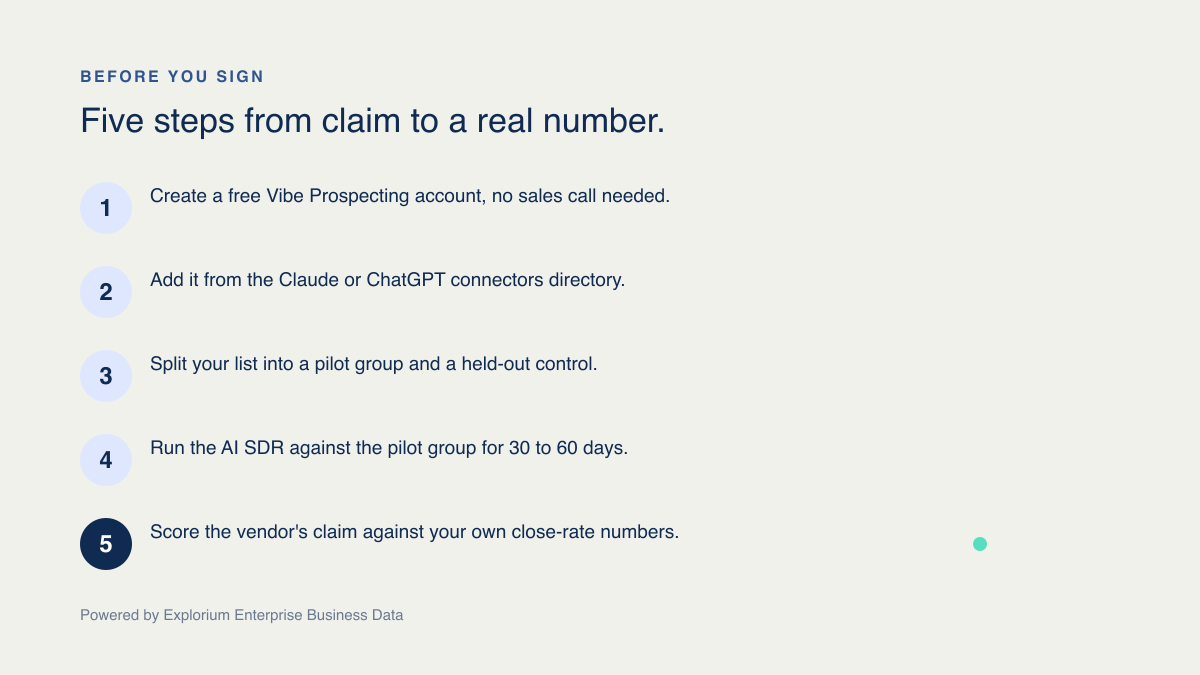
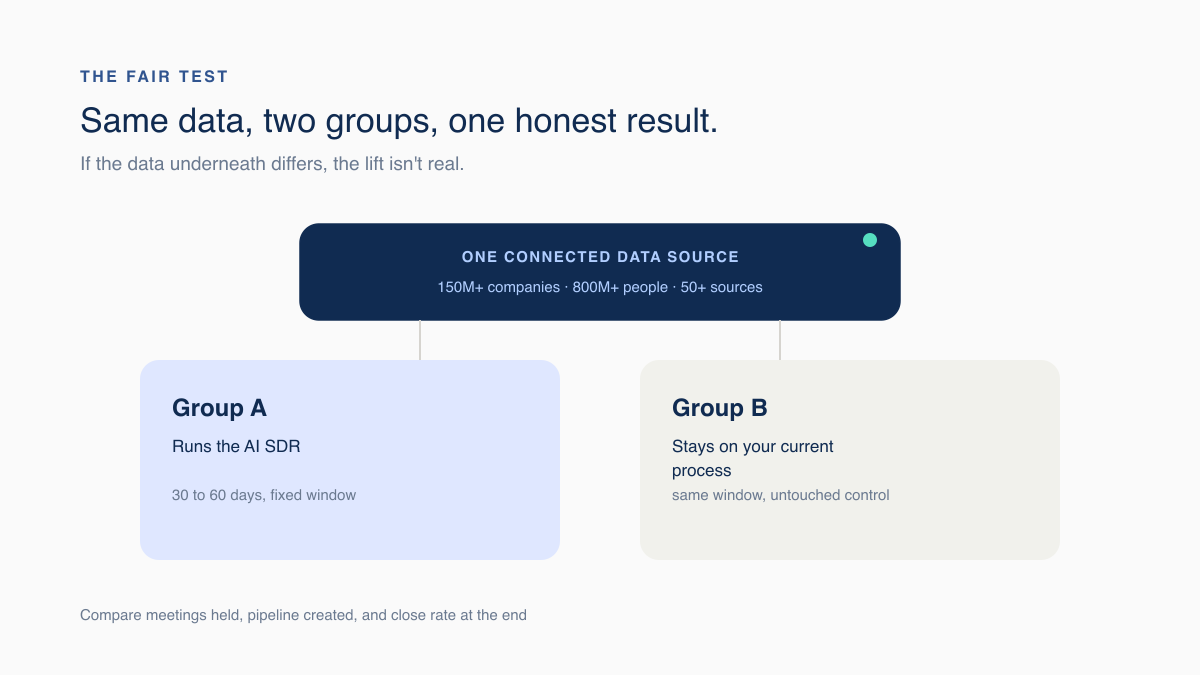
Split your target accounts into two matched groups, run the AI SDR against one for 30 to 60 days, and leave the other working as it already does as your control. That's the only way to see the agent's real contribution, not everything else that changed at the same time.
How to build the test
- Define your ideal customer profile and split it into two groups that look alike on paper.
- Run the AI SDR against group A for a fixed 30 to 60 day window.
- Leave group B on your existing process, untouched, as the control.
- Compare meetings held, pipeline created, and close rate between the groups at the end.
Why both groups need the same data underneath
- If group A's contact data comes from a different source than group B's, any "lift" you see might be better data, not a better agent.
- Run both groups through the same data connection so company and contact quality is identical on both sides.
- One shared, connected data source removes the coverage-gap excuse entirely.
Run the Side-by-Side Test Yourself, Right From Chat
You don't need an engineering team to run this test: Vibe Prospecting works inside the chat window you already have open, in Claude or ChatGPT, and pulls both of your test groups from the same connected data set. A founder or an AE can build the pilot list, enrich both groups, and compare results without waiting on a data team.
What this looks like in practice
- Ask Vibe Prospecting in chat to build both test segments from the same target list, so each starts from identical data.
- Preview a small sample and the cost before pulling the full segment, so nothing gets spent by accident.
- Use the same connection for both groups' refreshes, so a data change never gets mistaken for an agent win.
Add Vibe Prospecting to your workflow
Install Vibe Prospecting from the Claude or ChatGPT connectors directory first. The setup below is for the Claude Code plugin, for teams that already script their prospecting workflows.