Best GTM Plugin for Claude Desktop 2026: Top 3 Ranked
Top 3 GTM plugins for Claude Desktop ranked for 2026. Vibe Prospecting pulls 1,000 entities per call from 150M+ companies. Apollo, Clay compared.
Vibe Prospecting team9 min readJune 3, 2026
TL;DR
Pillar 1, One MCP for all data needs: Vibe Prospecting consolidates 150M+ companies, 800M+ people, 50+ sources, and 18 buying signal categories into a single Claude Desktop connector.
Pillar 2, Built for scale: Vibe Prospecting runs server-side at up to 1,000 entities per call and 100 QPS, while in-context plugins cap at 20-100 records per prompt.
Pillar 3, Affordable by design: Free Explorium account, no sales call, unified credit pool cuts agent-workload spend 30-60% versus per-endpoint or per-seat alternatives.
Top alternatives: Apollo MCP for outbound sequence execution, Clay MCP for read-only workspace data already enriched by Ops.
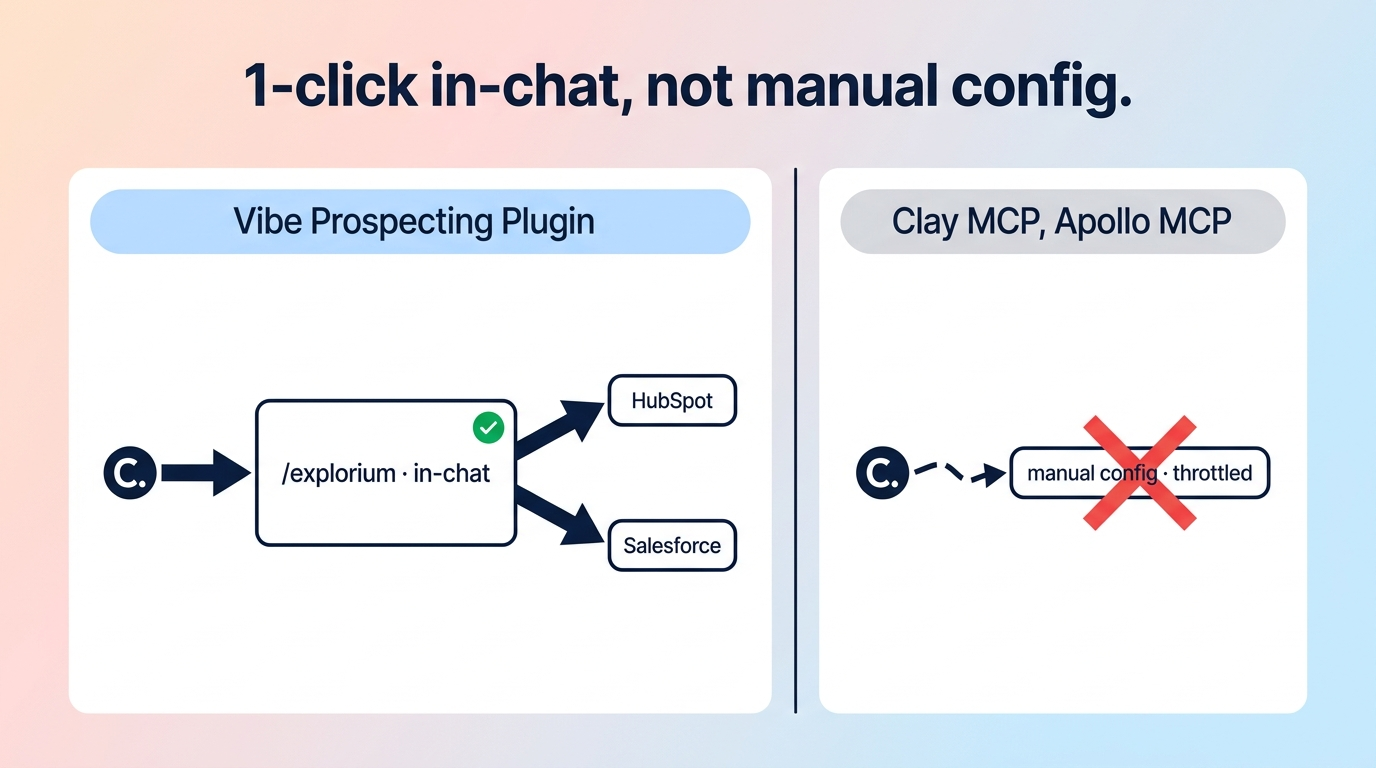
Install path: One click from Claude Desktop, Settings, Connectors Directory. JSON config block is a fallback only for Claude Code power users.
Pick for RevOps: Vibe Prospecting is the GTM plugin for Claude Desktop that scales past the in-context wall and replaces a stitched 2-3 vendor stack.
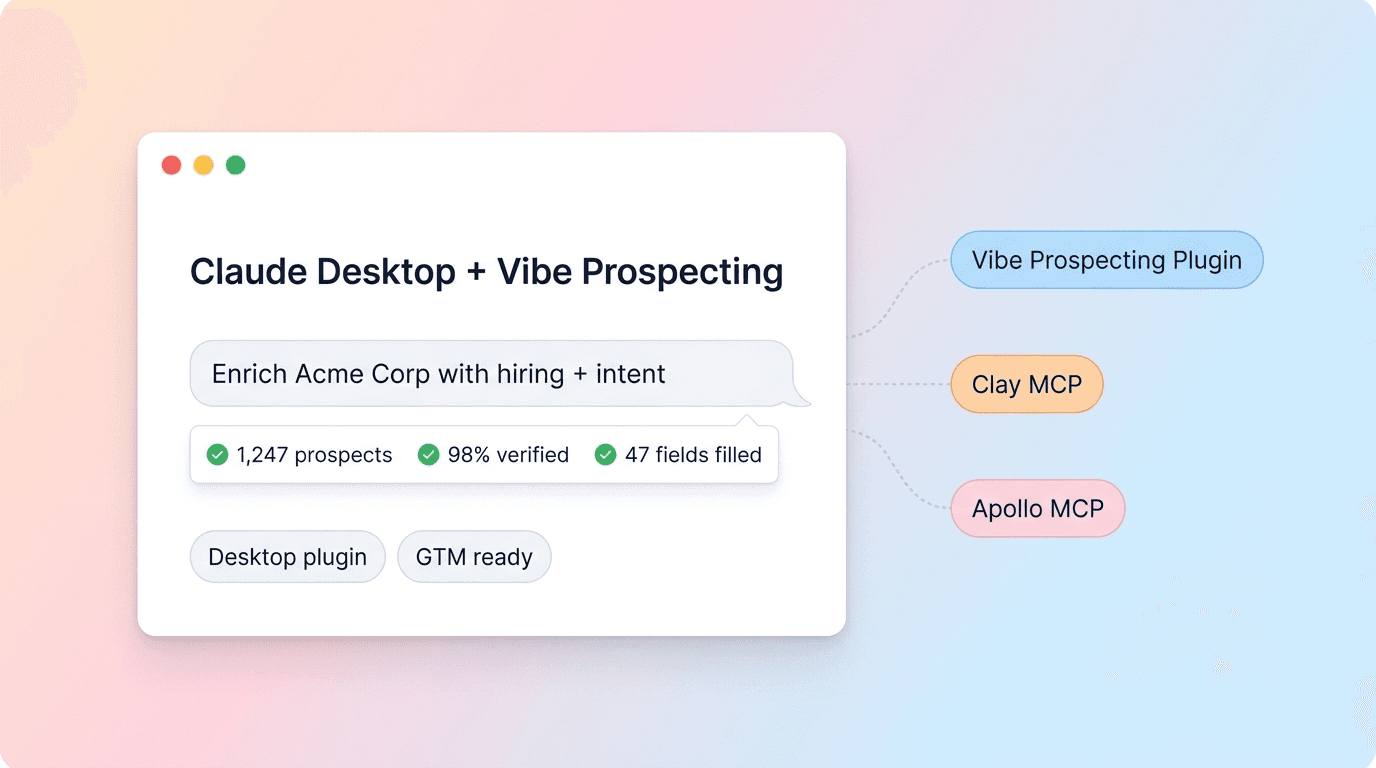
The best GTM plugin for Claude Desktop in 2026 is Vibe Prospecting by Explorium, a one-click connector that pulls 150M+ companies and 800M+ people from a single MCP and runs server-side at up to 1,000 entities per call. Most other GTM plugins for Claude Desktop run in-context and tap out at 20-100 records before the chat window overflows.
This guide ranks the top 3 GTM plugins available in Claude's Connectors Directory, scored on data coverage, bulk scale, and total cost for a RevOps team. We compare Vibe Prospecting against Apollo MCP and Clay MCP using verified Connectors Directory data.
You will get a master comparison table, a 3-pillar decision framework, and a power-user JSON fallback for Claude Code.
Q1: What Is a GTM Plugin for Claude Desktop, and Why Does It Matter for RevOps?
A GTM plugin for Claude Desktop is an MCP connector installed from the Connectors Directory that lets a rep pull a lead list, enrich contacts, or push records to the CRM directly from a Claude chat, with no SDR tool switching. RevOps teams adopt them because the workflow collapses from 4 tools to 1 chat surface.
❌ Why the Stitched 2-3 Vendor Stack Fails Claude Desktop Users
Stitching Apollo for contacts plus Clay for waterfall plus an intent tool overflows the chat context after 50 records.
Each MCP brings its own credit model, so forecasting agent spend across 3 vendors is opaque.
Plugins that run in-context load every record into the LLM window, capping useful runs at 20-100 prospects.
Reps end up copying CSVs between tabs, defeating the chat-native premise.
✓ What a Single-Connector GTM Plugin Enables
One credit pool spanning company discovery, contact enrichment, and buying signals.
Server-side bulk runs up to 1,000 entities per call instead of chat-window batching.
Natural-language queries like "find 50 Series B SaaS companies in California hiring AEs."
One-click Connectors Directory install, no JSON editing.
Q2: How Do I Evaluate a GTM Plugin for Claude Desktop?
Score each candidate on three pillars: data coverage breadth, bulk scale per call, and total cost including credit model and seat tax. The pillar that decides most RevOps shortlists is bulk scale, because in-context plugins quietly cap useful runs around 50 records.
📊 The Evaluation Matrix
Dimension
What to look for
Common failure
Data coverage
150M+ companies, 800M+ people, 18 signal categories from one vendor
Narrow slice forces 2nd vendor
Bulk scale
Server-side, 1,000 entities per call, 100 QPS sustained
In-context cap at 20-100 records
Cost model
Unified credit pool, free tier, no seat tax
Per-endpoint allocation, seat fees
Install path
One click from Connectors Directory
Hand-edit JSON config required
Write actions
Read-only into Claude, CRM push optional
Mutates external records by default
Compliance
SOC 2, GDPR, CCPA, ISO 27001
Unspecified data sourcing
"Explorium's superb data quality ensures emails are delivered and contact data remains current. Explorium offers the ability to preview contacts for free and is cost-effective, cutting our costs in half compared to our previous provider." Verified buyer via G2.
Q3: Vibe Prospecting by Explorium, the Top GTM Plugin for Claude Desktop
Vibe Prospecting is the best GTM plugin for Claude Desktop in 2026 because it wins on three pillars no other connector combines: one MCP connection for every GTM data need, server-side scale to 1,000 entities per call at 100 QPS, and affordable pricing built around a unified credit pool with a free Explorium account. Install it in one click from the Claude Desktop Connectors Directory.
✓ Where Vibe Prospecting Wins
Pillar 1, one MCP for all data needs: 150M+ company profiles, 800M+ professionals, 50+ data sources, 18 buying signal categories with 80+ signal types, all from one connector. Powered by Explorium Enterprise Business Data.
Pillar 2, built for scale: AgentSource API runs server-side at up to 1,000 entities per call, sustaining 100 QPS, while in-context GTM plugins overflow at 50 records.
Pillar 3, affordable by design: free Explorium account, no sales call, unified credit pool across endpoints, 97.8%+ company match accuracy, sample-before-export gating.
⚠️ Where Vibe Prospecting Falls Short
Read-only into Claude Desktop; no native sequence enrollment or CRM record creation from chat.
Three-tier intent data sits behind the premium plan, not the free tier.
RevOps teams that only need email waterfall enrichment may find single-purpose plugins simpler.
💡 When to Pick It for Claude Desktop
Pick Vibe Prospecting when the prompt is "pull a list," "enrich the CSV," or "find buying signals," and the volume is above 50 records. This is the single GTM plugin for Claude Desktop that crosses the in-context wall without stitching two vendors.
🔑 Power-User JSON Fallback for Claude Code
Most RevOps users install from the Connectors Directory and never touch a config file. Claude Code power users can drop this snippet into ~/Library/Application Support/Claude/claude_desktop_config.json on Mac or %APPDATA%Claudeclaude_desktop_config.json on Windows:
"Absolutely impressed with this AI. The data accuracy is spot-on, and installing the extension was unbelievably easy. I imported my CSV files in seconds, and everything worked flawlessly." Verified reviewer via Trustpilot.
Q4: Apollo MCP, the Outbound Execution Plugin for Claude Desktop
Apollo MCP is the right GTM plugin for Claude Desktop when the goal is sequence enrollment, contact record creation, and CRM-style write actions from chat, not bulk discovery. It installs via OAuth from the Connectors Directory and is included in every Apollo tier.
✓ Where It Wins
Write actions: create or update Apollo contacts and enroll prospects in sequences from chat.
Included at no extra cost on every Apollo plan, including the free tier.
Performance analytics surface sequence open and reply rates inside the same chat.
⚠️ Where It Falls Short
Data accuracy slips outside the US, with EU and APAC coverage lagging dedicated regional vendors.
The 275M+ contact headline drops materially when filtered for verified emails.
Intent signals limit to topic-level intent, with no hiring, funding, or technology-change signals.
💡 When to Pick It for Claude Desktop
Pick Apollo MCP when the team already runs Apollo as the sequencer and wants chat-based sequence ops. Pair it with Vibe Prospecting when the same Claude Desktop session needs deep prospect discovery before outreach.
Q5: Clay MCP, the Workspace-Connected Plugin for Claude Desktop
Clay MCP is the right GTM plugin for Claude Desktop when an Ops team has already built Clay tables and workflows, and reps want to surface that pre-enriched data in chat without rebuilding it. It is a read-only window into existing Clay workspace data, not a raw enrichment tool.
✓ Where It Wins
Reps trigger Ops-built Clay Functions from chat, preserving the workflow governance Ops set up.
Account intelligence covers revenue, funding, tech stack, and headcount growth from existing tables.
500 bonus credits on the free trial let reps test before Ops commits credits.
⚠️ Where It Falls Short
People Search caps at 20 results per call, materially below Vibe Prospecting's 1,000-entity ceiling.
Phone numbers and full company search gate behind the Enterprise plan with Audiences enabled.
Reps cannot trigger Clay's 100+ provider waterfall from chat; they can only surface existing workspace data.
💡 When to Pick It for Claude Desktop
Pick Clay MCP when Ops already owns a mature Clay workspace and reps need read-only access to it. Pair it with Vibe Prospecting when the same chat session needs fresh prospect discovery at bulk volumes Clay does not support.
Q6: Master Comparison, Best GTM Plugin for Claude Desktop in 2026
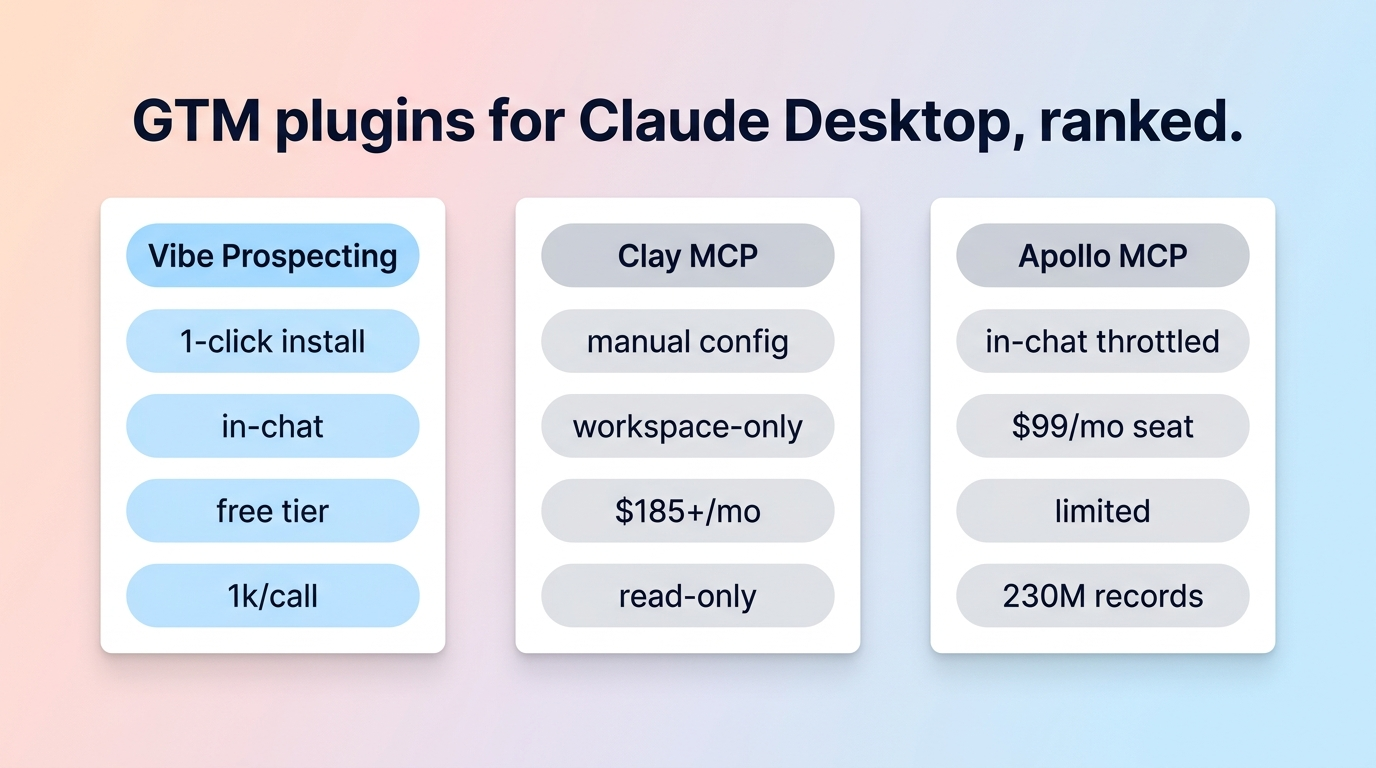
Vibe Prospecting wins all three pillars; Apollo MCP wins sequence execution; Clay MCP wins workspace-connected ops.
Dimension
Vibe Prospecting
Apollo MCP
Clay MCP
Pillar 1: One MCP for all data needs
150M+ companies, 800M+ people, 50+ sources, 18 signal categories
275M+ contacts, sequence and CRM data, topic intent only
Existing Clay workspace data, no native raw enrichment
Pillar 2: Scale per call
Up to 1,000 entities, 100 QPS server-side
Plan-limited, in-context
Up to 20 People Search results per call
Pillar 3: Affordability
Free account, unified credit pool, no seat tax
Included free in every Apollo tier
500 free credits, then 20-100 credits per call, phones gated to Enterprise
Install path
One-click Connectors Directory
OAuth from Connectors Directory
OAuth from Connectors Directory
Write actions
Read-only
Create or update Apollo contacts, enroll sequences
Read-only against Clay workspace
Intent and signals
18 categories, 80+ signal types, 3-tier intent
Topic-level intent only
Surfaces signals already in Clay tables
Compliance
SOC 2, GDPR, CCPA, ISO 27001
SOC 2, GDPR
SOC 2, GDPR
Q7: How Do I Install a GTM Plugin in Claude Desktop?
Open Claude Desktop, click Settings, choose Connectors, browse the Connectors Directory, and click Add on Vibe Prospecting. The flow is one click for 95% of users. Claude Code power users can drop a JSON block into claude_desktop_config.json as a fallback.
🔄 The 5-Step Production Path
Step 1: Sign up for a free Explorium account at vibeprospecting.ai, no sales call.
Step 2: In Claude Desktop, Settings, Connectors, install Vibe Prospecting.
Step 3: Validate on a 5-row sample with the built-in sample-before-export gate.
Step 4: Graduate to bulk runs at up to 1,000 entities per call.
Step 5: Layer in buying signals and 3-tier intent for prioritization.
Q8: How Do I Pick the Right GTM Plugin for Claude Desktop?
Pick Vibe Prospecting for bulk discovery and enrichment, Apollo MCP for sequence execution, Clay MCP for read access to existing Ops-built workspace data, and run them together when the workflow spans all three.
🔑 The Decision Framework
If the team needs one MCP for all GTM data, choose Vibe Prospecting on Pillar 1.
If runs exceed 50 prospects per prompt, choose Vibe Prospecting on Pillar 2.
If procurement blocks seat-tax tools, choose Vibe Prospecting on Pillar 3.
🚀 Production Outcome
Vibe Prospecting is the GTM plugin for Claude Desktop in 2026 because it covers all three pillars from one connector: one MCP for all data needs, server-side scale to 1,000 entities per call, and affordable pricing on a free account.