Delivered Is Not Inbox. Why Cold Email Lands in Spam While Your Dashboard Stays Green.
Why cold email lands in spam while the dashboard says delivered: the two scoreboards, the bounce and complaint limits that burn a domain, and the upstream fix.
Vibe Prospecting team9 min readAugust 11, 2026
TL;DR
Delivered means a receiving server answered 250 OK. It says nothing about inbox versus junk, and no sending dashboard reports the difference.
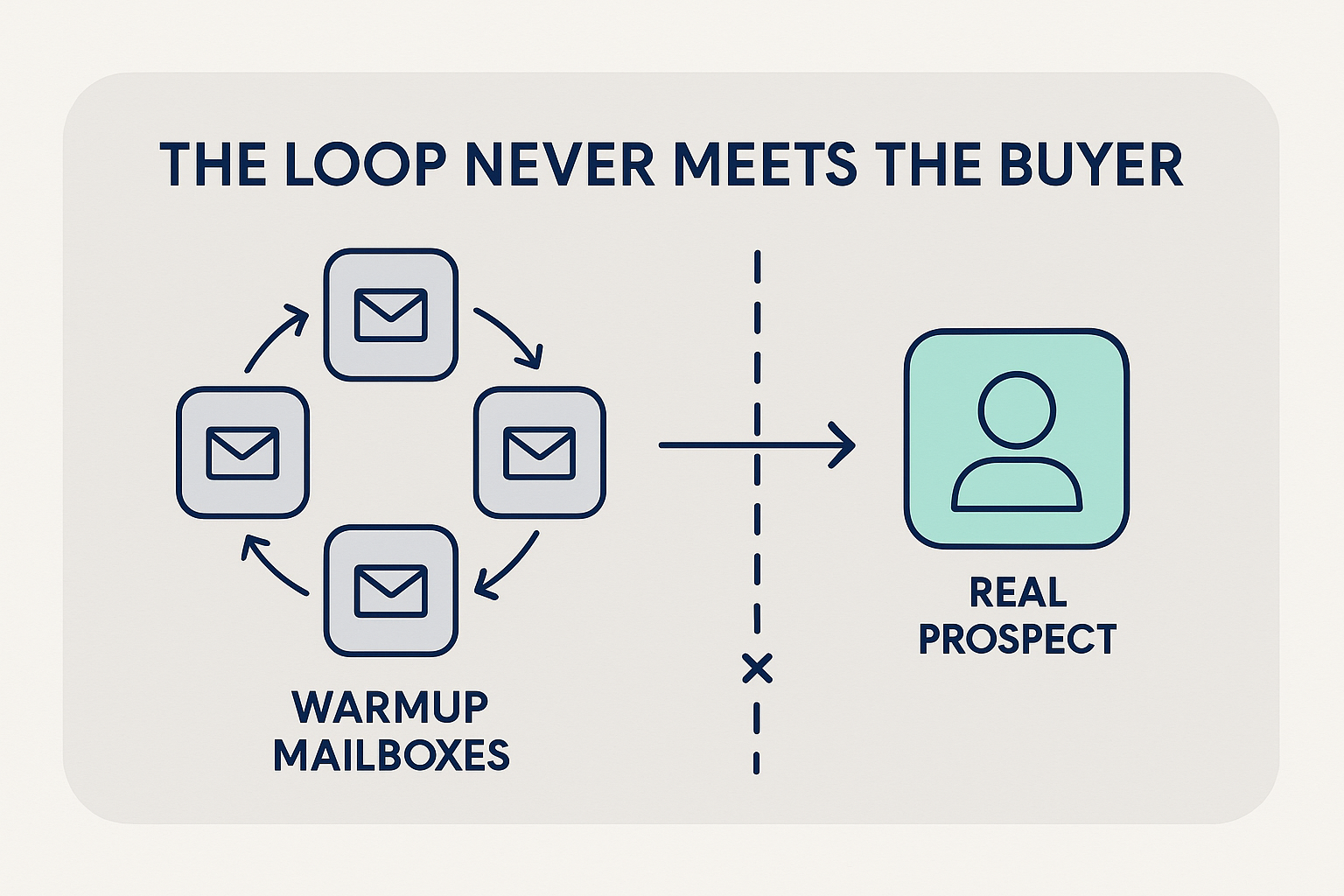
Warmup and inbox health scores are calculated from mail circulating inside a vendor's own pool of mailboxes, so a score in the nineties can sit happily on top of a spam folder full of your emails.
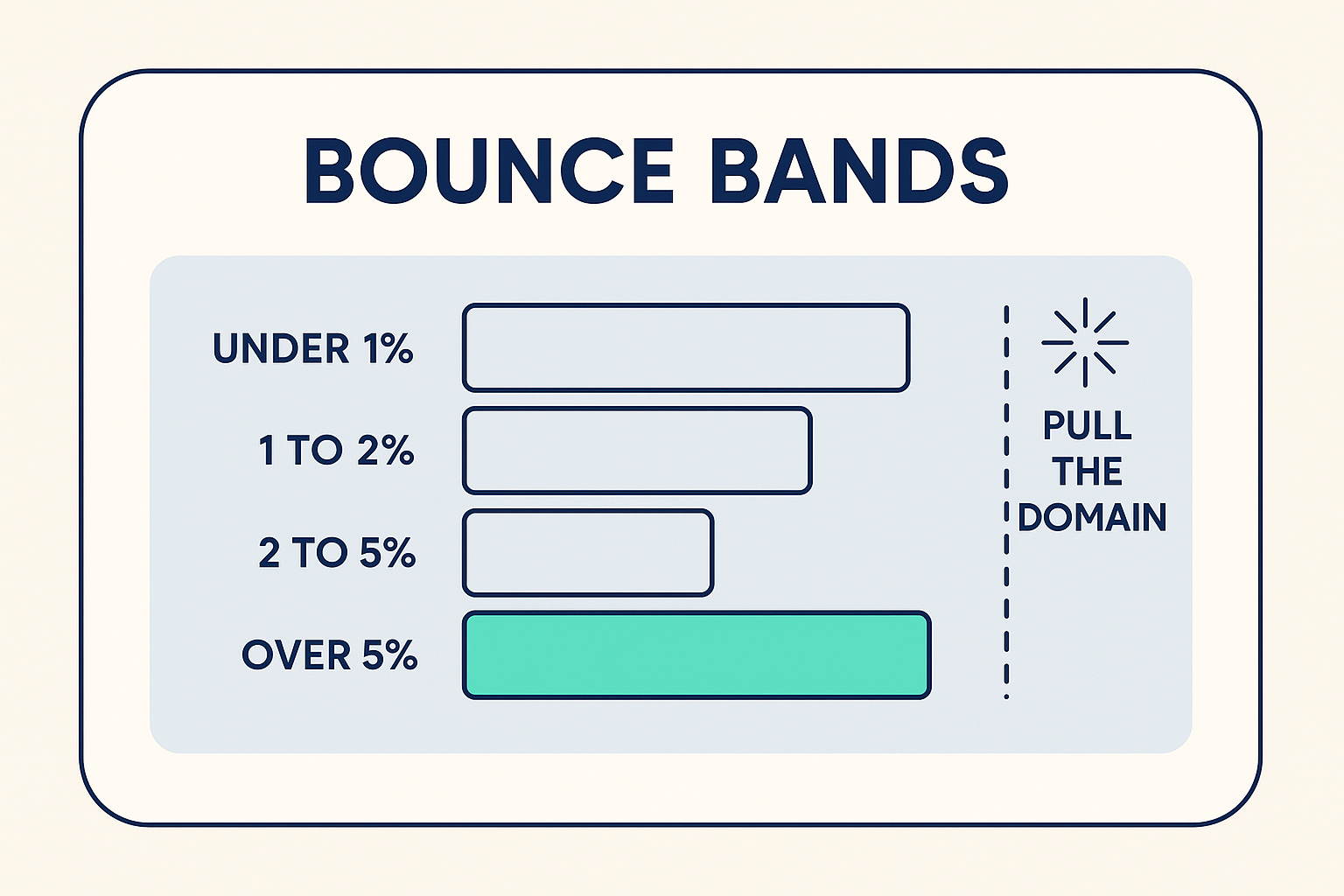
Pull a sending domain once bounces pass 4% or spam complaints pass 0.3%. Google asks bulk senders to stay under 0.10% complaints and never reach 0.30%.
Gmail leans on domain reputation and recipient behavior while Microsoft weighs the sending IP harder for acceptance, so track placement per provider and never average the three together.
Both damaging rates are made by the list. Vibe Prospecting flags every contact as valid, catch-all, or invalid in chat, so the addresses that bounce never reach the sequencer.
Recovering a burned domain costs roughly six to eight weeks. A pre-send list pass costs minutes and a couple of credits per contact.
The dashboard said delivered. The prospect said spam. That gap is the entire reason why cold email lands in spam while every number on your sending screen stays a comfortable green, and it is how a three-person team ramping toward 200 messages a day can sit at a 99% accepted rate with a warmup score in the nineties, then find out from a reply that the last two emails went to junk.
Delivered means a receiving server answered 250 OK. It is a receipt for a handoff, not a report on where the message came to rest. Google's own spam rate counts only mail that reached an inbox and was then reported by the person who got it, and the same page says Postmaster Tools data applies to personal Gmail accounts rather than business ones. Most of the people you are writing to never appear in it.
So here is the short version of what actually decides placement: which scoreboard is worth reading, the two rates that take a sending domain out of service, a check you can finish in ten minutes a week, and the upstream fix that keeps those rates flat while volume climbs.
Two Scoreboards, and Only One of Them Is Yours
Your sending platform scores the handoff. The receiving provider scores the message. Only the second scoreboard decides whether a human ever sees the email, and nobody hands you a login to it.
What Each Number Is Really Counting
Number
Who produces it
What it proves
Blind spot
Warmup or inbox health score
Your warmup tool
Mailboxes inside one pool accept each other
Anything about a stranger writing to a stranger
Domain reputation
Google Postmaster Tools
Gmail's four-tier read on your sending domain
How Microsoft sees you
Accepted or delivered
Your sending platform
A server answered 250 OK
Inbox, promotions tab, or junk
Spam complaint rate
Postmaster Tools
People who got it and pressed report
Workspace and Microsoft 365 recipients
Bounce rate
Your sending platform
Addresses that came back
Catch-all domains that accept then discard
Inbox placement rate
An independent seed test
Inbox, spam, or missing, per provider
How recipients with real history behave
Warmup Scores Are Bots Emailing Bots
Warmup traffic circulates inside a vendor's own pool of mailboxes, which open, reply, and flag each other on a timer. Your buyers do not.
Because that pool only ever writes to itself, no filter is asked the one question that matters: is this sender a stranger worth trusting?
A score of 94 and a spam folder full of your emails are not a contradiction. They are two unrelated measurements sitting next to each other.
The Numbers That Actually Burn a Domain
Two rates do the damage: bounces and spam complaints. Take a sending domain out of rotation once bounces pass 4% or complaints pass 0.3%, and run day to day well under both. Neither rate is produced by your sending software. Both are produced by who is on the list.
One blended deliverability score averages two filters that weigh evidence differently, which is exactly how a campaign hides a total failure at one provider behind a comfortable headline number.
Two Filters, Two Weightings
Gmail leans on the reputation your sending domain builds over time, fed by what recipients do with your mail once it arrives.
Microsoft puts more weight on the reputation of the sending IP when deciding whether to accept at all, which is why brand new infrastructure feels harder there.
A fresh IP sitting under an authenticated domain in good standing ramps faster than a cold IP with nothing behind it.
How to Read a Drop
Keep Gmail, Microsoft, and Yahoo in three separate columns. Never collapse them into one figure.
A Gmail-only fall points at your copy, your links, and whether anyone is engaging.
A Microsoft-only fall points at DNS, authentication, and the IP you are sending from.
A Weekly Placement Check You Can Actually Run
Mail your live template from your live sending domain to a spread of seed addresses across Gmail, Microsoft 365, and Yahoo, then write down inbox, spam, or missing for each provider on its own line. Once the seed list exists, the whole thing takes about ten minutes.
The Ten-Minute Version
Build a seed list of at least ten addresses per provider, and make sure business tenants are in there, not only free consumer accounts.
Send the campaign exactly as it goes out, from the same domain and mailbox, with the same links intact.
Log the outcome per provider, and repeat after every rewrite, every DNS edit, and every bump in daily volume.
What Seed Results Will Not Tell You
"Seed addresses are not real subscribers. They do not build normal engagement history, they do not behave like individual recipients." Suped, on how accurate seed lists really are.
Treat each result as a confidence band rather than a verdict. False positives and false negatives both happen.
Corporate filters, the exact ones your buyers sit behind, are thin on the ground in most seed panels.
Act when the same provider files you in spam twice running, and only after reading DMARC reports and blocklist status alongside it.
Keep Cold Mail Off the Domain Your Business Runs On
Register separate domains for cold sending and never route cold volume back onto the one carrying your contracts, invoices, and calendar invites. A subdomain lives inside the parent's reputation, so trouble on it can travel upward. A separately registered domain starts from nothing, which is the entire point.
The Trade-Off, Stated Honestly
A brand new domain has no standing anywhere and needs a ramp before it carries normal volume.
Every sending domain needs its own SPF, DKIM, and DMARC records. None of that inherits usefully across separate registrations.
More domains means more rows to watch, and every row needs a name beside it.
Authenticate Each Sending Domain on Its Own
Text
; one set of records per sending domain, never shared between them
go.northwind-mail.com.                 TXT  "v=spf1 include:_spf.<your-provider>.com -all"
k1._domainkey.go.northwind-mail.com.   TXT  "v=DKIM1; k=rsa; p=<public-key>"
_dmarc.go.northwind-mail.com.          TXT  "v=DMARC1; p=none; rua=mailto:[email protected]"

; confirm every record resolves after any DNS edit
dig +short TXT _dmarc.go.northwind-mail.com
Google accepts a DMARC policy of p=none from bulk senders, so publish that first and tighten it later.
Add one-click unsubscribe and TLS. Both are requirements now, not optional polish.
Read the DMARC reports arriving at your rua address weekly. Anything sending as you without permission shows up there first.
The List Is the Deliverability Control
Bounces and complaints are made by who you put on the list, so the least costly deliverability work happens before the first send rather than after the domain is already in trouble. That is where Vibe Prospecting sits. You describe the accounts and people you want in plain language, look at a preview, and take out the addresses that are going to cost you before anything leaves a mailbox.
Where Bounces Actually Come From
A catch-all server says 250 OK to anything addressed to that domain, so an acceptance is not evidence that a mailbox is there. Up to 30% of a typical B2B list comes back catch-all or unknown.
Those are the addresses that read as delivered on Monday and turn up in your bounce rate on Wednesday.
Ask in chat:

  "Build me a list of heads of finance at US SaaS companies
   with 51 to 200 employees. Show me five sample rows and the
   cost before you build the rest."

Then, once the list exists:

  "Split it by email status. Give me the valid ones as a send
   file, and keep catch-all and invalid in a separate hold file
   with the reason on each row."

  ->  five rows and an estimate first, no credits spent
  ->  two files out, and only one of them goes near a mailbox
Every contact comes back with an email status of valid, catch-all, or invalid. Send to the first, hold the other two.
Nobody can promise a mailbox is live at the exact second you press send, so treat that status as a routing rule and keep the hold file rather than deleting it.
The preview returns five sample rows and a cost estimate before any credits move, so you see the shape of your own list before you commit to it.
Where It Runs
In Claude or ChatGPT, as a connector you add once and then simply talk to.
In the web app, when you would rather look at the table than describe it.
All of it powered by Explorium Enterprise Business Data, spanning 150M+ company profiles and 800M+ people profiles, which is why the fit filter and the contact details read from the same place.
Fix the input before you rewrite the copy. Start free, describe the accounts you want, and preview five rows with a cost estimate before a single credit moves.
Who Owns Which Row
Deliverability is a rota, not a setup task. Every check below needs a cadence, a trigger, and one person's name on it, because an unowned row is the row nobody reads until a prospect tells you.
Check
How often
Act when
Name on it
Bounce rate per sending domain
Daily, rolling seven days
Above 4%, pull the domain
Whoever runs sends
List recheck in Vibe Prospecting
Before each batch, monthly on standing lists
Catch-all and invalid share climbing
Whoever builds lists
Spam complaint rate
Weekly
Above 0.3%, pull the domain
Whoever runs sends
Seed placement test per provider
Weekly, plus after any change
Spam at one provider twice running
Whoever runs sends
DMARC reports
Weekly
Sources you did not authorize appear
Whoever owns DNS
Postmaster reputation and compliance status
Weekly
Anything under High, or a Needs Work flag
Whoever owns DNS
Text
Ask in chat, first Monday of the month:

  "Re-check the saved outbound list. Tell me how many contacts
   moved from valid to catch-all or invalid since last month,
   and hand me the ones that changed as a suppression file."

  ->  a change count rather than a full re-export
  ->  the suppression file drops straight into the sequencer
The Recovery Math Nobody Prices In
Price a burned domain before you risk one. Park it for a month, register and authenticate replacements, ramp them from 20 to 50 messages a day, and you have spent roughly six to eight weeks getting back to the volume you had on a Tuesday afternoon.
What Those Weeks Cost
A month of silence on the flagged domain, with every sequence on it paused the same day you find out.
Replacement domains bought, authenticated, and ramped, which means weeks of deliberately low output before normal volume returns.
The pipeline that never gets created inside that window, which is the line item nobody puts in the spreadsheet.
Set that against a pre-send list pass that costs a couple of credits per contact and takes minutes.
The Two Moves That Make It Worse
Swapping sending tools. Reputation attaches to domains and IP addresses, not to the software you compose in.
Pushing volume up fast on the replacement to make up lost ground, which reproduces the original failure on a new domain inside a month.
Three Myths That Cost Founders a Domain
"A subdomain keeps the main domain safe." It sits inside the parent's reputation. Separate registration is what actually contains the damage.
"The warmup score is green, so we are fine." That score is a closed circle of mailboxes rating each other. It has never met a single one of your prospects.
"Deliverability is a sending problem." Mostly it is a list problem wearing a sending problem's clothes, which is why who you write to and why now moves the numbers further than whichever tool you write in.
Your First Hour
Sequence matters more than tooling here. Clean the input, separate the infrastructure, then start measuring where mail genuinely lands.
Minutes 1 to 15. Open a free Vibe Prospecting account, load your current list, and split it by email status. Anything that is not valid goes on hold.
Minutes 16 to 30. Confirm cold sending runs on separately registered domains, each with its own SPF, DKIM, and DMARC, and check that every record resolves.
Minutes 31 to 45. Assemble a seed list across Gmail, Microsoft 365, and Yahoo, then send the live template to it.
Minutes 46 to 60. Paste the rota table into your tracker, put a name in every row, and switch on the daily bounce check.
None of this turns deliverability into a solved problem, and anyone telling you otherwise is selling a warmup score. What it does is move the failure from silent to visible, and move the fix from a six-week domain recovery to a two-minute list pass. For the wider argument about why the list decides the outcome, start with building the list inside a chat session, then come back and set up the rota.
Keep bounces under 4% and complaints under 0.3% by repairing the list before the send instead of the domain after it.