


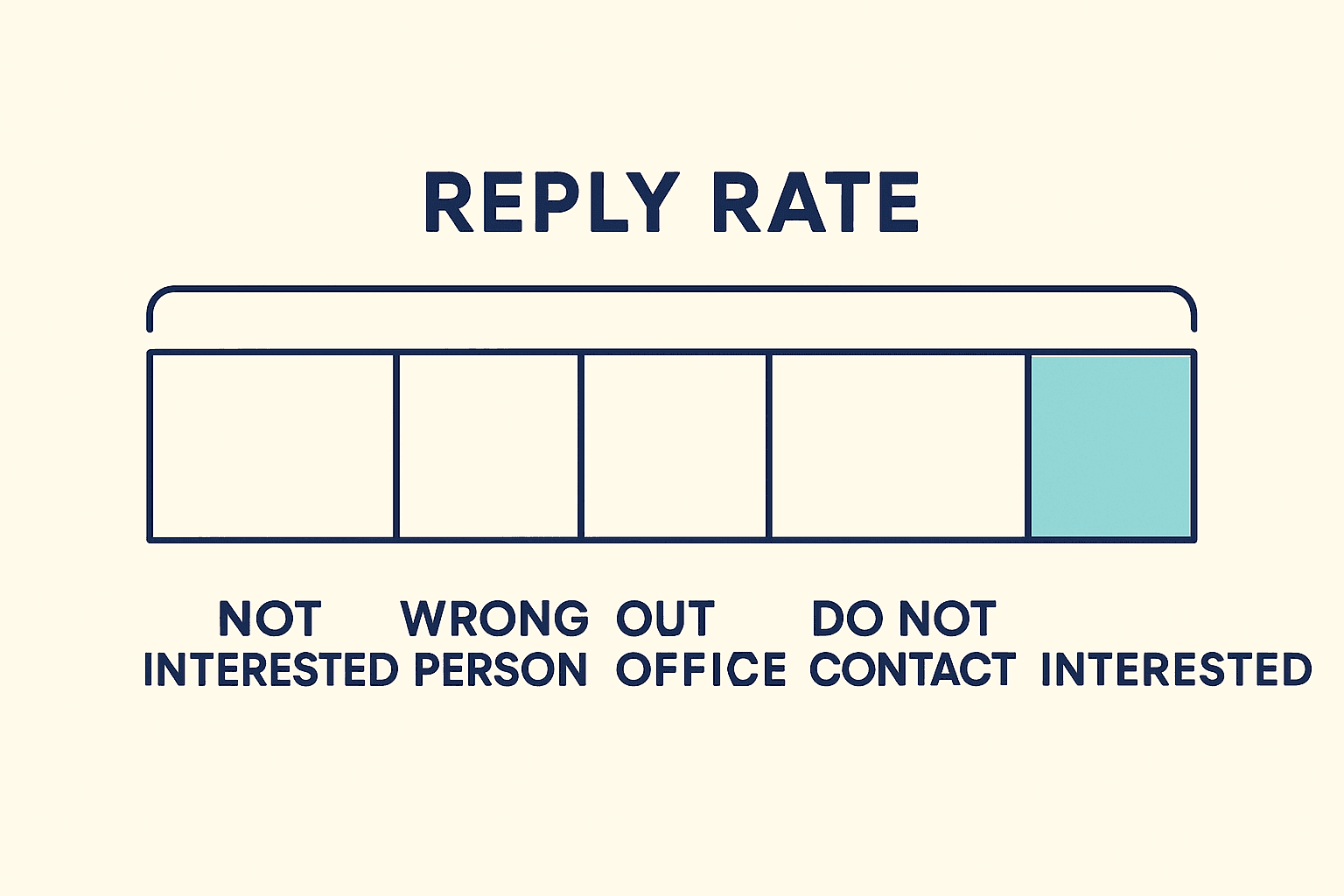
Six weeks into a campaign, the number everyone quotes is the reply rate, and it is climbing. The calendar is not. Outbound reply quality is the gap between those two facts, and it opens because a note saying "wrong person, try finance" and a note saying "can you send pricing" land in the same column of the same weekly report. Every time the list gets looser, the column gets taller.
It is worth naming where that road ends. Gartner expects more than 40% of agentic AI projects to be canceled by the end of 2027 on rising cost and unclear value. An outbound agent whose only score is total replies has no number worth defending when somebody asks what it bought.
So here is how to read a week of replies honestly: five piles instead of one column, the three numbers that say whether to fix the list or the words, what a good result actually looks like, and a thirty-minute version of the whole audit you can run tonight in a chat window.
Two Replies, One Column in the Weekly Report
A brush-off and a pricing request are recorded as the same event, so the quickest way to lift total reply rate is to write to more people who fit you worse. That is not a reporting quirk. It is an incentive, and agents follow incentives faster than people do.
The Arithmetic of a Looser List
Same 6,000 messages, two ways of choosing who gets them:
| What changed | Total replies | Share asking a real question | Interested replies per 6,000 sends |
|---|---|---|---|
| More titles, wider company sizes | 480 (8.0%) | 15% | 72 (1.20%) |
| One role, one recent event | 300 (5.0%) | 40% | 120 (2.00%) |
The looser list wins the report by three percentage points and loses the month by 48 real conversations. Nobody in the meeting can see that, because only one of those four columns is on the slide.
Three Habits That Inflate the Number
- Counting auto-replies. An out-of-office is a mail server following a rule, not a person forming an opinion.
- Treating a handoff as a yes. Being passed to a colleague is routing work you now owe someone, not interest.
- Adding titles whenever replies dip. Each extra title lowers the share of recipients who could ever buy, which is exactly why the total goes up.
Sort Every Reply Into Five Piles
Five is the smallest set of piles where every reply names one owner and one fix: wrong person, not interested, out of office or handoff, do not contact, interested. Then one division does the rest, interested replies over messages sent, never over opens.
What Each Pile Tells You
| Pile | Sounds like | What it tells you | Whose job |
|---|---|---|---|
| Wrong person | "Try procurement" | The list chose the recipient badly | Whoever builds lists |
| Not interested | "No need right now" | Right person, wrong moment or offer | Whoever picks the moment |
| Out of office or handoff | "Back Monday, ask Dana" | Routing. Never a yes | Whoever owns the sequence |
| Do not contact | "Remove me" | Suppression missed a name | Fix it the same day |
| Interested | "Send pricing" or "Tuesday works" | List and words both landed | Nobody. Do more of this |
Where the Piles Have to Live
- Write the pile onto the person and the company record, not only inside the sending tool where it dies at the end of the campaign.
- Sort the same day. HBR's lead-response study put the odds of qualifying someone roughly 7x better when first contact happens inside the opening hour.
- Push wrong person and do not contact into suppression before the next batch goes out, not after a complaint arrives.
Is It the List or the Words? Three Numbers Settle It
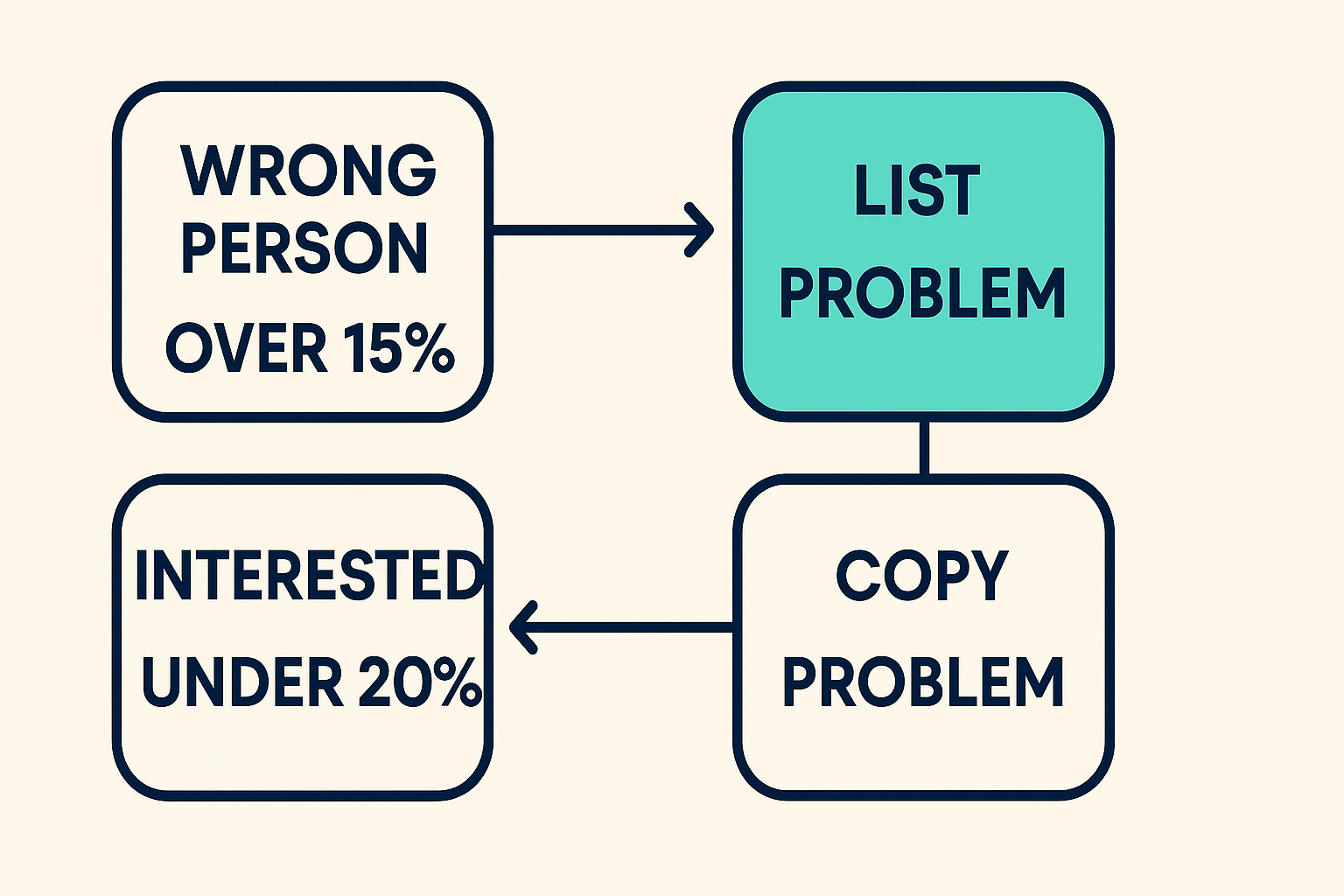
Wrong-person share and hard bounce rate point at the list. The split between interested and not interested among right-person replies points at the words. The age of your reason for writing points at the moment.
- The list: wrong person above 15% of replies, or hard bounces above 2%. No rewrite touches either one.
- The words: wrong person under 10%, bounces under 2%, and fewer than a fifth of replies landing in the interested pile.
- The moment: a healthy spread across the piles, but a median reason-for-writing older than a week.
- Two of the three live in the data underneath the agent, which is why editing prompts keeps producing so little. That layer is the one to look at, and enrichment for outbound agents covers what it owes you.
The Delete-the-Reason Test
Cut the sentence that explains why you wrote today, then read what is left. If it still looks like a reasonable note to that specific person, send it. If it falls apart without the funding round or the new VP, the event was your excuse to write rather than their reason to answer, and it will land in the not interested pile every time.
What Good Looks Like, and Which Denominator You Used
Strong campaigns put 1.5% to 3% of messages sent into the interested pile, 4% to 5% on a genuinely tight list, with a quarter to half of all replies classed interested. Anything much above that is usually a denominator problem rather than a triumph.
Benchmarks Worth Writing Down
- Belkins recorded a 0.45% average reply rate across 7,530,489 cold emails sent through 2025, moving between 0.35% in December and 0.54% in February.
- Who you wrote to moved that further than any rewrite did: 0.72% at companies of 0 to 10 people against 0.22% at 10,000 and above.
- From the same team's phone data, 4.6% of conversations booked a meeting, roughly 370 dials each. Useful context before deciding email is uniquely broken.
Two Numbers, Two Denominators
- The 0.45% is every reply divided by 7.5 million sends. The 1.5% to 3% band is interested replies divided by sends on a focused campaign. Putting them on the same axis makes both meaningless.
- Well-timed messages sit in a third band. Notes sent on a leadership change have been measured at a 14% reply rate, per Explorium's work on timing outreach to recent company activity.
- Anything measured against opens is not a reply rate. Report it that way once and every later number is suspect.
Addresses That Never Had a Chance
Hold every address the checker did not return as valid, and keep Gmail spam complaints under 0.10% with a hard stop well before 0.30%. Some share of your not-interested pile is not an opinion at all. It is mail that never reached a human.
What the Six Statuses Mean
- Hunter's email checker returns one of
valid,invalid,accept_all,webmail,disposableorunknown, plus a 0 to 100 confidence score, documented field by field. accept_allandunknownare holds, not sends. Those servers say yes to every address, so a yes proves nothing about the mailbox behind it.- Drop
invalidanddisposablefor good rather than for this campaign. Routewebmailto a human when the business you sell to always has its own domain.
"A product whose entire pitch is fixing outbound could not work out that cold emailing a direct competitor's CEO, from a domain Gmail had already flagged..." r/salesdevelopment, July 2026
Numbers That Should Trigger a Stop
| Number | Fine | Look into it | Stop sending |
|---|---|---|---|
| Hard bounces | Under 2% | 2% to 5% | Above 5% |
| Wrong-person share of replies | Under 10% | 10% to 15% | Above 15% |
| Gmail spam complaints | Under 0.10% | 0.10% to 0.29% | 0.30% and above |
| Median age of your reason for writing | Under 72 hours | 3 to 7 days | Over 14 days |
| Daily volume to Gmail per domain | Under 5,000 | At the bulk-sender line | Bulk volume with DMARC failing |
Past 5,000 messages a day to Gmail you are a bulk sender in Google's terms, and SPF, DKIM and DMARC all have to pass. None of that is optional once an agent is doing the sending for you.
Old News Reads Like No News
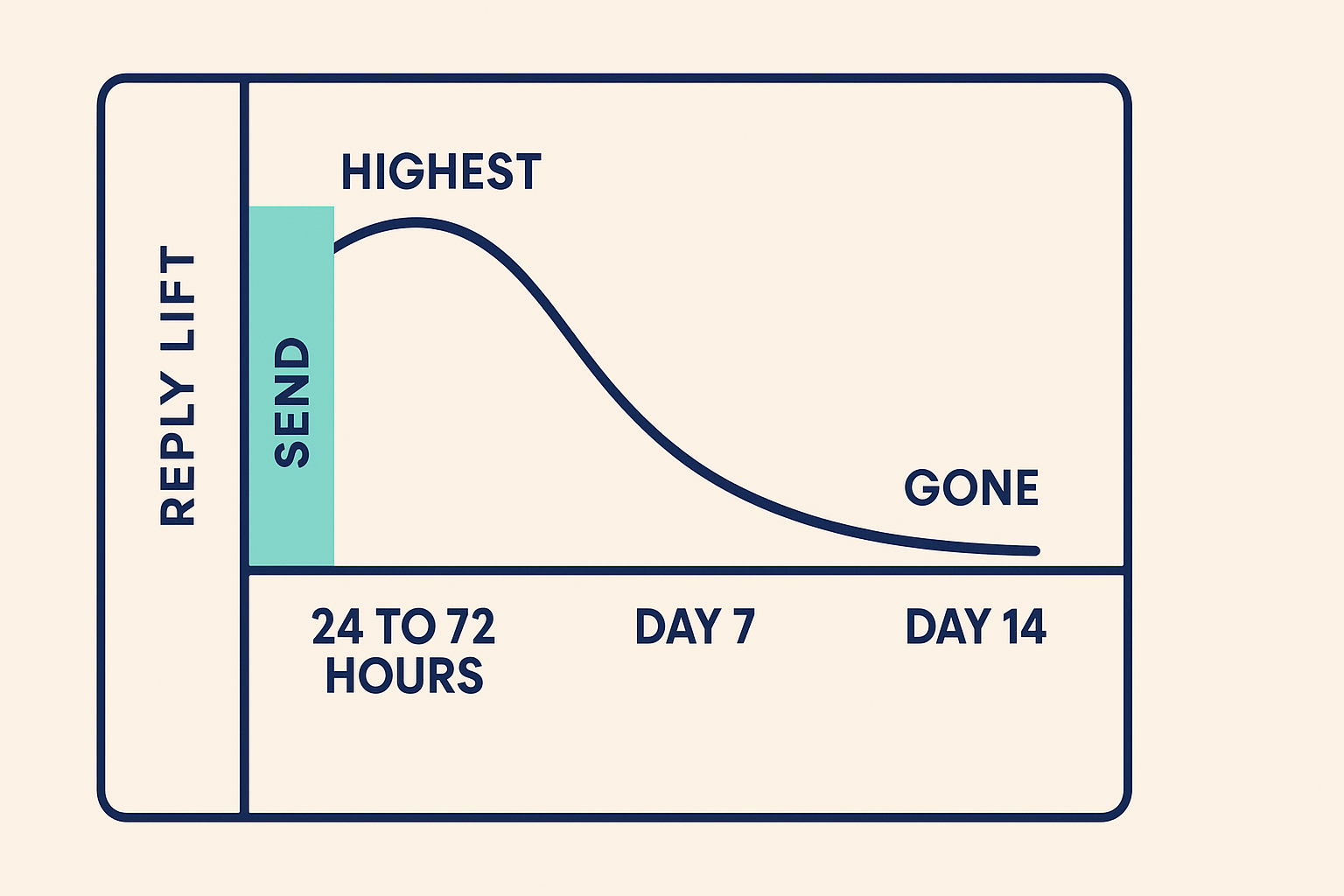
Reasons expire. A funding round is worth roughly 5x to 7x normal reply performance in the first 24 to 72 hours, about 1.2x by Day 7, and nothing at all by Day 14.
How Long Each Reason Lasts
- Funding: 24 to 72 hours, with performance near 400% of baseline inside the first 48.
- A new executive in the seat you sell to: 30 to 60 days, 4x to 5x, with 14% reply rates recorded.
- A hiring push: 14 to 30 days. A new tool going live: 7 to 21 days. Both around 3x to 4x.
- Good fit and nothing happening: a 1% to 2% floor. That is the number your timed sends have to beat to earn the extra work.
Why Stale Reasons Land in the Wrong Pile
- A Day-10 funding note reads like a template because by then everyone has sent one. It lands in not interested instead of interested.
- Batches of 50 records cannot refresh a 5,000-company list inside three days, so throughput quietly becomes a reply-quality feature.
- Reasons to skip decay too. A company that cut staff last week should not enter the run at all, whatever else it looks like on paper.
- A handful of activity types drive most of the pipeline agents source, which is why choosing which reasons you act on beats collecting more of them. Explorium's read on intent data for AI sales agents sets out which ones earn their place.
The Thirty-Minute Reply Audit, Run in Chat
Export last week's replies, paste them into a chat, and ask for the five piles with counts. You get the honest number before anyone reopens a template. Two asks, in order.

