Your AI agent starts spending tokens the moment you connect an MCP server. Every tool schema loads into Claude's context window before your first message arrives, before any company is looked up, before any prospect list gets built. Stack two or three narrow servers and that fixed cost quietly consumes 15-27% of a standard 200K-token window. This checklist gives you the numbers and the steps to stay on the right side of that math in 2026.
The problem is not unique to any one server. It applies to every MCP connection, including the data enrichment servers most sales teams connect to Claude for prospect research. The fix is the same across the board: understand the fixed schema cost, know the threshold where it starts hurting, and consolidate where coverage overlaps.
What Actually Happens to Your Context Budget When You Connect an MCP Server
Connecting an MCP server loads every tool definition, the name, description, and input schema for each tool, into Claude's context window at session start. This happens once per session regardless of how many tools you actually call. Think of it as rent: you pay it whether or not you use the apartment that day.
Why This Cost Slips Under the Radar
- The chat interface shows no token meter for schema overhead. You see your conversation tokens, not the silent baseline cost of every connected server.
- Teams plan context budgets around conversation length and data volume, and forget that servers in the sidebar are already running a tab.
- A server added for one use case stays connected to every session, billing its schema tax against sessions that never touch it.
What a Well-Managed Setup Looks Like
- Every connected server has a documented tool count and estimated schema size before it goes live in a production workflow.
- Servers covering 20-30 narrow tools for a single function get replaced with a wider connection that covers the same ground in one schema footprint.
- Total context budget is checked against the actual window size of the model in use, not a generic estimate.
How Many MCP Servers Can You Connect Before Context Budget Becomes a Real Problem
On a standard 200K-token window, the practical pressure point is 5-6 narrow servers. Past that, fixed schema overhead alone takes up 35% or more of the window before any actual work begins. There is no hard cap on server count; the constraint is the math.
How the Numbers Break Down by Model Window
| Model / window size | Status as of August 2026 | Servers before 35% schema tax |
|---|---|---|
| Standard 200K window | Default for most workspaces | 4-5 servers |
| Sonnet 4.6, 500K GA | Current GA tier | ~11 servers |
| Sonnet 5 / Opus 5, 1M GA | Current GA tier | ~23 servers |
| Sonnet 4.5, 1M beta | Retired April 30, 2026 | N/A |
A Bigger Window Buys You Headroom, Not an Excuse to Skip Consolidating
Upgrading to a 500K or 1M window raises the ceiling for how many servers you can connect before hitting trouble. It does not change the per-server cost. A server that loads 15,000 tokens of schema costs 15,000 tokens on Sonnet 4.6 the same as it does on the standard 200K tier. The case for consolidating overlapping servers stays just as strong on a larger window. See the side-by-side data provider comparison to understand what coverage each server actually adds before you commit to the connection.
How Much of Your Context Window Does Each MCP Server Actually Consume
A server exposing 20-30 tools typically loads between 10,000 and 17,600 tokens of schema. The GitHub MCP server's published benchmark sits at roughly 17,600 tokens, around 9% of a 200K window, before any conversation starts.
Schema Token Overhead by Server Type
| MCP server type | Tools exposed | Estimated schema tokens | Share of a 200K window |
|---|---|---|---|
| Typical narrow server (20-30 tools) | 20-30 | 10,000-17,600+ | 5-9% |
| Hunter.io MCP | 6 tools (domain search, finder, verifier, enrichment, and more) | Mid-range fixed cost | 3-5% |
| Coresignal MCP | 3 tools (company, employee, jobs) | Smaller tool set, fixed cost | 2-4% |
| GitHub MCP (independent benchmark) | Full tool set | ~17,600 tokens | ~9% |
| Vibe Prospecting MCP | One connection, all data types | Single server cost | Single-server tax |
Why Pairing Two Narrow Servers Doubles Your Schema Tax
Coresignal covers company data and employee records well but has no contact verification tools. Connecting it alongside Hunter.io for email lookup means paying two full server schema costs to cover what a single broader connection handles on its own. The gap is not just about token count: two servers also mean two separate billing plans, two rate limits, and two failure surfaces in the same workflow.
When to Stop Adding MCP Servers to Your Sales Stack
Stop adding narrow servers when your total schema tax passes 25% of the active window. On a standard 200K window, that typically happens at 5-6 connections. Past that, every new server shrinks the room Claude has for your conversation and your data.
Why the Threshold Rule Applies Even on Larger Windows
- Sonnet 5 and Opus 5 run on 1M-token GA windows, but most sales team workflows do not need 23 servers. The threshold for a typical prospecting stack stays well inside the 5-6 range regardless of window size.
- Anthropic's engineering team documented the scale of this cost: loading all tool definitions upfront for a multi-step task consumed 150,000 tokens. A code-execution pattern cut that to 2,000 tokens, a 98.7% reduction. The ecosystem is moving toward on-demand loading, but today's MCP clients load everything at session start.
- More connected tools also means more options for Claude to choose from on every action. Overlapping tools from two servers, like two different "find company" methods, raise the odds of a wrong pick.
If You Are Already Past the Threshold
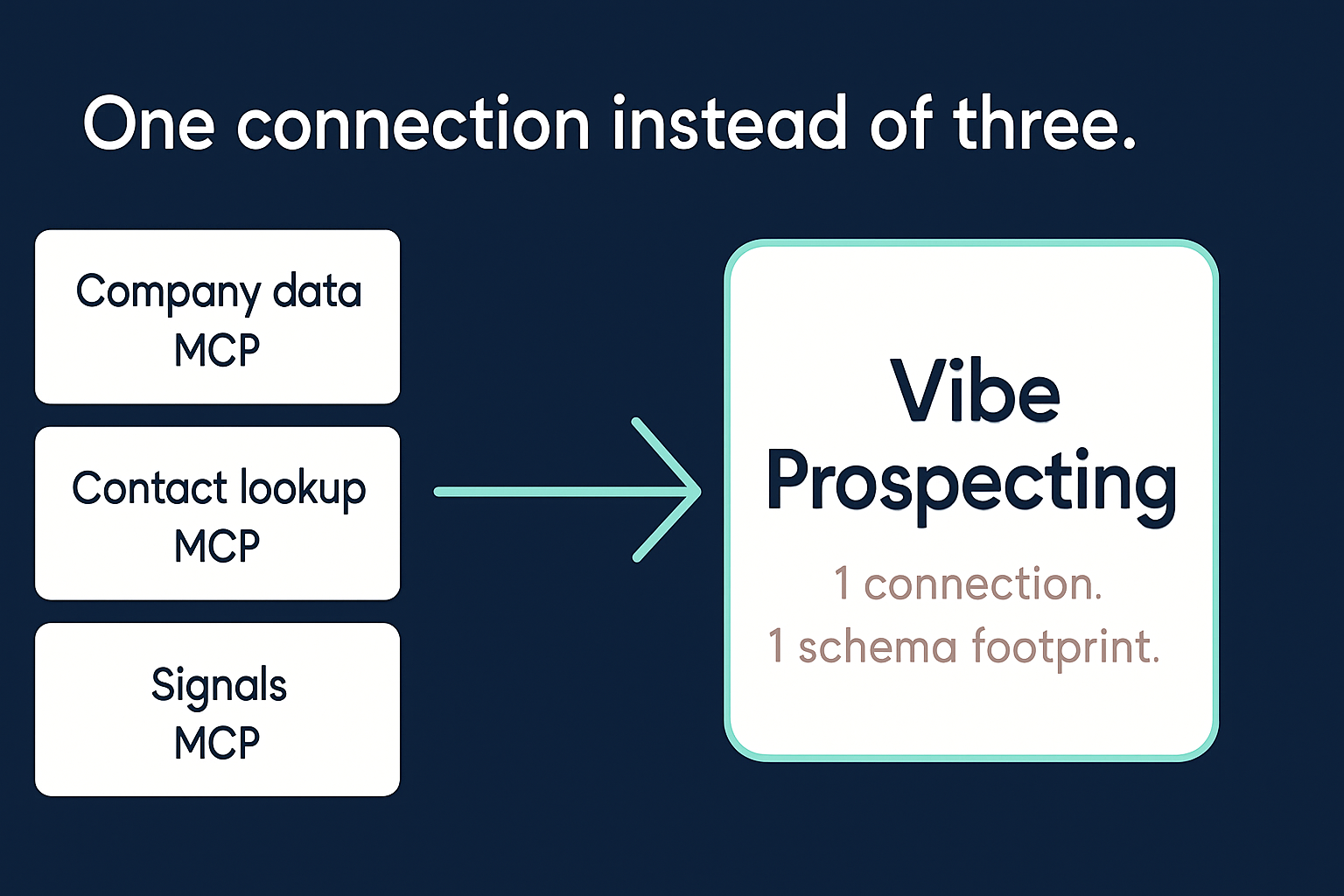
Already running 3+ separate connections for company data, contact lookups, and signals? Connect Vibe Prospecting and replace all three with one.
Does Adding More MCP Servers Make Claude Slower or Less Accurate
Yes, on both counts. Once schema overhead gets heavy enough, Claude has less working space for your actual conversation and the data it needs to act on. It also has more tool candidates to reason through before picking one, which adds latency and increases the chance of a wrong selection.
The Two Failure Modes Past the Threshold
- Context compression: Claude starts summarizing or dropping earlier conversation turns to make room. Prospect context established early in a session becomes unreliable.
- Tool confusion: two servers each exposing a "search by company name" method give Claude two nearly identical options. Selection accuracy drops even when the token budget is technically not exhausted.
In-Context Loading Versus Server-Side Processing
- Some MCP servers load every record they retrieve directly into the context window. On a prospecting run of 100 companies, that means 100 enriched records competing with the schema tokens already in place. Practical ceiling: 20-100 records before the window fills.
- Server-side MCPs process records outside the window and return only the result. Bulk runs stay manageable regardless of list size.
How to Run a Five-Point MCP Token Audit Before It Becomes a Problem
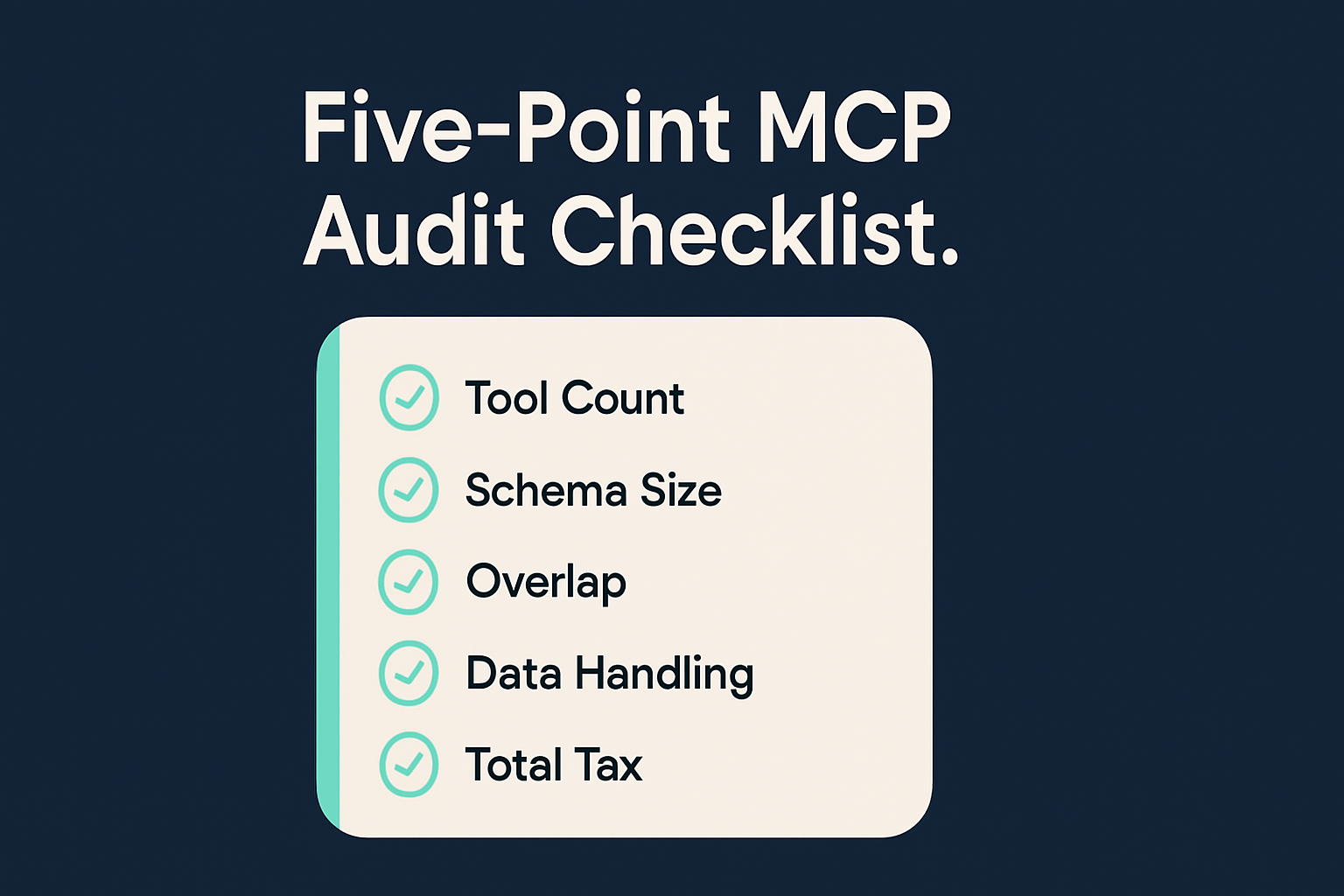
Before adding any new server, run through five checks: tool count, schema size estimate, overlap with existing connections, whether it processes data in-context or server-side, and total schema tax as a percentage of the active window. This turns a vague sense that things are slowing down into a number you can act on.
The Audit Table
| Check | Healthy | Flag for review |
|---|---|---|
| Tools per connection | Fewer than 10 tools | 20-30+ tools for one function |
| Overlap across servers | No two connections expose equivalent tools | Two or more "search" or "find" tools across different servers |
| Data handling approach | Records processed server-side, results returned | Records load directly into the window |
| Total schema share | Below 25% of the active window | 35% or more before any prompt is sent |
| Connections for core prospecting | One server covers company data, contacts, and buying signals | Two or three connections for the same workflow |
When to Re-Run This Audit
Run the audit each time someone on the team requests a new server connection and again after any model migration. Do not wait for Claude to visibly slow down before you check the numbers.
Why Stacking Narrow Single-Purpose MCP Servers Costs More Than Your Workflow Actually Requires
A single-purpose server pays a full schema cost to cover one slice of a workflow. A sales team running company research, contact lookups, and buying-signal tracking across three separate servers pays that schema cost three times over for what a single broader connection handles in one footprint.
What the Narrow Servers Leave Out
- Coresignal covers 500+ company attributes and 300+ professional data fields but does not include contact verification or signal data. You need another server for those.
- Hunter.io covers email discovery across a large company database but does not include company profile depth, funding data, or buying signals. You are back to needing a third connection.
What One Broader Connection Covers Instead
"Instead of connecting to multiple data sources and APIs, we only require one connection, Explorium." - Mirit H., Sales Ops, Mid-Market (Powered by Explorium Enterprise Business Data)
How Vibe Prospecting Fixes the Context Budget Math in One Connection
Vibe Prospecting resolves the stacking problem on three levels: one connection replaces 2-3 separate servers for your prospecting data needs, server-side processing keeps bulk records out of the window, and a single credit pool removes the per-server billing overhead.
One Connection for All Your Prospecting Data
- 150M+ company profiles for discovery, 800M+ professional profiles for contact research, all through a single schema footprint.
- Company attributes, funding rounds, employee counts, workforce trends, and technology stack data from 50+ sources in one connection. No second server needed.
- 18 categories of buying signals and 80+ signal types included. Narrow servers that focus only on company or contact data leave this out entirely.
Server-Side Processing for Volume Prospecting
- Up to 1,000 records per call processed on the server side at 100 QPS via the AgentSource API. Bulk runs never load records into the context window.
- Results come back as a summary, not a raw data dump. The window stays clear for your conversation and follow-up logic.
- 97.8%+ company match accuracy at scale. Running large lists does not mean accepting lower data quality.
One Credit Pool, No Per-Server Subscription Tax
- Free account, no sales call required, no seat-based fee. You start with credits and spend them across all data types.
- Consolidating from multiple narrow servers into one connection cuts agent-workload spend 30-60% compared to running separate subscriptions.
- Sample-before-export: Vibe Prospecting returns 5 records and a credit estimate before committing a full run. You see what you are getting before spending anything.
MCP Configuration
Vibe Prospecting installs in one click from the Claude or ChatGPT Connectors Directory. For Claude Code users, the manual configuration below connects the same server.