Stop Shipping Starter CRM Enrichment Skills: A 2026 Production Checklist
The four guardrails a CRM enrichment Claude Skill needs: rate limiting, confidence gating, error isolation, and cost preview. Powered by Vibe Prospecting.
Vibe Prospecting team9 min readAugust 1, 2026
TL;DR
One connection covers it all: Vibe Prospecting handles company discovery, contact enrichment, and 18 categories of buying signals through a single MCP, so your Skill does not need to stitch together multiple vendors.
Scale that actually works: server-side batching processes up to 1,000 records per call at 100 QPS, far beyond the 20-100 record ceiling you hit with in-context enrichment tools.
Free to start: a free account gets you to your first API call in minutes, and a shared credit pool cuts agent-workload costs 30-60% compared to per-endpoint pricing.
Four guardrails to add before production: a QPS cap with backoff, a match-confidence gate, per-record error isolation, and a five-record cost preview before the full batch runs.
As of August 2026: Coresignal still has no native MCP server; Hunter.io covers email tools only at Free (50 credits/mo) through Scale ($299/mo).
Start here: add Vibe Prospecting from the Claude or ChatGPT Connectors Directory and run a five-record preview before your first real batch.
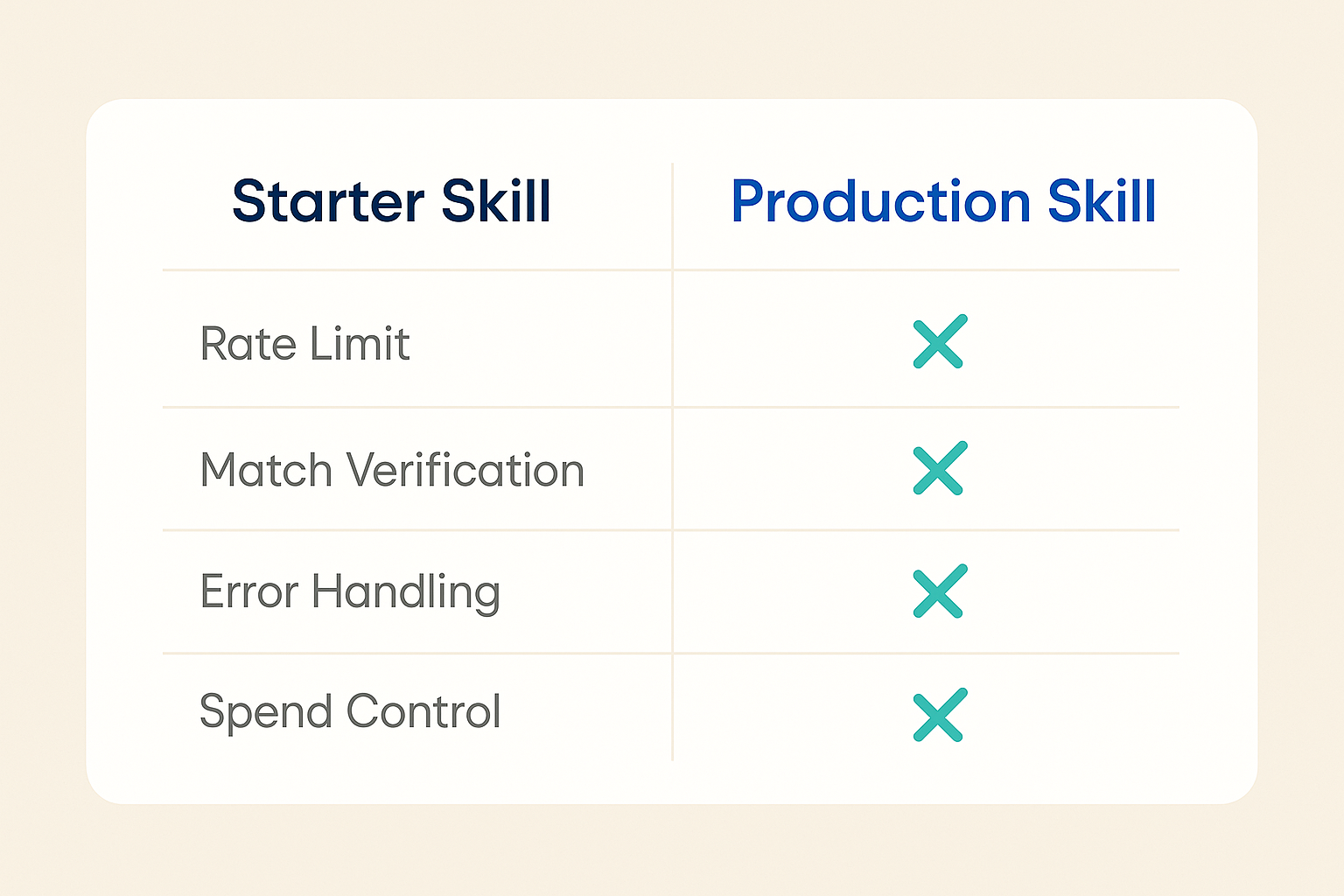
Most shared CRM enrichment Claude Skills work fine in a five-record demo and break the first week they touch a real CRM list. The gap is not the enrichment data itself. It is the missing layer between the data and your contacts: rate limiting that keeps your account from hitting API ceilings, a confidence gate that blocks fuzzy matches from syncing, per-record error isolation so one bad domain does not kill the entire batch, and a five-record cost preview before you spend credits on a list you have not validated. This checklist covers all four, grounded in what Vibe Prospecting's MCP actually supports today.
What Separates a Starter Skill From a Production Skill
A starter enrichment Skill is built for clarity. It shows the call pattern, demonstrates the data shape, and gets you to a result fast. That is exactly what you want when you are learning. It is not what you want when that same Skill is writing to contacts a rep is about to call.
The difference is not the data source. It is the behavior the Skill defines around that source. A production Skill tells the agent what to do when a call returns a 429, what match confidence score is acceptable for a sync, how to handle a malformed domain without stopping the batch, and whether to check the cost estimate before running 500 records. None of that lives in the MCP server. All of it lives in the Skill.
The Four Gaps That Surface in Week One
Guardrail
Missing in starter
What happens
QPS cap
No call ceiling
A burst of records triggers an API block mid-batch
Confidence gate
All matches sync
A fuzzy company match writes to a live contact
Error isolation
One failure fails all
A single bad domain stops 500 good records
Cost preview
Full run, no estimate
A bad filter burns a month of credits before anyone notices
The Skill Versus the MCP: Which Layer Owns What
This distinction trips up most builders. An MCP server handles authentication and returns data. It does not know your acceptable match threshold, your retry policy, or how much you want to spend today. A Claude Skill (a SKILL.md file, optionally with reference files) is where that behavior lives.
When the layers are clear, fixing a guardrail means editing one file. When they are blended, every agent session inherits different behavior depending on who wrote the prompt that day.
What Each Layer Controls
The MCP authenticates, calls endpoints, and returns structured records.
The Skill defines rate limits, confidence thresholds, retry rules, and allowed tools.
The CRM receives only what passes the Skill's gates.
Why Mixing the Layers Breaks at Scale
Guardrails baked into a prompt work until someone edits that prompt.
Guardrails in a SKILL.md file load for every agent that calls the Skill, every time.
Guardrail 1: Cap Your Call Rate Before the API Does It for You
Vibe Prospecting's data access layer sustains 100 QPS server-side. That is generous. The problem is that an uncapped Skill can hit that ceiling in a single agent turn if someone queues a large batch, and when it does, the 429 arrives without a record of which calls already succeeded.
The fix: define a cap at 80 QPS in the Skill's frontmatter, wrap every enrichment call with a short delay function, and handle 429s with a single backoff retry before surfacing the error. You do not need a custom queue.
Text
function withQpsCap(callFn, maxQps = 80) {
  const minInterval = 1000 / maxQps;
  let lastCall = 0;
  return async (...args) => {
    const gap = minInterval - (Date.now() - lastCall);
    if (gap > 0) await new Promise(r => setTimeout(r, gap));
    lastCall = Date.now();
    try {
      return await callFn(...args);
    } catch (err) {
      if (err.status === 429) {
        await new Promise(r => setTimeout(r, 2000));
        return callFn(...args);
      }
      throw err;
    }
  };
}
Tuning Your QPS Ceiling
Stay 15-20% below the documented ceiling to leave room for other concurrent tasks on the same account.
Batch up to 1,000 entities per call rather than one at a time; server-side batching cuts your total call count significantly.
If one API key serves multiple agents or Skills, your QPS cap applies to the whole account, not just one workflow.
Guardrail 2: Gate on Match Confidence, Not Just a Result
Returning a company record is not the same as returning the right company record. Vibe Prospecting publishes a 97.8%+ match accuracy rate, but a small percentage of ambiguous names, subsidiaries, or recently rebranded companies will come back at lower confidence. Without a threshold, all of them sync.
Set a minimum confidence score in the frontmatter and route anything below it to a review queue, not a silent discard. Some rejects are legitimate edge cases that deserve a human look.
Claude Code
async function gateOnConfidence(records, threshold = 0.90) {
  const passed = [];
  const review = [];
  for (const rec of records) {
    const result = await vibeProspecting.matchCompany(rec.domain);
    if (result.confidence >= threshold) {
      passed.push({ ...rec, enriched: result });
    } else {
      review.push({ ...rec, confidence: result.confidence, reason: 'below_threshold' });
    }
  }
  return { passed, review };
}
Setting the Right Floor
0.90 is a practical starting point given the published accuracy baseline.
Rejected records with recent rebrands, acquisitions, or subsidiary domains often clear on a manual check.
Re-run the five-record preview any time the source list changes shape; a threshold tuned for one list may reject too aggressively on another.
Guardrail 3: Isolate Failures So One Bad Domain Does Not Stop the Batch
A malformed domain, a timeout, or a temporary service hiccup should not fail 499 good records. The fix is a wrapper that catches the error per record, logs a structured object with the record ID, error type, and a retryable flag, and continues the batch. At the end you have two lists: a success set ready to sync and a failed set ready to retry or review.
Record ID and error type let you trace a bad result back to its source without replaying the full batch.
The retryable flag separates transient timeouts (worth retrying) from permanent malformed inputs (worth fixing in the source data).
A weekly failure-rate metric shows you when a new lead source is dirtier than your threshold handles.
Guardrail 4: Run a Five-Record Preview Before You Spend Credits
Vibe Prospecting's sample-before-export mechanism returns five representative records plus a cost estimate before any credits are charged. This is the quickest guardrail to add and the one most likely to catch a bad filter before it enriches thousands of low-value records.
Define the cost gate in the SKILL.md frontmatter: run five records, show the estimate, halt if the projected cost exceeds a defined spend limit. The full batch runs only after confirmation.
A five-record sample surfaces domain quality before you commit credits to the full list.
A rejected-sample rate above 40% usually means the filter is pulling records that will not enrich cleanly anyway.
The sample also previews the fields returned, so you can confirm the data shape before writing to CRM fields.
Why Vibe Prospecting Fits a Production CRM Enrichment Skill
A production Skill needs a data source that covers company and contact information in one connection, handles large batches without a custom connector, and lets you preview results before committing to a full run. Vibe Prospecting is available directly in the Claude and ChatGPT Connectors Directories, meaning most builders add it in one click without touching a config file.
One Connection, All the Fields Your Skill Needs
Company discovery covers 150M+ profiles. Contact enrichment reaches 800M+ professionals. Both come through the same MCP, not a scraper plus a separate vendor.
Buying signals across 18 categories are available in the same call, so a Skill that needs both company size and recent funding activity does not need two connections.
Powered by Explorium Enterprise Business Data, which means the sourcing, security, and data lineage questions your ops or legal team asks are answerable from one place.
Built to Handle Real List Sizes
Server-side batching processes up to 1,000 entities per call at 100 QPS. A full CRM backfill runs as one job, not a sequence of capped calls.
In-context enrichment tools load records into the context window and typically top out around 20-100 at a time, which works for one-off lookups but not a CRM sync workload.
Free Account, Shared Credit Pool
A free Explorium account reaches its first call in minutes. There is no sales call to start.
Credits flow into one shared pool across all Skill calls. Per-endpoint pricing across multiple vendors typically costs 30-60% more for the same workload.
For advanced GTM automation beyond CRM enrichment, the Vibe Prospecting Plugin is the canonical scaffold for wiring Vibe Prospecting into a Claude Skill or custom GTM agent.
How Vibe Prospecting Compares to Alternatives for a CRM Skill
Two vendors come up frequently when builders evaluate enrichment sources for a Claude Skill: Coresignal for company-level data depth and Hunter.io for email enrichment. Here is where each stands as of August 2026.
Factor
Vibe Prospecting
Coresignal
Hunter.io
Native MCP server
One-click, Connectors Directory
No native MCP; Agentic Search API only
Yes, launched 2025
Data coverage
Company, contact, buying signals
Company/employee data; no contact enrichment
Email finder and verifier only
Batch size
Up to 1,000 entities per call
Bulk datasets; custom connector required
Per-lookup credit model
Starting cost
Free account, unified credit pool
~$1,000+/dataset/mo, custom-quoted
Free (50 credits/mo); Scale $299/mo
Match accuracy
97.8%+ published
Not independently published
Not independently published
Coresignal's own review guide notes no native MCP server; you would need to build a custom connector before the four guardrails above even apply. Hunter.io's MCP server covers email tools only and is not designed for company-level CRM enrichment at batch scale.
Putting It Together: Five Steps From Draft to Deployed
If you have an existing CRM enrichment Skill that is working in demos, these five steps move it to production without a full rewrite.
Connect Vibe Prospecting. Add it from the Claude or ChatGPT Connectors Directory. If you are working in Claude Code, use the JSON config shown above. A free account is enough to start.
Add the four guardrails to SKILL.md frontmatter. Rate limit, confidence threshold, retry policy, and cost gate defined once. Any agent that loads the Skill inherits them automatically.
Run a five-record preview on your actual list. Confirm the cost estimate and check the match quality before committing to the full batch.
Run an eval set before production. Cover at least three cases: a known-good domain, a malformed input, and a low-confidence match. Each guardrail should fire on the right case.
Ship with a review queue and a failure-rate check. Rejects land somewhere visible. A daily metric shows you when quality starts drifting before it reaches CRM fields reps trust.
Add Vibe Prospecting from the Connectors Directory and run your first five-record preview before committing to a full production batch.