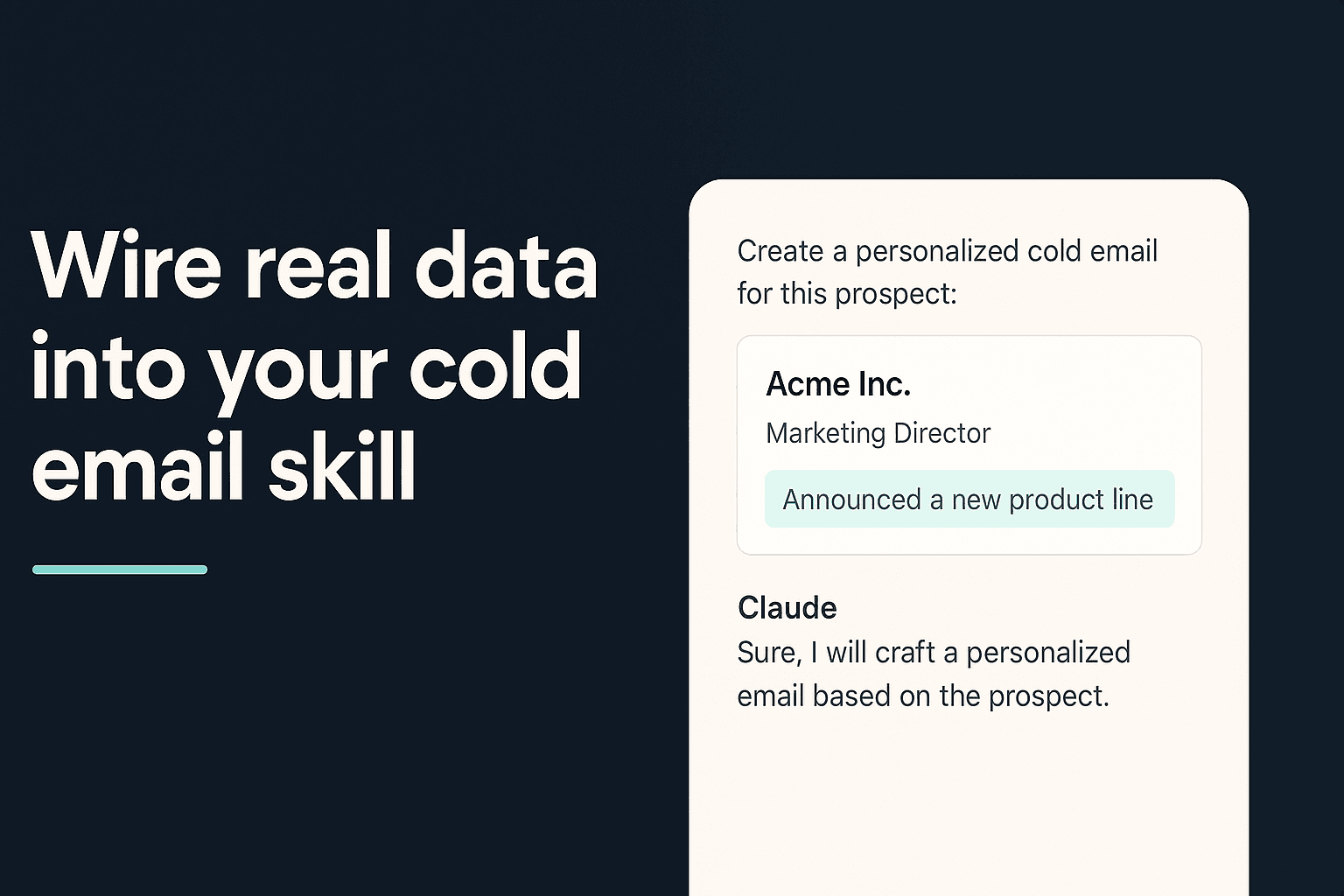
Cold Email Personalization That Scales: Wire Real Data Into Your Claude Skill
Wire Vibe Prospecting into a Claude Skill and personalize cold emails from real company data: 150M+ companies, 800M+ contacts, 1,000 records per call.
Vibe Prospecting team9 min readJuly 23, 2026
TL;DR
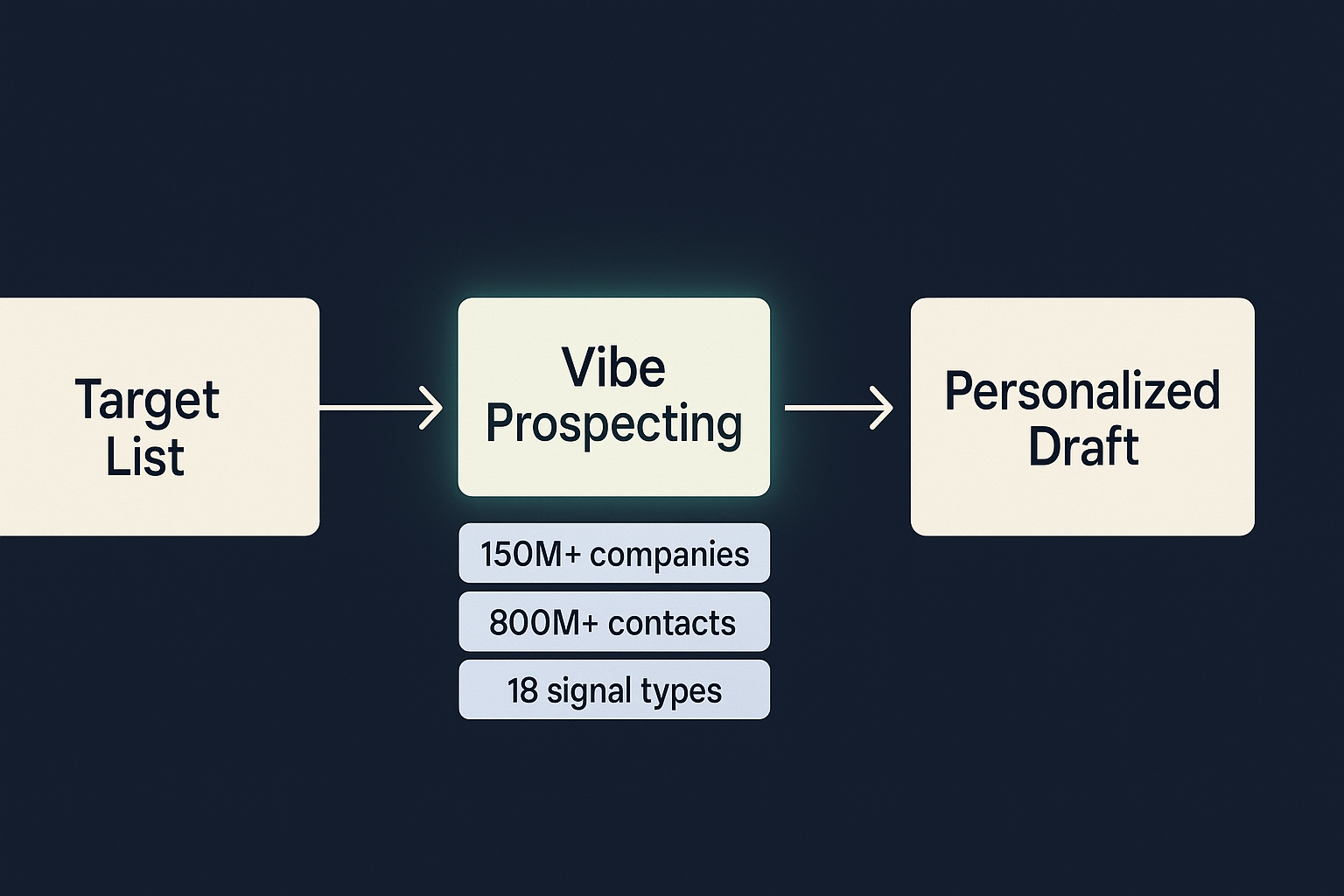
One connection for everything: Vibe Prospecting covers company discovery (150M+), contact lookup (800M+), and 18 signal categories in a single chat or plugin session.
Scale without hitting a ceiling: the plugin handles up to 1,000 records per call server-side, so Claude never has to hold a thousand raw contacts in its own context.
Free to start, unified credits: one balance covers every data type you call, no per-endpoint allocations to manage.
Alternatives at a glance: Coresignal covers company and employee data from $49/month; Hunter.io handles email finding only.
97.8%+ company match accuracy: Vibe Prospecting (Powered by Explorium Enterprise Business Data) matches against the right entity before any draft is written.
Five minutes to your first run: add Vibe Prospecting from the Claude or ChatGPT Connectors Directory, drop a fetch-then-draft instruction into your SKILL.md, and sample 5 records before going bulk.
Most Claude Skills for cold email stop at copywriting. They describe tone, sentence length, subject-line rules. What they skip is where the personalization actually comes from. Without a live data connection, Claude can only work with whatever you paste in, and anything you paste in was already stale the moment you exported it. This guide shows you how to wire Vibe Prospecting into a SKILL.md so every first line your skill writes draws from fresh company and contact records, not from a CSV you pulled last Tuesday.
What Makes a Claude Skill Different From a Prompt
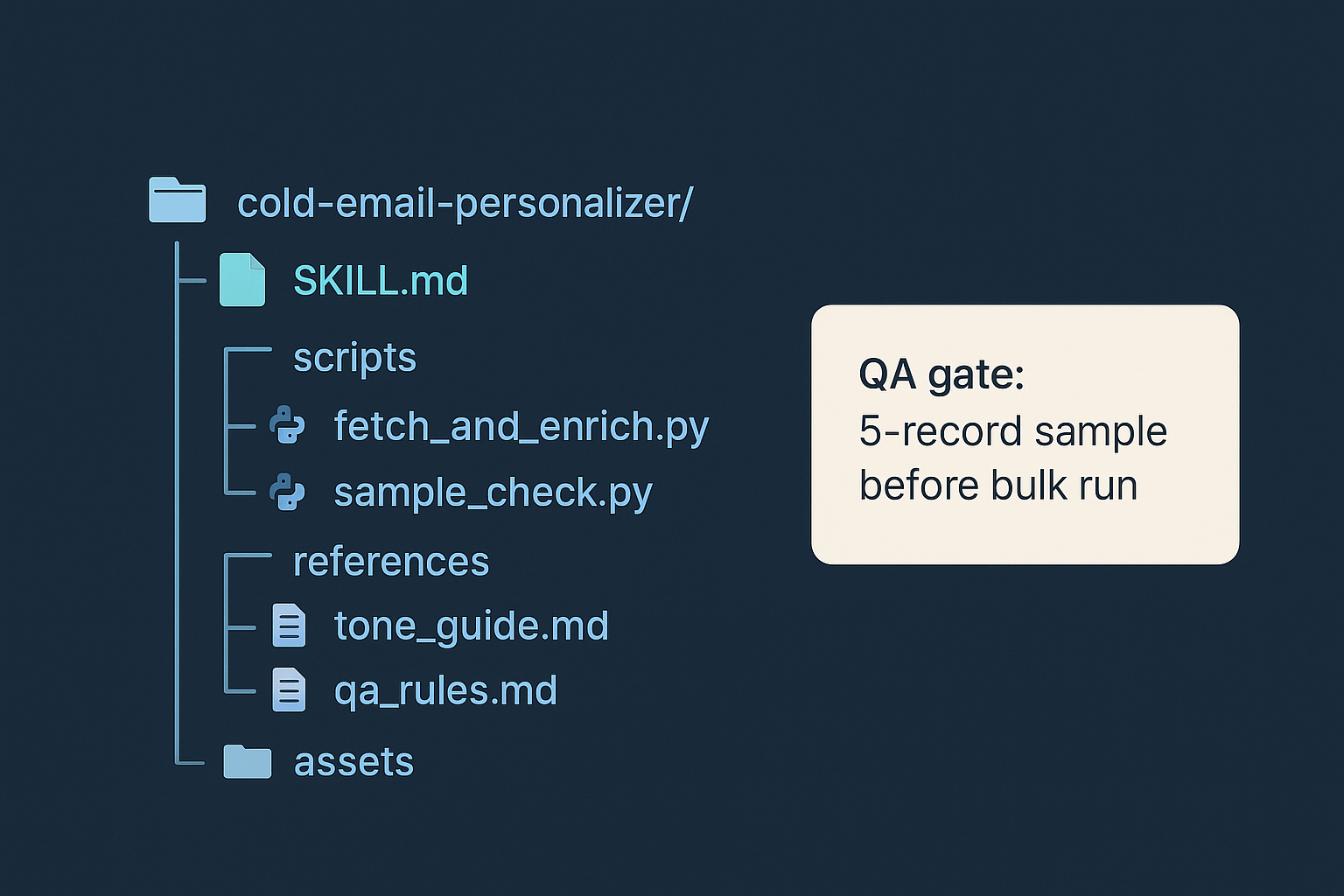
A Claude Skill is a folder: a SKILL.md file at the root with YAML frontmatter, plus optional scripts, reference docs, and template assets that Claude loads only when the task matches. A plain prompt is a single text block that loads on every turn, competing for context space whether or not personalization logic is even needed that turn.
For cold email the distinction is practical. A prompt-based approach has to stuff voice rules, data-handling instructions, and QA logic into one block. A skill splits those across files and, crucially, can include executable scripts that call an external data source. The frontmatter tells Claude when to engage the skill; the scripts folder is where the actual data fetch lives.
What Prompt-Only Skills Cannot Do
They have no way to look up a company's current headcount or recent hires without the user supplying that data manually.
They describe structure and voice but leave the personalization signal up to the writer to paste in.
Open-source cold email SKILL.md repos typically ship working frontmatter with CSV import or scraping as the data step, not a live connection.
What a Scripts Folder Adds
A helper script in scripts/ can call an MCP server, so Claude fetches records before drafting rather than guessing from whatever the user typed.
A references/ folder holds tone guides and QA rules that load conditionally, keeping the base context window small.
An assets/ folder holds sentence templates that the draft step fills in with returned data fields.
Why Static Data Sources Break Cold Email Skills
A cold email skill needs a confirmed contact, current company context, and a timely trigger all in one call. A CRM export gives you a snapshot; a web scrape gives you whatever happened to be on the page. Neither stays accurate.
The moment a prospect changes roles, raises a round, or spins up new hiring, your exported list is wrong. A skill personalizing from stale data does not just write mediocre first lines, it writes confident ones about facts that are no longer true. That is worse than a generic opener.
Where Scraping and Exports Break Down
Scraping returns whatever fields a public listing exposes, not buying signals or decision-maker contacts.
An exported list captures a single point in time. When headcount or funding changes, the skill personalizes from outdated numbers.
Single-purpose sources (a list of email addresses, a directory of company names) have none of the context needed to write a specific first line.
Wiring Vibe Prospecting into a SKILL.md comes down to three choices: where the data call sits in the instruction order, which fields the script requests, and how you gate bulk runs behind a sample step. Get those three right and the skill writes first lines from real signals every time.
One Connection for Every Data Need
Company discovery: 150M+ profiles, in the same session as contact lookup.
Contact enrichment: 800M+ professionals, returning a named decision-maker rather than a generic info@ address.
18 buying-signal categories covering funding rounds, hiring activity, technology changes, and more, so one call returns a timely trigger for the first line.
Server-Side Scale to 1,000 Records
Vibe Prospecting processes up to 1,000 entities per call server-side, so Claude never holds a full prospect list in its own context window.
In-context MCPs load every record as tokens, capping usable runs at 20 to 100 rows before the window fills.
97.8%+ company match accuracy (Powered by Explorium Enterprise Business Data) means the skill is writing about the right entity before a single word is drafted.
Add Vibe Prospecting from the Connectors Directory in Claude or ChatGPT with one click. The configuration above is the Claude Code path.
SKILL.md Instruction Body
Text
---
name: cold-email-personalizer
description: Writes personalized first lines from verified company and contact data before drafting.
---

1. Read the target list (company name, contact title).
2. Call Vibe Prospecting: company lookup, contact enrichment, buying signal.
3. No match returned: skip this row and log it. Do not invent a substitute.
4. Draft the first line using only the fields returned in step 2.
5. Run 5-record sample before starting a full list run.
Building this in Claude Code? Connect Vibe Prospecting from the Connectors Directory and run the 5-record sample step before any bulk run.
How Many Prospects Can One Skill Run Handle
A skill that loads records into Claude's context window runs out of room between 20 and 100 prospects. A skill wired to a server-side data source scales to 1,000 entities per call. The ceiling is a data-wiring decision, not a Claude limitation.
The In-Context Ceiling
Hunter.io's MCP returns one contact per call with no combined company-and-signal lookup.
Coresignal's employee dataset covers 823M+ records refreshed every 6 hours, with no published bulk-per-call ceiling.
Server-Side Bulk at Scale
When Vibe Prospecting runs the lookup server-side, Claude receives a structured result rather than a raw block of 1,000 records competing for context tokens.
100 QPS sustained throughput means a nightly skill run does not queue behind rate limits while the list is being processed.
Writing Personalized First Lines With Claude
A good first line references exactly one real detail: a hiring signal, a funding event, or a headcount tier. One specific thing reads as researched. Three things stitched together reads as spam.
Ground the Line in a Signal
Tell Claude to pick the single most recent signal field rather than combining all available context into one sentence.
A hiring signal like "adding 3 engineering roles this month" is more specific than an industry label alone.
Keep the opener to one sentence. Longer lines read as filler even when the underlying data is accurate.
Fetch-Before-Draft Instruction Order
Step 1: call Vibe Prospecting via the plugin or chat session to retrieve the record for that row.
Step 2: draft the first line only after the fetch returns, using the returned fields as the only source.
Separating fetch from draft is what distinguishes a data-grounded skill from a prompt that guesses.
Stopping Claude From Inventing Personalization
The answer is a hard instruction inside the SKILL.md itself: when the data call comes back empty, the row gets skipped and logged, full stop. No fallback copy, no creative substitution.
QA Rules Inside the SKILL.md
Write the rule plainly in the instructions: "If the data call returns nothing for this row, log it and move on. Do not generate a replacement first line."
The draft step must cite which returned field it drew from, so you can spot-check any line against the source record.
Any draft that references information not present in the response gets discarded, even when the claim sounds credible.
Five-Record Sample Gate
Claude Code
# QA sample gate
sample = target_list[:5]
results = vibeprospecting.enrich(sample)
if any(r.match_confidence < 0.9 for r in results):
    halt_and_flag()
else:
    proceed_to_bulk_run(target_list)
The preview step shows you exactly what the skill will produce on real data before you commit the full list, including a credit estimate for the complete run.
Re-run the preview after every change to the fetch or draft instructions, not only before the very first bulk pass, so a broken mapping gets caught on 5 rows instead of 500.
Production Skill Folder Structure
A production-ready cold email skill has a SKILL.md at the root and three subfolders: scripts for data calls, references for longer docs, and assets for templates. Keeping the root file short lets Claude load only what each task actually needs.
Vibe Prospecting covers company data, contact lookup, and buying signals in one connection. Coresignal and Hunter.io each cover a narrower slice and need a second source to complete the picture.
Dimension
Vibe Prospecting
Coresignal
Hunter.io
Data breadth
Company, contact, 18 signal categories in one session
Company and employee data; no buying-signal layer
Email finding and domain search only
Records per call
Up to 1,000 at 100 QPS
Standard rate limits; 6-hour refresh
One contact per call; no bulk join
Starting price
Free account; unified credit pool across all data types
API access from $49/month; enterprise datasets from $1,000/month
Free plan available; paid plans from approx. EUR 49/month for 500 lookups
Entity matching
97.8%+ company match rate (Powered by Explorium Enterprise Business Data)
Hit rate not independently published
Email find rate 70-85% at companies with 100+ staff; lower for smaller targets
Reliability
99.999% uptime SLA
176ms average response time
No public uptime SLA published
Ideal use case
One skill covering account context, decision-maker contact, and a buying trigger
Teams with an existing Coresignal license who need deeper employee records
Workflows where address confirmation is the only task
When Coresignal Fits
Your team is already licensed to Coresignal and needs employee-level depth without adding a separate signal connection.
Your pipeline already has a signal layer and only needs company and employee records to complete the join.
When Hunter.io Fits
Your skill's only job is validating an email address before sending, not writing a personalized opener from account context.
Low-volume workflows (under 500 searches per month) where address verification is the whole task.
The fastest path from zero to a working personalized skill is a free Vibe Prospecting account, a one-click install from the Connectors Directory, and a 5-record sample before the full list goes through.
Step 1: Create a free account at Vibe Prospecting (no sales call, no credit card required to start).
Step 2: Add Vibe Prospecting from the Claude or ChatGPT Connectors Directory.
Step 3: Build the SKILL.md folder with the fetch-then-draft instruction order shown above.
Step 4: Run the 5-record sample gate before committing credits to the full list.
Step 5: Run bulk: up to 1,000 entities per call, one unified credit balance.
The Decision Framework
Choose your data connection before you write a single copywriting rule. A skill needs one source covering company context, contact lookup, and a buying signal (covered by Vibe Prospecting in one session), a way to process hundreds of rows without hitting a context ceiling, and a credit model where every endpoint draws from one balance. All three questions point to the same answer.
Ready to run personalized first lines from real data? Start a free session at Vibe Prospecting and run the sample step before your first bulk call.