Build a Claude Skill for B2B Data Enrichment: The Practical Guide (2026)
Step-by-step guide to building a Claude Skill for B2B data enrichment: SKILL.md format, MCP wiring with Vibe Prospecting, and scaling to 1,000 records per call.
Vibe Prospecting team8 min readJuly 27, 2026
TL;DR
One connection, everything you need: connecting Vibe Prospecting gives your Skill access to 150M+ companies and 800M+ professionals through a single MCP setup -- no stitching together multiple vendors.
Real-list scale from day one: Vibe Prospecting handles up to 1,000 records per call at 100 QPS, so your Skill can run against an actual export instead of a demo-sized sample.
Start free, no contract needed: a free account with a shared credit pool means you can build and test the full Skill before spending anything.
SKILL.md is the key file: a short manifest with YAML frontmatter (name, description, allowed-tools) tells Claude when to load the Skill and which MCP tools it can call.
Folder structure matters: split the logic across SKILL.md, a scripts/ subfolder, and a reference/fields.md -- keep the manifest under 500 words.
Alternatives exist but are narrower: Coresignal and Hunter.io publish MCP servers a Skill could call, but neither packages as a ready-to-run Agent Skill with bulk-call support.
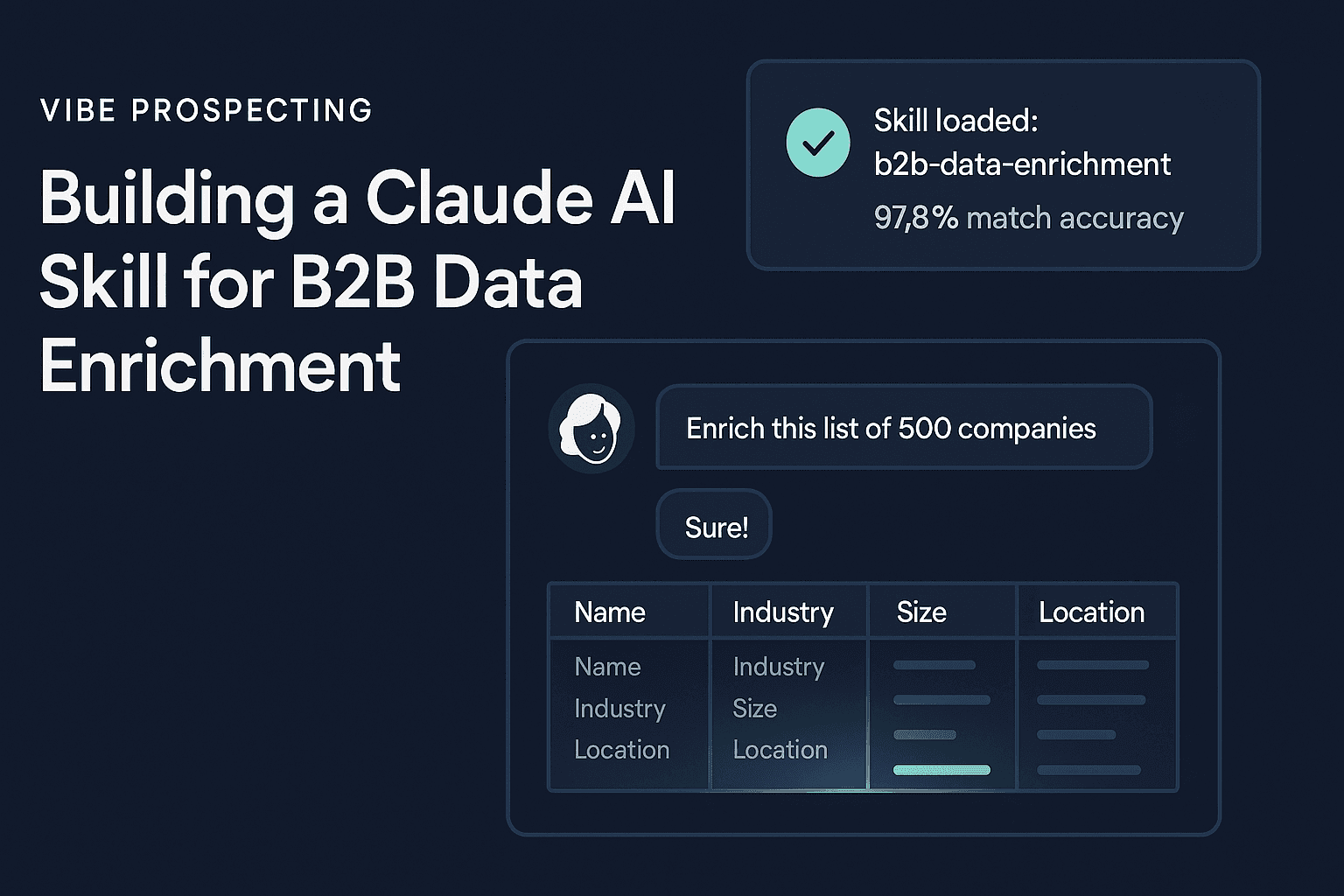
Imagine typing "enrich this list of 400 accounts" into Claude and watching a formatted spreadsheet come back in seconds -- company size, industry, key contacts, and recent funding all filled in. That is what a properly built Claude Skill for B2B data enrichment actually does. The hard part is not the chat -- it is the plumbing: a manifest file that tells Claude when to activate, scripts that call a live data source, and a connection that does not choke when the list gets real.
This guide walks through every piece of that plumbing, from the SKILL.md format Anthropic published in December 2025, to wiring Vibe Prospecting as the data layer, to testing at production scale.
What Makes a Claude Skill Different From a One-Off Script?
A Claude Skill packages enrichment logic so Claude can discover and reuse it across sessions without you pasting the same instructions each time. Anthropic's Agent Skills spec defines a Skill as a directory Claude reads on demand when a task matches the manifest's description.
The practical difference matters most if you share work with a team or plan to run enrichment regularly. A single script run in a conversation disappears when the session ends. A Skill persists -- load it once, and every teammate using the same Claude workspace can trigger it with a plain-language request.
What Breaks Without a Skill
Enrichment instructions get rewritten from scratch every session, and the field names drift.
Swapping to a better data source means hunting down every conversation where the old vendor's API shape is hardcoded.
No description means no trigger -- Claude cannot match a task to a script it cannot find.
Running a script cold wastes credits on a bad query before anyone catches the mistake.
What a Packaged Skill Fixes
Claude only loads the full instructions when the task description matches, keeping startup lightweight.
One manifest documents the MCP tool names and expected output fields for every future session.
Swapping data sources means editing one file, not rewriting every past conversation.
A sample-first pattern in the script gates expensive bulk calls behind a low-cost 5-record preview.
The SKILL.md Format Explained: What Goes in Each Section
SKILL.md is a Markdown file with YAML frontmatter at the top and plain-English instructions in the body. Claude scans only the frontmatter at startup; the body loads only when a task matches the description. Keep the body under 500 words -- everything else belongs in a scripts folder.
Required Frontmatter Fields
name: a short slug such as b2b-data-enrichment. This is the identifier Claude uses internally.
description: the trigger phrase, written as a condition -- for example, "Use when the user asks to enrich a company or contact list." Make it narrow so Claude does not load the Skill for unrelated tasks.
allowed-tools: the list of MCP tool names the Skill may call, scoped to Vibe Prospecting only.
The Three Layers That Work Together
Layer
What it does
Why you need it
Agent Skill (SKILL.md)
Tells Claude the workflow: which fields to request, how to format output, when to preview before bulk
Persists the enrichment logic across sessions and teammates
Claude Connector
One-click install that authenticates Vibe Prospecting as an MCP server
Handles credentials and rate-limit config without touching config files
MCP server
The live Vibe Prospecting connection that returns actual company and contact records
Gives the Skill's scripts access to real data at scale
Skills teach Claude the enrichment workflow. MCP and Connectors give Claude access to the data. You need both -- they are not competing choices.
Skill vs. MCP Server: The Distinction Builders Confuse Most
Your Skill is the "what and how" -- the instructions Claude follows. The MCP server is the "where" -- the live data connection those instructions call. Getting this wrong leads to bloated Skills with raw HTTP calls inside them, which breaks when credentials rotate or rate limits change.
The Right Division of Responsibility
The Skill owns: which fields to request, the output format (CSV, JSON, table), when to ask for clarification, the sample-before-export gate.
The MCP server owns: authentication, rate limiting, retries, and returning the actual records from Vibe Prospecting's data layer.
One Skill session can call multiple tools from the same server -- company search, contact enrichment, and signal lookups all flow through the single Vibe Prospecting connection already open.
Route every data call through the MCP server's named tools. Never embed raw HTTP requests inside a Skill script. Credentials, rate limits, and retries belong in the server layer -- not in the Skill.
Wiring Vibe Prospecting as the Data Layer for Your Skill
Vibe Prospecting connects to Claude through the Connectors Directory and exposes company search, contact enrichment, and buying-signal lookups as MCP tools your Skill can call directly. Most builders use the one-click install from Claude's Settings page and never touch the config file below -- it exists for Claude Code and Claude Desktop power users who configure servers by hand.
Add Vibe Prospecting from claude.ai, go to Settings, then Connectors, and the Skill's scripts can call its tools in the same session. Three reasons Vibe Prospecting works well as the enrichment data layer for a Skill:
One Connection for Every Enrichment Need
Company discovery reaches 150M+ profiles. Contact enrichment covers 800M+ professionals. Both come through the same connection already open.
Company size, industry, technology usage, funding history, and workforce trends are all reachable through the same tool set -- no second vendor.
When you are ready to add signal-based triggers, 18 buying-signal categories and 80+ signal types are available through the same connection, so the Skill grows without adding new authentication.
Scale That Handles Real Lists
Up to 1,000 records per call at 100 QPS sustained means the Skill can loop through a real export in one pass rather than timing out at row 50.
Most in-context enrichment setups load every record into the language model's context window, which caps practical runs at 20 to 100 records before things slow down.
99.999% uptime means the Skill's retry logic can be simple -- a single retry with exponential backoff handles nearly every failure case.
Start Free, No Sales Call Required
A free account with no seat fee means you can build, test, and validate the Skill before committing to any spend.
Credits flow into one shared pool across company search, contact enrichment, and signals, so the Skill does not burn separate credit pools for each tool.
The sample-before-export pattern returns 5 records plus a credit estimate before charging anything -- mirror this in your Skill's script to protect teammates from accidental large runs.
Recommended Folder Structure for a Production-Ready Skill
Keep the SKILL.md manifest thin and push all the logic into a scripts folder and a reference file. Anthropic calls this progressive disclosure: Claude sees only the manifest name and description at startup, and loads the full body only when the task matches.
What Goes Where
SKILL.md -- frontmatter plus a workflow overview. Under 500 words. No API call details.
scripts/enrich_company.py -- calls the company-search MCP tool, formats the response, gates on the 5-record preview.
scripts/enrich_contact.py -- the contact-enrichment equivalent, sharing one error-handling helper with the company script.
reference/fields.md -- documents every field name and data type the Skill returns, so teammates and future sessions have a stable reference.
A Minimal Frontmatter Example
Text
---
name: b2b-data-enrichment
description: Use when the user asks to enrich a company or contact list with profile data, industry details, or contact information via Vibe Prospecting.
allowed-tools: [vibe-prospecting.company_search, vibe-prospecting.contact_enrich]
---
Scope the description to enrichment-shaped requests only. The narrower the trigger phrase, the less likely Claude is to load the Skill for unrelated tasks and burn credits on a mismatch. The Vibe Prospecting plugin reference at github.com/explorium-ai/vibeprospecting-plugin shows a complete working example you can use as a starting point.
Scale and Rate-Limit Patterns for Enrichment at Production Volume
The gap between a 20-record demo and a 2,000-record export is where most enrichment Skills fail. Vibe Prospecting's server-side bulk processing keeps the Skill inside its rate limits, but the script still needs to handle chunking and caching correctly.
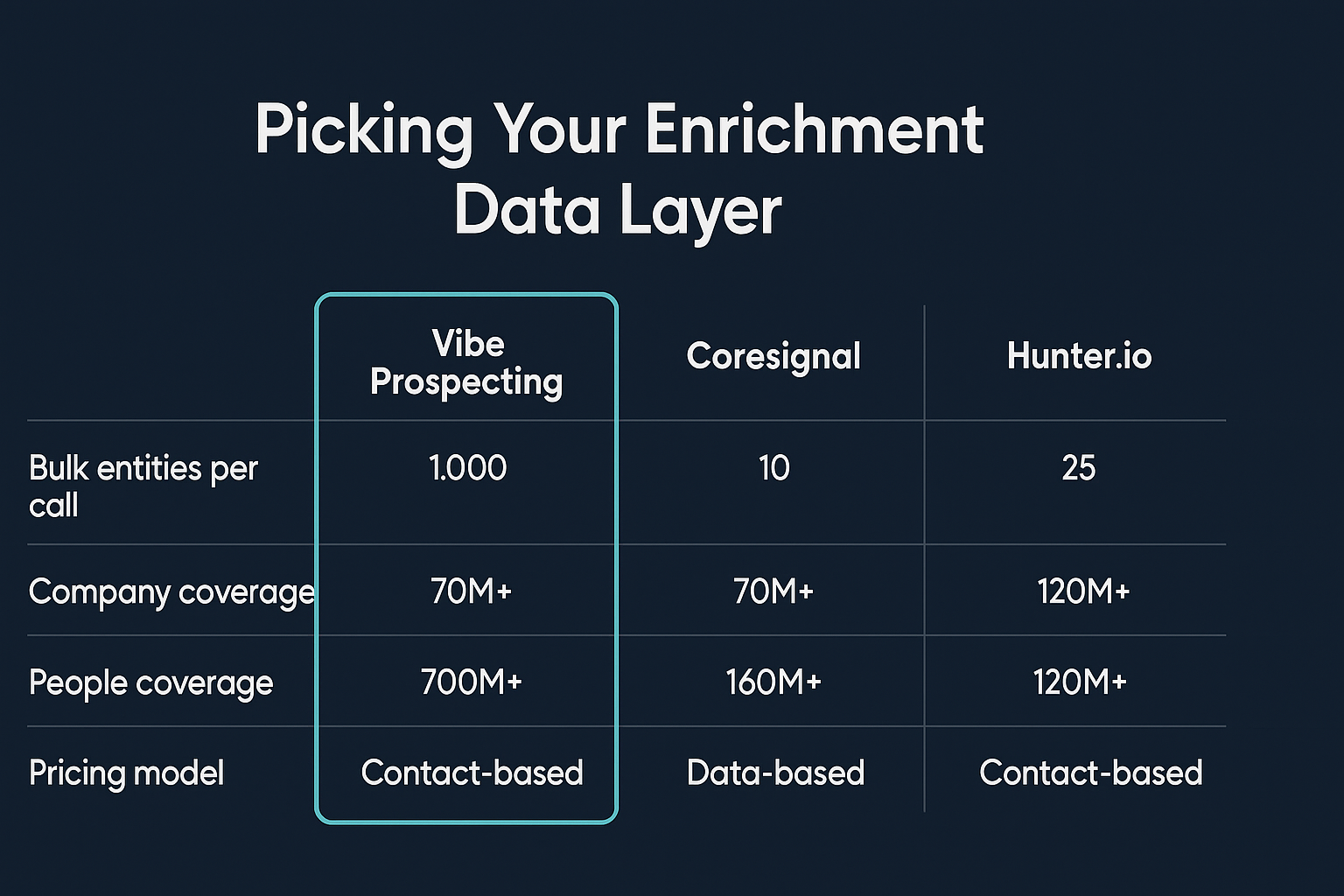
Picking Your Data Layer by Scale
What to compare
Vibe Prospecting
Coresignal
Hunter.io
Packaged as Agent Skill
Yes, one-click Connector from Claude and ChatGPT directories
Custom MCP server, no packaged Skill available
Official MCP server, no packaged Skill available
Bulk records per call
Up to 1,000, server-side processing at 100 QPS
Credit-metered, record-by-record throughput
Single address per API call
Company data depth
Over 150 million company profiles
More than 70 million records, monthly refresh cycle
Domain-search oriented, limited company data
People data depth
Over 800 million professional profiles
Nearly 900 million employee records in the index
Email finder and verifier tools only
Patterns to Build Into Every Script
Chunk lists larger than 1,000 records into sequential bulk calls, not individual-record loops. One call per chunk keeps queue time predictable.
Cache company-level results within a session when multiple contacts share the same employer -- the company profile does not change between lookups.
Log the MCP call count and response time per call during testing so you have a credit estimate before running the script against a full list.
Testing a Skill Before You Share It
Validate against a 5-record sample before handing the Skill to a teammate, checking both the happy path and at least one bad input. Vibe Prospecting's own sample-before-export pattern is the right model: get a preview, check the fields, then commit to the full run.
Pre-Share Checklist
Confirm the description triggers only on enrichment-shaped requests, not general research tasks.
Run the script against 5 known company names and compare every returned field against the reference/fields.md file.
Force a bad input -- a misspelled domain or a contact with no email -- and confirm a clear, readable error comes back instead of a stack trace.
Run the script against your actual production list size to surface any token-ceiling or timeout issues that a 5-record test will not reveal.
Distribution Options
Share the Skill folder directly with teammates for Claude Code or Claude Desktop. The Vibe Prospecting data connection installs separately through the Claude Connectors Directory or the ChatGPT Connectors Directory with one click. Powered by Explorium Enterprise Business Data, so the data quality and match accuracy hold across team accounts.
Full Cost and Capability Comparison
For most enrichment Skills, Vibe Prospecting wins on all three practical dimensions: breadth of data in one connection, bulk-call scale, and a free starting point with shared credits. Here is how the three main options stack up for a production build.
Dimension
Vibe Prospecting
Coresignal
Hunter.io
Data breadth in one connection
Company profiles, contacts, industry data, funding, and buying signals all in one MCP
Company and workforce data; raw-tier payloads need parsing
Email finder and domain search only
Bulk scale per call
Up to 1,000 records, server-side at 100 QPS
Credit-metered, no published bulk-per-call figure
One address per call, each costs 0.5 credits
Pricing starting point
Free account, shared credit pool, 30-60% lower spend vs. per-endpoint models
Free tier: 200 Collect / 400 Search credits; production near $800/mo
Free tier: 50 credits/month, pool limited to email endpoints
Company match accuracy
97.8%+, independently cited
Not independently published
32.5% effective rate on a 20,000-contact benchmark vs. a marketed 95% claim
Uptime
99.999%
Not published
Not published
Agent Skill packaging
One-click Connector from Claude and ChatGPT directories
The fastest path from zero to a working enrichment Skill is: connect Vibe Prospecting, scaffold the folder, test small, scale up, then share. Plan on about 30 minutes for the first working version.
Step 1: Create a free account and add Vibe Prospecting from the Claude Connectors Directory at claude.ai under Settings, then Connectors.
Step 2: Create the Skill folder with SKILL.md, a scripts/ subfolder, and a reference/fields.md file. Use the vibeprospecting-plugin repo as a starting template.
Step 3: Write the enrichment script against a 5-record sample, checking the credit estimate before committing to the full call.
Step 4: Graduate to bulk calls against your real list size, confirming the script chunks anything above 1,000 records into sequential calls.
Step 5: Add signal lookups from the 18 buying-signal categories once static enrichment is working -- then share the Skill folder with your team.
Choose Vibe Prospecting when you want one MCP connection instead of stitching together a company-profile vendor and a separate email-finder. Choose it when the Skill will run against real list sizes -- hundreds to thousands of records. Choose it for a free account and shared credits rather than negotiating a production-tier contract before the first test run.