A Cold Outbound Stack Has Four Parts. Only Two Should Cost You Money.
A cold outbound stack for a small team has four parts, and only the sending side costs money. See the real monthly bill, free data layer, and 2-week plan.
Vibe Prospecting team9 min readAugust 18, 2026
TL;DR
The sending side is the only part of a cold outbound stack that has to cost money. Domains, inboxes, and a flat-rate sender with warmup land between roughly $56 and $92 a month.
Data and the CRM can both sit at $0. Vibe Prospecting runs free inside Claude or ChatGPT with 150M+ company profiles and 800M+ people profiles behind one connection, and HubSpot's free tier holds the pipeline.
Every list you build shows you five sample rows and a cost estimate before anything is charged, so a badly aimed list costs nothing to catch.
Email checking is a per-batch expense, not a subscription. About $37 covers 10,000 addresses, so a team sending 6,000 emails a month spends single digits.
Say no in month one to LinkedIn automation, a separate intent tool, paid CRM seats, and trial-key rotation. Each one either duplicates something you already have or pays in time instead of money.
Two weeks separates a blank page from a live campaign: connect the data layer on day one, let warmup run its full 14 days, then send 20 to 30 emails per inbox per day.
Price out the standard advice and a cold outbound stack for a small team costs more per month than the meetings it books. The usual shopping list runs six subscriptions deep: a data tool, an enrichment tool, an email checker, a warmup service, a sender, and a paid CRM, and a three-person team is suddenly staring at a four-figure monthly bill before the first reply arrives. Here is the version of that stack where two of the four parts cost nothing at all, the whole thing lands under $150 a month, and the first campaign goes out inside two weeks.
The trick is not finding discounts. It is noticing which parts of the stack are real infrastructure with real costs, and which parts are the same records sold to you two or three times under different product names.
Start With the Bill, Not the Tool List
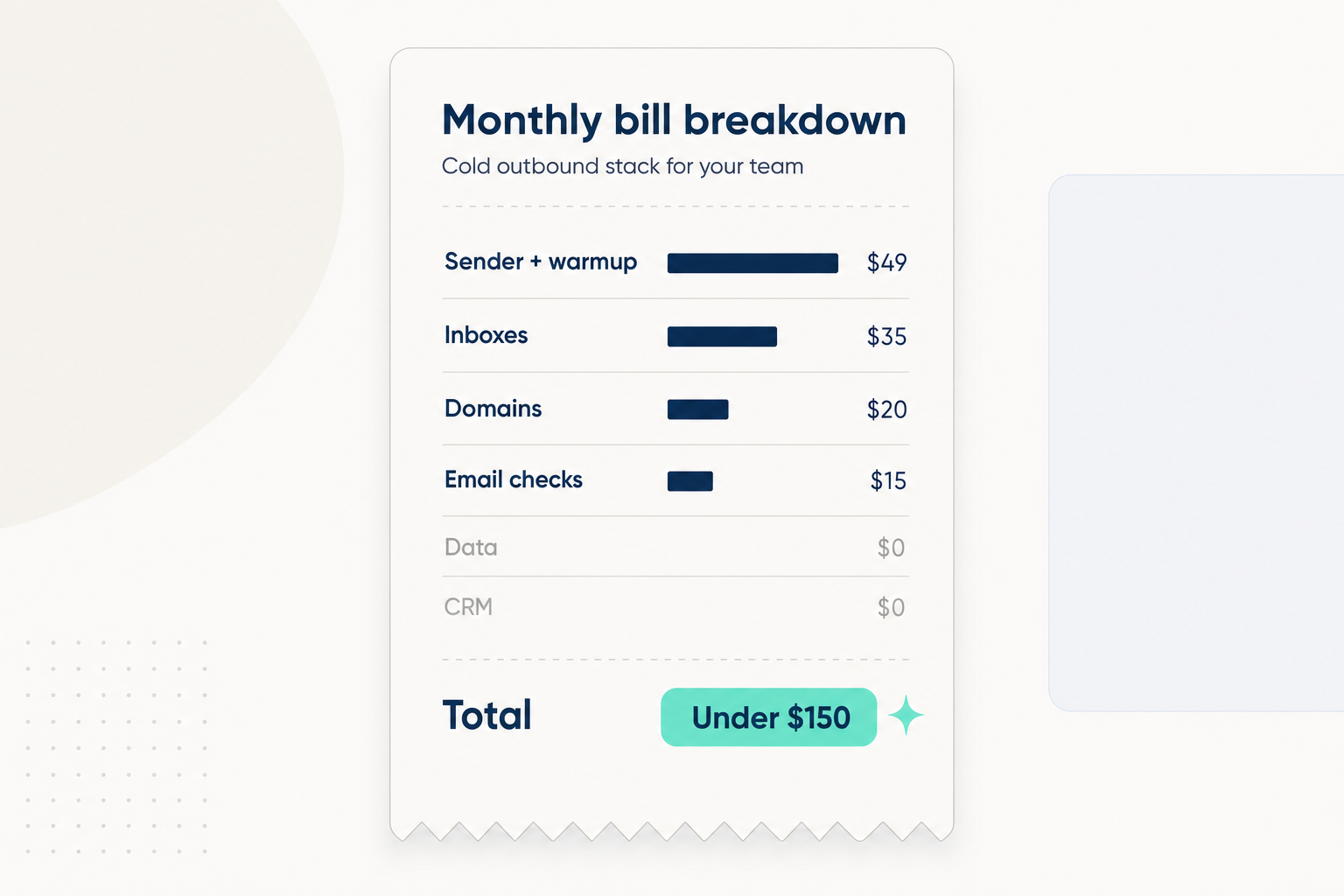
Here is the whole monthly bill for a team of up to ten people, with the paid rows first, because the paid rows are the short part of the story.
Call it under $150 with headroom. The number climbs past $600 only when a team adds per-seat senders at $69 and up per person, a paid data subscription at $49-149, and a standalone intent product, and all three of those belong on the free side of the ledger or in the not-yet pile.
Four Parts, Two Sides of the Ledger
An outbound motion needs exactly four things: somewhere to find and enrich prospects, a way to check addresses before sending, infrastructure that can send without burning your name, and a place where replies get an owner. Sort those four by what they physically are and the ledger writes itself.
The Paid Side Is Physical
Domains and inboxes are real infrastructure with real unit costs. Nobody can make a Google Workspace seat free.
Sending reputation is earned per domain over weeks, which is why the warmup clock is the one part of the timeline money cannot compress.
Address checking is real per-item work against live mail servers, so it prices honestly by the batch.
The Free Side Is Information
Company and people records are information, and the same records show up inside the list tool, the enrichment tool, and the intent tool you were about to buy separately.
A CRM at this stage is one pipeline and an owner per reply, which is exactly what free tiers were built for.
When three line items on a quote turn out to be one dataset wearing three logos, collapse them and keep the money.
The Free Half: One Chat Connection Instead of Three Data Tools
Vibe Prospecting is a free account you connect to Claude or ChatGPT once, and it covers the finding, the enriching, and the recent-activity context that normally arrive as three separate invoices. You describe who you want in plain language, it builds the targeted prospect list, and the same records come back with the context you need to segment them: headcount, funding, what tools they run, who they are hiring.
Recent company activity, from funding rounds to hiring spikes, comes back on the same records, so a separate intent subscription has nothing left to add at this stage.
Credits live in one shared pool for the whole team. There is no per-seat charge, so person number ten costs the same as person number one: nothing.
It runs in three places: as a connector in Claude or ChatGPT, in Claude Code through the Vibe Prospecting plugin (install steps per host in the plugin repository), and as a web app when you would rather click than type. A first ask looks like this:
Text
Ask in chat:

  "Find US logistics and freight companies with 20 to 200
   employees that brought in a new VP of Operations in the
   last 6 months. For the best 150 matches, add the ops
   leader's name, title, and work email status. Show me a
   preview before building anything."

  ->  plain language in, structured filters out
  ->  nothing is charged until you approve the preview
Preview Five Rows Before a Credit Moves
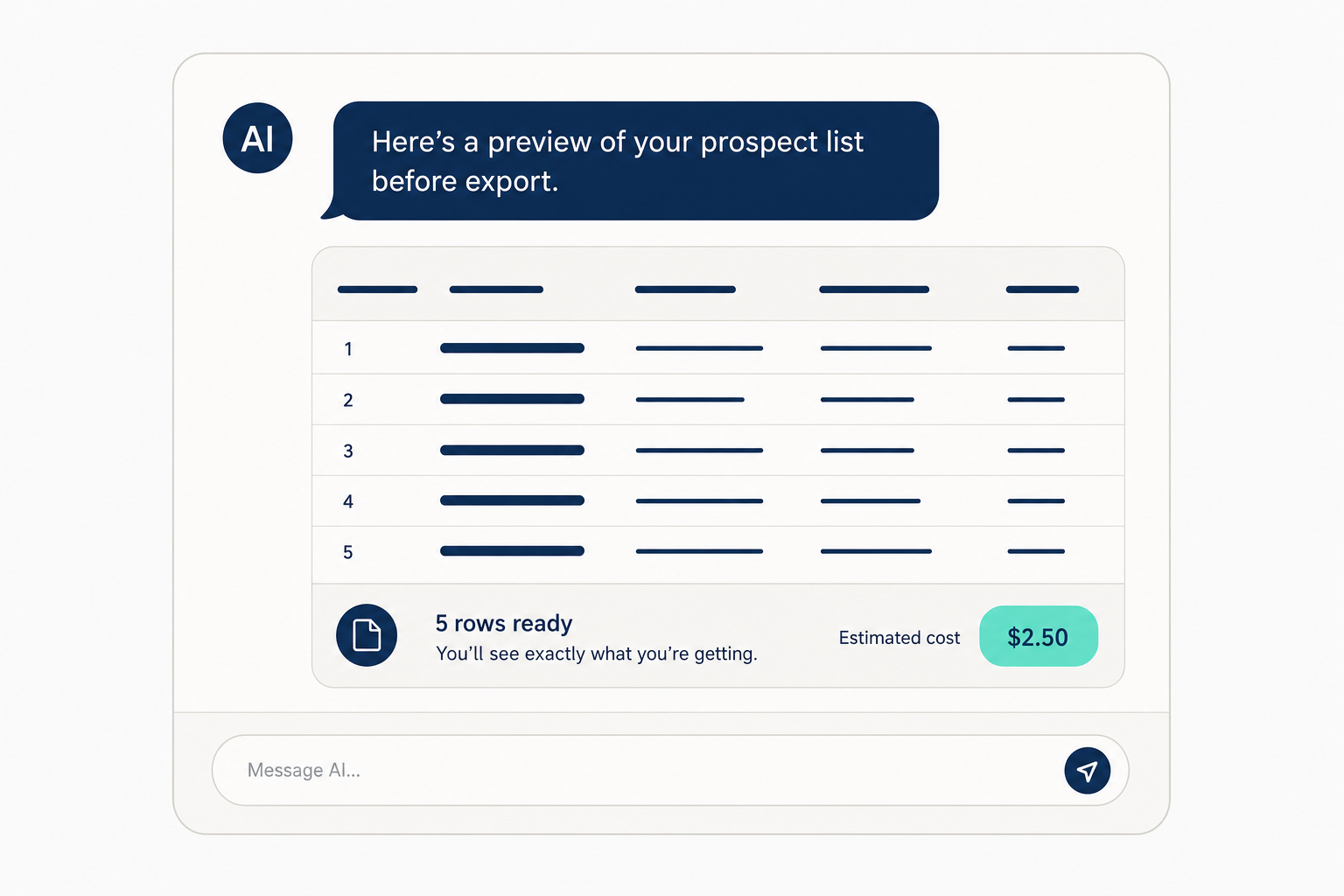
Every list is gated by a preview: five representative rows plus a cost estimate, shown before anything is charged. This one mechanic is what keeps the data layer genuinely free while you are learning, because your first three attempts at describing your buyer are usually wrong, and here the wrong ones cost nothing.
Text
Preview: 5 of 152 matched rows
Columns: company, headcount, new_exec_hire, contact, title, email_status
Estimated cost: 152 credits from the team's shared pool
Build the full list? (yes / no / refine)
Wrong segment in the preview? Rewrite the ask and run it again for free.
Happy with the rows? Approve, and the full list exports as a CSV for your sender or into HubSpot.
Each contact carries an email status of valid, catch-all, or invalid, which sets up the checking step below.
Start free, describe your buyer in one sentence, and look at five real rows with a price on them before you spend anything on this stack.
The Paid Half: Domains, Inboxes, and a Sender That Charges Flat
Buy 2-3 extra domains, put 2-6 Google Workspace inboxes on them, and run everything through a sender that charges a flat monthly rate with warmup included. This is the part of the stack where spending less than $60 is correct and spending $0 is a mistake.
Never Send Cold From Your Main Domain
Cold email belongs on separately purchased domains, so one bad week never touches the address your invoices and contracts send from.
Hold each inbox to 20-30 cold sends a day. When you need more volume, add inboxes, never volume per inbox.
Google asks bulk senders to keep spam complaints under 0.3%, which is three complaints per thousand sends. The list decides that number long before the copy does.
Three DNS Records Before the First Send
Each sending domain needs SPF, DKIM, and DMARC published before warmup starts:
Text
; publish one set per sending domain before warmup starts
go.brightpath-mail.com.                TXT  "v=spf1 include:_spf.google.com ~all"
google._domainkey.go.brightpath-mail.com.  TXT  (DKIM key from the Google Workspace admin console)
_dmarc.go.brightpath-mail.com.         TXT  "v=DMARC1; p=quarantine; rua=mailto:[email protected]"

; confirm each record resolves before day 4
dig +short TXT _dmarc.go.brightpath-mail.com
Flat Rate Beats Per Seat at This Size
Smartlead's Basic plan is $39 a month for 2,000 active contacts and 6,000 emails; Instantly's entry plan is $47 with warmup included. One subscription covers the whole team.
Per-seat senders start around $69 per person, so three people pay more for the sender alone than this entire stack costs.
Both flat-rate options include warmup, which retires the standalone warmup subscription entirely.
Email Checking: Pay Per Batch, Never Per Month
Checking addresses before sending is mandatory, but it is a per-batch expense, not a subscription. A bounce rate above 2-3% starts damaging a sending domain within weeks, and the fix costs pennies per hundred contacts.
MillionVerifier charges $37 per 10,000 checks with no monthly plan attached. A team on 6,000 sends a month pays a few dollars per batch.
Vibe Prospecting already labels every contact valid, catch-all, or invalid at list time, so the batch you pay to check at send time is smaller and cleaner.
Treat any vendor's accuracy claim as a reason to check less often, never a reason to skip checking. Addresses go stale between the day a list is built and the day a sequence fires.
What to Say No to in Month One
Four purchases feel responsible and are not: LinkedIn automation, a standalone intent product, paid CRM seats, and the free-trial rotation hack. Each fails the same test: it either duplicates something already sitting in the free half of the stack, or it converts a money cost into a bigger time cost.
LinkedIn automation: manual connection requests are plenty until email is booking meetings on its own. Automation here risks the one social account you cannot replace.
A separate intent product: recent company activity already rides along on your prospect records. Buy a dedicated tool only when you can name the specific trigger it would catch that your current data misses. If you get there, compare providers side by side on Explorium's comparison pages before paying.
Paid CRM seats: HubSpot's free tier holds 1,000 contacts, 2 users, and 1 pipeline. The upgrade trigger is hitting those caps, not a feature you saw in a demo.
Trial-key rotation: cycling free trials across data vendors breaks mid-campaign when keys expire, violates most terms of service, and eats more hours than it saves dollars. The legitimate version of that instinct is a data layer that starts free and previews cost before charging, which is precisely the loop described above.
The same logic applies to timing your outreach. Before buying anything that promises better timing, read why who you write to and why now moves reply rates more than any tool purchase.
Your First Two Weeks, Day by Day
The 14-day warmup window sets the pace, so use it: data on day one, infrastructure by day three, and the list ready long before the domains are.
Day 1: open a free Vibe Prospecting account, connect it to Claude or ChatGPT, describe your buyer, and review your first five-row preview. Money spent so far: $0.
Day 2-3: buy 2-3 sending domains, create the Google Workspace inboxes, publish SPF, DKIM, and DMARC on every domain, and switch on warmup in Smartlead or Instantly.
Day 4-7: iterate the list ask until the preview rows look like your actual buyer, export around 200 prospects, and run the batch through an email check.
Day 8-13: write the sequence, load it into the sender, and set up HubSpot's free pipeline so every reply lands with an owner.
Day 14: warmup done. Launch at 20-30 sends per inbox per day and let volume grow by adding inboxes.