Your AI Chat Agent Replies in Minutes. Does It Know Who Already Owns the Deal?
A fast reply from your AI sales chat means nothing if it lands with the wrong rep. Here's how to check account ownership before every inbound reply goes out.
Vibe Prospecting team9 min readSeptember 16, 2026
TL;DR
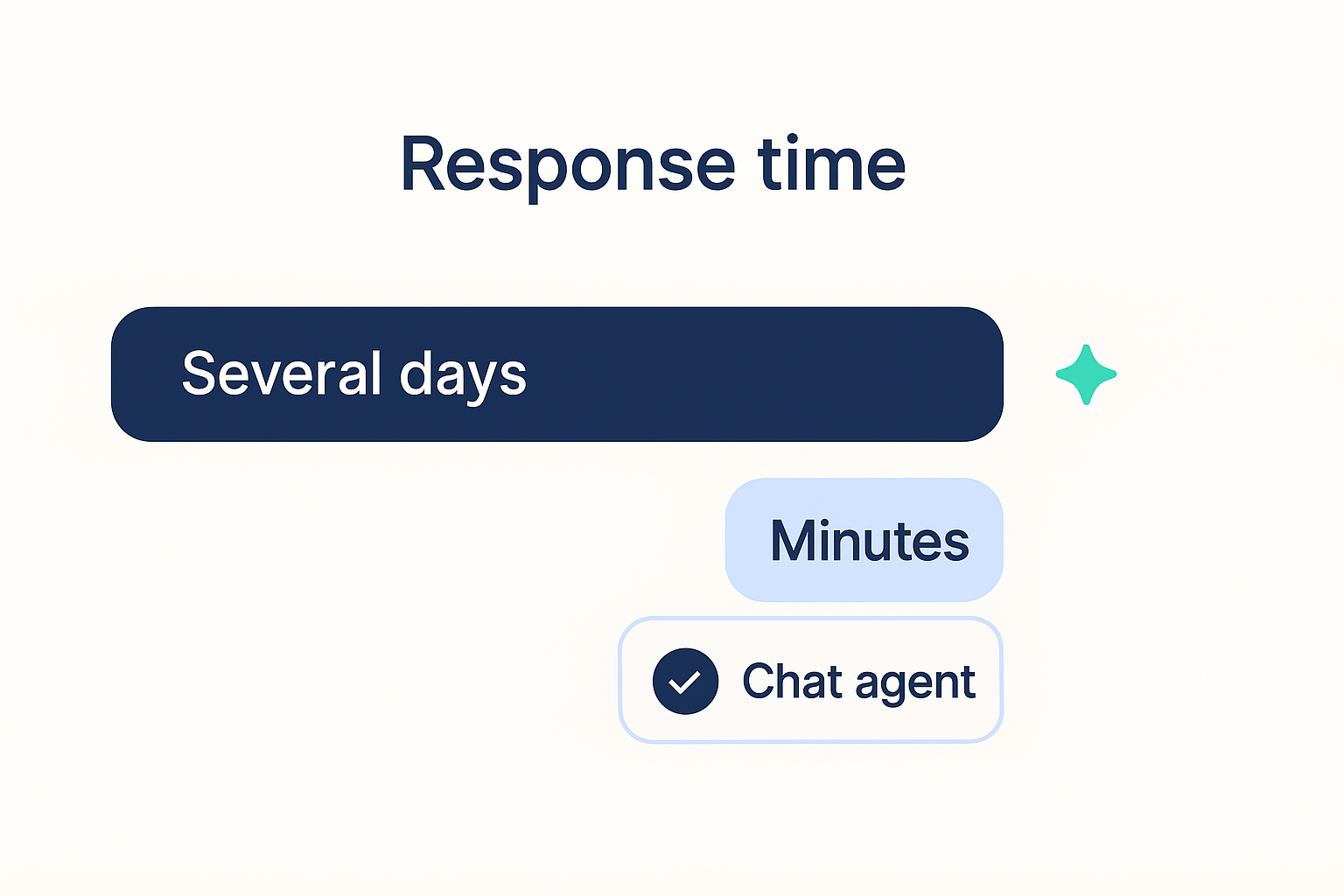
A fast reply from a chat agent is worthless if it lands with the wrong salesperson. The number worth bragging about is response time to the correct owner, not response time alone.
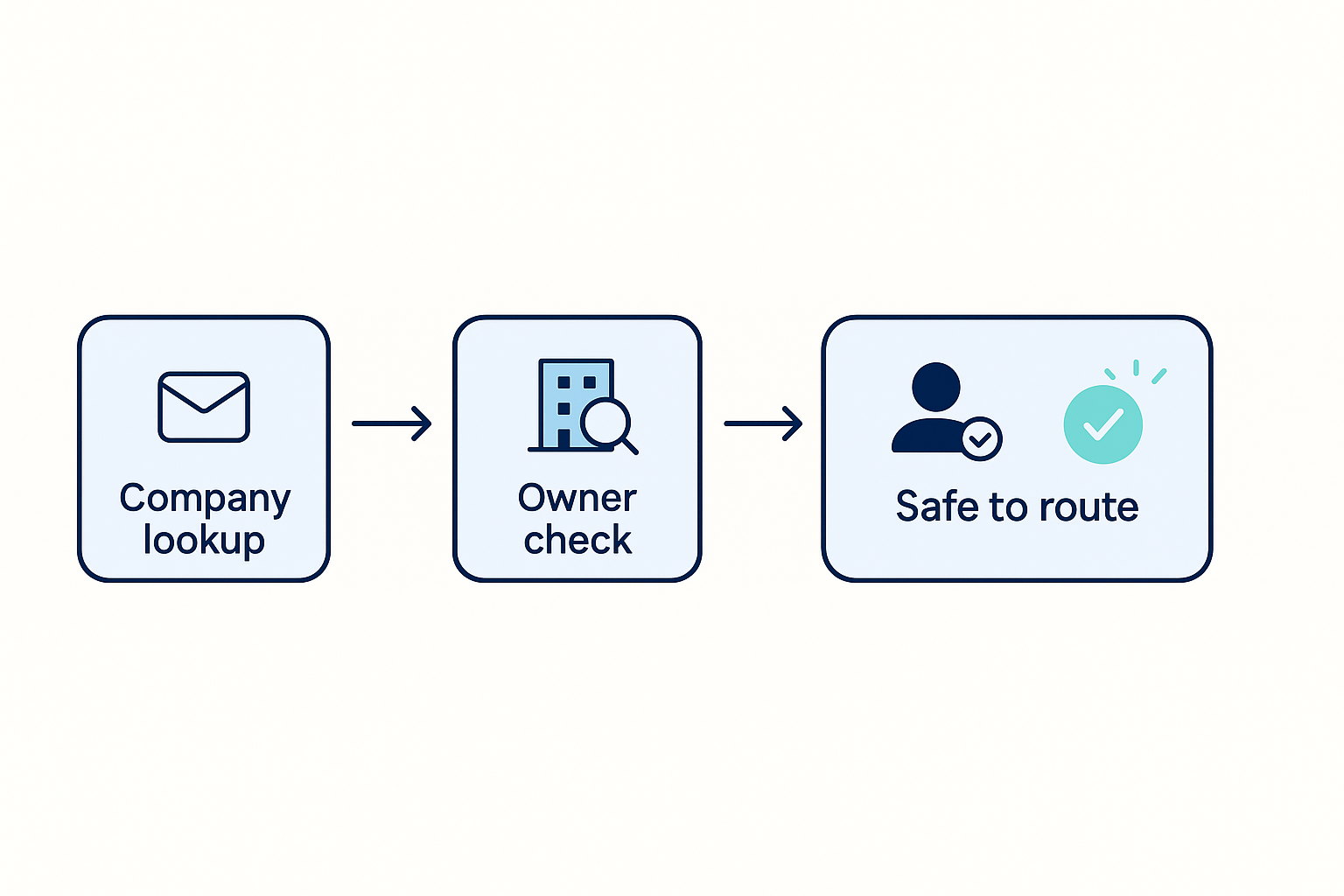
Before your AI sales chat drafts a reply, it needs to look up the company and check who else on the team already owns that account.
Vibe Prospecting returns company details, contact details, and recent company activity in one chat exchange, so there's no second tool needed for the ownership check.
The same check has to hold up on nights and weekends: Vibe Prospecting sustains 100 requests per second and can process up to 1,000 records per call.
A free account with one shared credit pool means a founder or a small sales team can set this up in a chat window in an afternoon.
Coresignal and Hunter.io both offer ways to connect to AI agents, but neither tells you who already owns an account, which is the gap this workflow needs closed.
A fast reply from a chat agent is worthless if it lands with the wrong salesperson. The number worth bragging about is not response time alone, it's response time to the correct owner.
Before your AI sales chat drafts a reply, it needs to look up the company, check who else on the team is already talking to that account, and only then respond.
Vibe Prospecting handles the company lookup, the contact details, and 18 kinds of recent company activity in one chat exchange, so there's no second tool to bolt on for the ownership check.
On busy nights and weekends, the same ownership check has to run without anyone online to babysit it. Vibe Prospecting's connection sustains 100 requests per second and can process up to 1,000 records in a single call.
A free Vibe Prospecting account with one shared credit pool means a founder or a two-person sales team can wire this up in a chat window in an afternoon, no procurement call needed.
Coresignal and Hunter.io both publish MCP servers too, but neither one tells you who already owns an account. That's the gap Vibe Prospecting closes in the same lookup.
A prospect fills out your form. Ninety seconds later, your AI sales chat sends a warm, personalized reply. Everyone on the team is thrilled, until someone notices that account already has a rep three calls deep into a live deal, and the chat agent just handed the same lead to someone else. Speed didn't cause that problem. A missing lookup did.
The Problem With Bragging About a 4-Minute Reply
A "we reply in 4 minutes" headline says nothing about whether that reply went to the right person, and in 2026 that gap is exactly where AI SDR speed-to-lead programs are quietly breaking. The viral case study behind the 4-minute number, down from a 2-day median for a human team, is genuinely impressive. It is also incomplete on its own.
What the old way actually cost you
A 2-day wait handed the deal to whichever competitor, human or AI, answered first.
Getting to a reply meant a rep bouncing between the CRM, a company lookup tool, and an email finder before typing a single word.
Teams that only track "time to first reply" have no visibility into whether that reply went to an owned account or a stranger.
The benchmark that actually matters
Track a reply under 5 minutes that also lands with the correct account owner, backed by a company lookup that ran before the message went out. If you can't audit that number yourself against your own CRM, it's a marketing claim, not a metric.
How a Fast Reply Turns Into an Ownership Collision
An AI sales chat creates a routing collision the moment it replies before checking whether the account already belongs to someone, and that single missing step is the most common complaint GTM teams post about their AI SDR rollouts.
The collision in practice
Someone at a company you're already in a deal with fills out a new form. The chat agent replies in under two minutes and marks the lead handled.
Nobody told the agent that a rep has been negotiating with that same account for three weeks. The new inbound gets auto-assigned to a different person entirely.
A GTM operator who posted about this on LinkedIn put it bluntly: the dashboard turns green the moment the reply goes out, but the account already had someone negotiating the deal, and the new lead just got handed to a stranger on the team.
This is a lookup problem, not a writing problem
Better prompts don't fix this. The agent needs a live, matched company record and a check against who's already engaged, not just a well-worded reply generated from the text of the inbound message.
What Your Chat Agent Needs to Know Before It Hits Send
Before drafting a single word, your chat agent needs four things: who the company actually is, whether it fits your ideal customer, who if anyone already owns the account, and whether there's a genuine reason this person reached out now. Score the message text alone and you skip every one of those checks.
The pre-reply checklist
What to check
Why it comes before the reply
What breaks if you skip it
Company match
Confirms this is a real, current employer, not a stale or duplicate record
You qualify a company that no longer exists in that form
Account ownership
Confirms whether a teammate is already talking to this account
Two people show up in the same buyer's inbox
Fit against your ideal customer
Confirms company size and industry are worth a rep's time
Reps chase accounts that were never going to close
A recent reason to reach out
Confirms the trigger, like new funding or a hiring push, is current, not months old
The reply oversells urgency that isn't real
One lookup beats three tools
Stitching together a separate company database, a contact finder, and a CRM check adds a round trip your reply window can't afford. Vibe Prospecting pulls the company record, the contact details, and the account context from one source, so the ownership check runs against the same record the agent already used to qualify the lead.
Checking Account Ownership Inside a Chat Conversation, Step by Step
You can check account ownership without writing a line of code: ask Vibe Prospecting in Claude or ChatGPT to match the inbound company, return a confidence score, then compare that match against your CRM's existing owner before anything gets auto-routed. Anything below your comfort threshold goes to a human instead of straight to a sequence.
The flow in plain terms
The form comes in. Your agent grabs the company domain and the contact's basic details.
It asks Vibe Prospecting to match the company and return a confidence score.
It checks your CRM for an existing owner on that matched account, then routes the lead accordingly.
Text
You: Check whether this inbound lead's company already has an owner in our CRM.
Domain: northfield-robotics.com

Vibe Prospecting:
  Matched company: Northfield Robotics
  Match confidence: 0.97
  Employees: 210
  Existing CRM owner: none found
  Recommendation: safe to auto-route to territory owner
What happens without a confidence cutoff
Matching on company name alone, with no threshold, can quietly merge two unrelated businesses that happen to share a name. That single shortcut recreates the exact mess speed was supposed to solve.
Why Founders and Small Sales Teams Don't Need an API Team for This
You don't need an engineering sprint to add an ownership check to your inbound flow. Add Vibe Prospecting to Claude or ChatGPT as a connector and ask it, in plain English, to look up a company and check for an existing owner. The heavier setup below is there for teams who want it wired into an existing automation, not a requirement to get started.
What this looks like for a two-person team
A founder handling inbound personally can paste a company domain into a chat and get back a match, the account's size and industry, and a note on any recent activity worth mentioning, in the time it takes to read the original form submission. No data engineer, no API key rotation policy, no sales call to get started with a free account.
When to graduate to the plugin
Once the same lookup needs to run automatically, every time, without someone opening a chat window, the Vibe Prospecting Plugin wires the same lookups into Claude Code so the check runs as part of a scheduled or event-triggered workflow instead of a one-off question.
Claude Code
# In Claude Code, once the plugin is installed
claude plugin install @vibeprospecting/vpai

# Then just ask it directly:
"Check account ownership for the lead that came in from acme-robots.com
before drafting a reply."
Don't Take a 92% Qualification Number at Face Value
Any AI SDR qualification percentage you're handed, including a strong one like 92%, is only useful once you've checked it against your own CRM, because most vendors define "qualified" on their own terms and rarely fold routing accuracy into the number at all.
What a headline accuracy number can hide
A vendor's definition of "qualified" may have nothing to do with the criteria your sales team actually uses.
A lead can be correctly qualified and still get routed to the wrong person, and most published numbers never mention routing at all.
As one G2 reviewer noted about enrichment data broadly, the source matters: depending on where the data comes from, it can be mismatched or out of date, so the safest habit is cross-checking output against another source before trusting it.
A simple way to check it yourself
Pull 50 to 100 leads the agent marked qualified last month. Manually re-check the company match against your CRM, and track how many landed with the right owner as a separate number from how many were "qualified."
Text
sample = qualified_leads.last_30_days().sample(75)
for lead in sample:
    check_company_match(lead, against=crm.accounts)
    check_routing(lead, against=crm.owners)
report(["qualification_rate", "routing_accuracy"])  # track both, not just one
Vibe Prospecting, Coresignal, and Hunter.io: Which One Actually Checks Ownership
All three ship a way to connect to AI agents, but only Vibe Prospecting returns company details, contact details, and account ownership context from a single chat request. Coresignal covers company and employee data without an ownership layer. Hunter.io is built for finding and checking emails, nothing more.
How the three stack up for this workflow
Dimension
Hunter.io
Coresignal
Vibe Prospecting
Account ownership context
Not offered
Not offered
Built into the same chat request the agent already makes
What one request returns
Email finder and checker only
Company and employee records only
Company match, contact details, and 18 categories of recent activity together
Getting started
Free tier, paid plans running up to roughly $244/month
Plans from about $49 to $5,000/month, often 30-80% above list once you're using it
Free account, no sales call, one shared credit pool
Company coverage
Not a company database
Refreshed roughly every 6 hours per its own documentation
150M+ companies, matched at 97.8%+ accuracy
Data staleness risk
Roughly 1 in 3 emails can bounce
Some records reportedly lag 3 to 4 months
Live match state pulled at request time
Which one actually fits
Hunter.io is fine if all you need is a working email address. Coresignal is fine if you want company data and are handling ownership somewhere else yourself. Vibe Prospecting is built for the specific job in this guide, a chat agent that has to qualify a lead, check who owns it, and reply, all in one pass. Explorium runs a fuller side-by-side B2B data provider comparison if you want the longer version.
The Two Numbers Worth Tracking Instead of One
Stop reporting one number. Track reply speed and routing accuracy side by side, every week, because a team that only watches the clock will ship a fast agent that quietly mis-routes leads for months before anyone notices.
Build a two-metric dashboard
Reply speed tells you the agent is fast. Routing accuracy tells you it's trustworthy. Report them together in the same weekly check-in, and treat a drop in either one as equally worth investigating; a fast, badly-routed agent is arguably worse than a slow, accurate one, because it moves the mistake downstream faster.
The after-hours test
More than half of inbound conversations with AI sales chat agents now happen outside standard business hours, which means the ownership check has to hold up with nobody watching. Run the same lookup and the same confidence cutoff at 2am that you'd run at 2pm, and send anything under the threshold to a queue for the first available rep instead of forcing an auto-route while everyone's asleep.
Getting This Running in Claude or ChatGPT Today
Start in chat, not in code: connect Vibe Prospecting, test the ownership check against real leads, then decide if you need the automated version.
Step 1: Create a free Vibe Prospecting account, no sales call required.
Step 2: Connect Vibe Prospecting inside Claude or ChatGPT.
Step 3: Run the company-match and ownership-check flow against 20 to 30 real leads before trusting it with anything live.
Step 4: Pick a confidence cutoff and decide where borderline matches should land.
Step 5: Once ownership checks hold up, add the Vibe Prospecting Plugin if you want the same flow running on a schedule.
Powered by Explorium Enterprise Business Data, Vibe Prospecting gives a chat agent one place to check who a company is, who works there, and who on your team already owns the relationship, before it ever hits send. That's what turns a fast reply into a safe one.